All Scenarios

201

Passed Scenarios

143

Failed Scenarios

19

Skipped Scenarios

39

Execution Time: 88m 48s 930ms

Expand All | Collapse All

In order to use the product
I want to be sure to use a sane environment

Then "server" should have a FQDN 406ms

And reverse resolution should work for "server" 632ms

And the clock from "server" should be exact 674ms

And service "apache2" is enabled on "server" 642ms

And service "apache2" is active on "server" 651ms

And service "cobblerd" is enabled on "server" 652ms

And service "cobblerd" is active on "server" 857ms

And service "rhn-search" is enabled on "server" 645ms

And service "rhn-search" is active on "server" 637ms

And service "salt-api" is enabled on "server" 664ms

And service "salt-api" is active on "server" 645ms

And service "salt-master" is enabled on "server" 658ms

And service "salt-master" is active on "server" 642ms

And service "taskomatic" is enabled on "server" 647ms

And service "taskomatic" is active on "server" 636ms

And socket "tftp" is enabled on "server" 646ms

And socket "tftp" is active on "server" 701ms

And service "tomcat" is enabled on "server" 644ms

And service "tomcat" is active on "server" 646ms

Then "proxy" should have a FQDN 2s 972ms

And reverse resolution should work for "proxy" 280ms

And "proxy" should communicate with the server using public interface 935ms

And the clock from "proxy" should be exact 275ms

Then "sle_minion" should have a FQDN 4s 581ms

And reverse resolution should work for "sle_minion" 447ms

And "sle_minion" should communicate with the server using public interface 1s 85ms

And the clock from "sle_minion" should be exact 415ms

Then "build_host" should have a FQDN 2s 390ms

And reverse resolution should work for "build_host" 209ms

And "build_host" should communicate with the server using public interface 904ms

And the clock from "build_host" should be exact 205ms

Then "ssh_minion" should have a FQDN 4s 107ms

And reverse resolution should work for "ssh_minion" 383ms

And "ssh_minion" should communicate with the server using public interface 1s 32ms

And the clock from "ssh_minion" should be exact 394ms

Then "rhlike_minion" should have a FQDN 1s 932ms

And reverse resolution should work for "rhlike_minion" 200ms

And "rhlike_minion" should communicate with the server using public interface 830ms

And the clock from "rhlike_minion" should be exact 183ms

Then "deblike_minion" should have a FQDN 4s 663ms

And reverse resolution should work for "deblike_minion" 219ms

And "deblike_minion" should communicate with the server using public interface 870ms

And the clock from "deblike_minion" should be exact 217ms

Then it should be possible to reach the test packages 0s

And it should be possible to reach the build sources 0s

And it should be possible to reach the Docker profiles 0s

Then it should be possible to use the HTTP proxy 0s

Then it should be possible to reach the authenticated registry 670ms

Then it should be possible to reach the not authenticated registry 660ms

Then it should be possible to use the custom download endpoint 666ms

In order to use the product
As the admin user
I want to create the organisation, the first users and set the HTTP proxy

When I run "rm -Rf /srv/salt/*" on "server" 655ms

Given I access the host the first time 0s

When I go to the home page 0s

And I enter "SUSE Test" as "orgName" 0s

And I enter "admin" as "login" 0s

And I enter "admin" as "desiredpassword" 0s

And I enter "admin" as "desiredpasswordConfirm" 0s

And I select "Mr." from "prefix" 0s

And I enter "Admin" as "firstNames" 0s

And I enter "Admin" as "lastName" 0s

And I enter "galaxy-noise@localhost" as "email" 0s

And I click on "Create Organization" 0s

Then I am logged in 0s

Given I am authorized for the "Admin" section 40s 86ms

When I wait until mgr-sync refresh is finished 3s 824ms

When I follow the left menu "Users > User List > Active" 210ms

And I follow "Create User" 718ms

And I enter "testing" as "login" 59ms

And I enter "testing" as "desiredpassword" 60ms

And I enter "testing" as "desiredpasswordConfirm" 67ms

And I select "Mr." from "prefix" 54ms

And I enter "Test" as "firstNames" 57ms

And I enter "User" as "lastName" 66ms

And I enter "galaxy-noise@localhost" as "email" 75ms

And I click on "Create Login" 1s 111ms

Then I should see a "Account testing created, login information sent to galaxy-noise@localhost" text 64ms

And I should see a "testing" link 15ms

When I follow the left menu "Users > User List > Active" 83ms

And I follow "testing" 612ms

And I check "role_org_admin" 94ms

And I check "role_system_group_admin" 83ms

And I check "role_channel_admin" 88ms

And I check "role_activation_key_admin" 83ms

And I check "role_config_admin" 87ms

And I click on "Update" 686ms

Then I should see a "User information updated" text 67ms

And I should see a "testing" text 66ms

When I follow the left menu "Admin > Setup Wizard > HTTP Proxy" 0s

Then I should see a "HTTP Proxy Hostname" text 0s

And I should see a "HTTP Proxy Username" text 0s

And I should see a "HTTP Proxy Password" text 0s

When I enter the address of the HTTP proxy as "HTTP Proxy Hostname" 0s

And I enter "suma3" as "HTTP Proxy Username" 0s

And I enter "P4$$w/ord With%and&" as "HTTP Proxy Password" 0s

And I click on "Save and Verify" 0s

Then HTTP proxy verification should have succeeded 0s

* Mon Nov 24 2025 Alexander Graul
- Add minimum_auth_version to enforce security (CVE-2025-62349)
- Backport security fixes for vendored tornado
* BDSA-2024-3438
* BDSA-2024-3439
* BDSA-2024-9026
- Junos module yaml loader fix (CVE-2025-62348)
- Added:
* backport-3006.17-security-fixes-739.patch

* Thu Nov 13 2025 Marek Czernek
- Require Python dependencies only for used Python version

* Tue Nov 11 2025 Marek Czernek
- Fix TLS and x509 modules for OSes with older cryptography module

When I query latest Salt changes on "server" 690ms

In order to test the product using shortcuts
As root user
I want to add pillar data to disable that feature

When I turn off disable_local_repos for all clients 3s 822ms

Given I am authorized for the "Admin" section 0s

When I follow the left menu "Admin > Setup Wizard > Organization Credentials" 0s

And I ask to add new credentials 0s

And I enter the SCC credentials 0s

And I click on "Save" 0s

And I wait until the SCC credentials are valid 0s

In order to set up my personal preferences
As admin
I want to navigate through "Home" submenus changing some settings

Given I am authorized as "admin" with password "admin" 504ms

When I follow the left menu "Home > My Preferences" 74ms

And I select "100" from "pagesize" 84ms

And I click on "Save Preferences" 672ms

Then I should see a "Preferences modified" text 89ms

Given I am authorized as "testing" with password "testing" 2s 869ms

When I follow the left menu "Home > My Preferences" 68ms

And I select "100" from "pagesize" 58ms

And I click on "Save Preferences" 690ms

Then I should see a "Preferences modified" text 87ms

New user kiwikiwi created with roles: image_admin

Given I am authorized for the "Admin" section 2s 389ms

When I create a user with name "kiwikiwi" and password "kiwikiwi" with roles "image_admin" 2s 71ms

New user docker created with roles: image_admin

Given I am authorized for the "Admin" section 474ms

When I create a user with name "docker" and password "docker" with roles "image_admin" 2s 130ms

When I follow the left menu "Images > Stores" 128ms

And I follow "Create" 710ms

And I enter "galaxy-registry" as "label" 105ms

And I enter the URI of the registry as "uri" 149ms

And I click on "create-btn" 143ms

Then I wait until table row contains a "galaxy-registry" text 1s 947ms

And I should see a "Items 1 - 1 of 1" text 57ms

Given I am authorized for the "Admin" section 37s 695ms

When I follow the left menu "Admin > Task Schedules" 146ms

And I follow "mgr-sync-refresh-default" 1s 218ms

And I choose "disabled" 58ms

And I click on "Update Schedule" 1s 594ms

And I click on "Disable Schedule" 1s 620ms

When I follow the left menu "Admin > Task Schedules" 69ms

And I follow "cobbler-sync-default" 1s 324ms

And I choose "disabled" 51ms

And I click on "Update Schedule" 1s 480ms

And I click on "Disable Schedule" 1s 646ms

In order to use software channels
As root user
I want to list available channels and enable them

When I refresh SCC 29s 896ms

And I execute mgr-sync "list channels -e" with user "admin" and password "admin" 2s 377ms

Then I should get "[ ] SLE-Product-SLES15-SP7-Pool for x86_64 SUSE Linux Enterprise Server 15 SP7 x86_64 [sle-product-sles15-sp7-pool-x86_64]" < 1ms

And I should get " [ ] SLE-Product-SLES15-SP7-Updates for x86_64 SUSE Linux Enterprise Server 15 SP7 x86_64 [sle-product-sles15-sp7-updates-x86_64]" < 1ms

And I should get " [ ] SLE15-SP7-Installer-Updates for x86_64 SUSE Linux Enterprise Server 15 SP7 x86_64 [sle15-sp7-installer-updates-x86_64]" < 1ms

When I execute mgr-sync "list channels -e --no-optional" 1s 487ms

Then I should get "[ ] SLE-Product-SLES15-SP7-Pool for x86_64 SUSE Linux Enterprise Server 15 SP7 x86_64 [sle-product-sles15-sp7-pool-x86_64]" < 1ms

And I should get " [ ] SLE-Product-SLES15-SP7-Updates for x86_64 SUSE Linux Enterprise Server 15 SP7 x86_64 [sle-product-sles15-sp7-updates-x86_64]" < 1ms

And I shouldn't get " [ ] SLE15-SP7-Installer-Updates for x86_64 SUSE Linux Enterprise Server 15 SP7 x86_64 [sle15-sp7-installer-updates-x86_64]" < 1ms

When I execute mgr-sync "list products" 1s 536ms

Then I should get "[ ] SUSE Linux Enterprise Server 15 SP7 x86_64" < 1ms

When I execute mgr-sync "list products --expand" 0s

Then I should get "[ ] SUSE Linux Enterprise Server 15 SP7 x86_64" 0s

And I should get " [ ] SUSE Multi-Linux Manager Proxy Extension 5.1 x86_64" 0s

And I should get " [ ] SUSE Multi-Linux Manager Proxy Extension for SLE 5.1 x86_64" 0s

And I should get " [ ] (R) SUSE Multi-Linux Manager Client Tools for SUSE Liberty Linux 7, RHEL and clones 7 x86_64" 0s

And I should get " [ ] (R) SUSE Multi-Linux Manager Client Tools for SLE 15 x86_64" 0s

When I execute mgr-sync "list products --expand --filter x86_64" 1s 461ms

Then I should get "[ ] SUSE Linux Enterprise Server 15 SP7 x86_64" < 1ms

And I shouldn't get "ppc64" < 1ms

And I shouldn't get "s390x" < 1ms

When I remove the mgr-sync cache file 681ms

And I execute mgr-sync refresh 1m 791ms

Then I should get "Timeout. No user input for 60 seconds. Exiting..." < 1ms

When I refresh SCC 26s 105ms

Given I am authorized for the "Admin" section 518ms

When I follow the left menu "Admin > Setup Wizard > Products" 203ms

And I wait until I see "Product Description" text 1s 199ms

Then I should see a "Arch" text 104ms

And I should see a "Channels" text 104ms

And I should not see a "WebYaST 1.3" text 104ms

When I follow the left menu "Admin > Setup Wizard > Products" 79ms

And I wait until I do not see "currently running" text 73ms

And I wait until I do not see "Loading" text 775ms

And I enter "RHEL and Liberty" as the filtered product description 166ms

Then I should see a "RHEL and Liberty 8 Base" text 81ms

When I select "x86_64" from "product-arch-filter" 1s 144ms

Then I should see a "RHEL and Liberty 8 Base" text 81ms

When I follow the left menu "Admin > Setup Wizard > Products" 0s

And I wait until I do not see "currently running" text 0s

And I wait until I do not see "Loading" text 0s

And I enter "SUSE Linux Enterprise Server for SAP Applications 15 x86_64" as the filtered product description 0s

And I click the channel list of product "SUSE Linux Enterprise Server for SAP Applications 15 x86_64" 0s

Then I should see a "Product Channels" text 0s

And I should see a "Mandatory Channels" text 0s

And I should see a "Optional Channels" text 0s

When I close the modal dialog 0s

Given I am authorized for the "Admin" section 0s

When I follow the left menu "Admin > Setup Wizard > Products" 0s

And I wait until I do not see "currently running" text 0s

And I wait until I do not see "Loading" text 0s

And I enter "SUSE Linux Enterprise Server 15 SP7" as the filtered product description 0s

And I wait until I see "SUSE Linux Enterprise Server 15 SP7 x86_64" text 0s

And I open the sub-list of the product "SUSE Linux Enterprise Server 15 SP7 x86_64" 0s

And I open the sub-list of the product "Basesystem Module 15 SP7 x86_64" 0s

And I open the sub-list of the product "Desktop Applications Module 15 SP7 x86_64" 0s

And I open the sub-list of the product "SUSE Multi-Linux Manager Client Tools for SLE 15 x86_64" if present 0s

Then I should see that the "Basesystem Module 15 SP7 x86_64" product is "recommended" 0s

And I should see that the "Server Applications Module 15 SP7 x86_64" product is "recommended" 0s

And I should see that the "SUSE Multi-Linux Manager Client Tools for SLE 15 x86_64" product is "recommended" 0s

When I select "SUSE Linux Enterprise Server 15 SP7 x86_64" as a product 0s

Then I should see the "SUSE Linux Enterprise Server 15 SP7 x86_64" selected 0s

And I should see the "Basesystem Module 15 SP7 x86_64" selected 0s

And I should see the "Server Applications Module 15 SP7 x86_64" selected 0s

And I should see the "SUSE Multi-Linux Manager Client Tools for SLE 15 x86_64" selected 0s

When I select "Desktop Applications Module 15 SP7 x86_64" as a product 0s

And I select "Development Tools Module 15 SP7 x86_64" as a product 0s

Then I should see the "Desktop Applications Module 15 SP7 x86_64" selected 0s

And I should see the "Development Tools Module 15 SP7 x86_64" selected 0s

When I select "Python 3 Module 15 SP7 x86_64" as a product 0s

Then I should see the "Python 3 Module 15 SP7 x86_64" selected 0s

When I select "Containers Module 15 SP7 x86_64" as a product 0s

Then I should see the "Containers Module 15 SP7 x86_64" selected 0s

When I click the Add Product button 0s

And I wait until I see "SUSE Linux Enterprise Server 15 SP7 x86_64" product has been added 0s

Then the SLE15 SP7 product should be added 0s

When I wait until all synchronized channels for "sles15-sp7" have finished 0s

Reposync of channel opensuse_tumbleweed-x86_64 killed
Channel opensuse_tumbleweed-uyuni-client-x86_64 added
Channel opensuse_tumbleweed-uyuni-client-devel-x86_64 added

When I use spacewalk-common-channel to add channel "opensuse_tumbleweed" with arch "x86_64" 7s 802ms

And I kill running spacewalk-repo-sync for "opensuse_tumbleweed-x86_64" channel 1s 396ms

And I use spacewalk-repo-sync to sync channel "opensuse_tumbleweed-x86_64" including only client tools dependencies 3m 20s 630ms

And I use spacewalk-common-channel to add all "tumbleweed-client-tools-x86_64" channels with arch "x86_64" 16s 811ms

Channel opensuse_tumbleweed-x86_64 added
Channel opensuse_tumbleweed-uyuni-client-devel-x86_64 added
Channel uyuni-proxy-devel-tumbleweed-x86_64 added
Channel opensuse_tumbleweed-uyuni-client-devel-x86_64 finished reposync
Channel uyuni-proxy-devel-tumbleweed-x86_64 finished reposync
Channel opensuse_tumbleweed-x86_64 finished reposync
All channels for uyuni-proxy have been fully synced

When I use spacewalk-common-channel to add all "uyuni-proxy" channels with arch "x86_64" 23s 447ms

And I wait until all synchronized channels for "uyuni-proxy" have finished 23s 7ms

Products list: Available Channels: Status: - [I] - channel is installed - [ ] - channel is not installed, but is available - [U] - channel is unavailable [ ] EL9-Pool for x86_64 RHEL and Liberty 9 Base [el9-pool-x86_64] [ ] RHEL7-Pool for x86_64 RHEL7 Base x86_64 [rhel7-pool-x86_64] [ ] RHEL8-Pool for x86_64 RHEL and Liberty 8 Base [rhel8-pool-x86_64] [ ] SLE-Micro-5.3-Pool for x86_64 SUSE Linux Enterprise Micro 5.3 x86_64 [sle-micro-5.3-pool-x86_64] [ ] SLE-Product-SLED15-SP4-Pool for x86_64 SUSE Linux Enterprise Desktop 15 SP4 x86_64 [sle-product-sled15-sp4-pool-x86_64] [ ] SLE-Product-SLES15-SP4-Pool for x86_64 SUSE Linux Enterprise Server 15 SP4 x86_64 [sle-product-sles15-sp4-pool-x86_64] [ ] SLE-Product-SLES15-SP5-Pool for x86_64 SUSE Linux Enterprise Server 15 SP5 x86_64 [sle-product-sles15-sp5-pool-x86_64] [ ] SLE-Product-SLES15-SP6-Pool for x86_64 SUSE Linux Enterprise Server 15 SP6 x86_64 [sle-product-sles15-sp6-pool-x86_64] [I] SLE-Product-SLES15-SP7-Pool for x86_64 SUSE Linux Enterprise Server 15 SP7 x86_64 [sle-product-sles15-sp7-pool-x86_64] [I] SLE-Module-Basesystem15-SP7-Pool for x86_64 Basesystem Module 15 SP7 x86_64 [sle-module-basesystem15-sp7-pool-x86_64] [I] SLE-Module-Basesystem15-SP7-Updates for x86_64 Basesystem Module 15 SP7 x86_64 [sle-module-basesystem15-sp7-updates-x86_64] [ ] SLE-Module-Containers15-SP7-Pool for x86_64 Containers Module 15 SP7 x86_64 [sle-module-containers15-sp7-pool-x86_64] [ ] SLE-Module-Containers15-SP7-Updates for x86_64 Containers Module 15 SP7 x86_64 [sle-module-containers15-sp7-updates-x86_64] [I] SLE-Module-Desktop-Applications15-SP7-Pool for x86_64 Desktop Applications Module 15 SP7 x86_64 [sle-module-desktop-applications15-sp7-pool-x86_64] [I] SLE-Module-Desktop-Applications15-SP7-Updates for x86_64 Desktop Applications Module 15 SP7 x86_64 [sle-module-desktop-applications15-sp7-updates-x86_64] [I] SLE-Module-DevTools15-SP7-Pool for x86_64 Development Tools Module 15 SP7 x86_64 [sle-module-devtools15-sp7-pool-x86_64] [I] SLE-Module-DevTools15-SP7-Updates for x86_64 Development Tools Module 15 SP7 x86_64 [sle-module-devtools15-sp7-updates-x86_64] [ ] SLE-Module-Live-Patching15-SP7-Pool for x86_64 SUSE Linux Enterprise Live Patching 15 SP7 x86_64 [sle-module-live-patching15-sp7-pool-x86_64] [ ] SLE-Module-Live-Patching15-SP7-Updates for x86_64 SUSE Linux Enterprise Live Patching 15 SP7 x86_64 [sle-module-live-patching15-sp7-updates-x86_64] [ ] SLE-Module-Public-Cloud15-SP7-Pool for x86_64 Public Cloud Module 15 SP7 x86_64 [sle-module-public-cloud15-sp7-pool-x86_64] [ ] SLE-Module-Public-Cloud15-SP7-Updates for x86_64 Public Cloud Module 15 SP7 x86_64 [sle-module-public-cloud15-sp7-updates-x86_64] [I] SLE-Module-Python3-15-SP7-Pool for x86_64 Python 3 Module 15 SP7 x86_64 [sle-module-python3-15-sp7-pool-x86_64] [I] SLE-Module-Python3-15-SP7-Updates for x86_64 Python 3 Module 15 SP7 x86_64 [sle-module-python3-15-sp7-updates-x86_64] [I] SLE-Module-Server-Applications15-SP7-Pool for x86_64 Server Applications Module 15 SP7 x86_64 [sle-module-server-applications15-sp7-pool-x86_64] [I] SLE-Module-Server-Applications15-SP7-Updates for x86_64 Server Applications Module 15 SP7 x86_64 [sle-module-server-applications15-sp7-updates-x86_64] [I] SLE-Module-Systems-Management-15-SP7-Pool for x86_64 Systems Management Module 15 SP7 x86_64 [sle-module-systems-management-15-sp7-pool-x86_64] [I] SLE-Module-Systems-Management-15-SP7-Updates for x86_64 Systems Management Module 15 SP7 x86_64 [sle-module-systems-management-15-sp7-updates-x86_64] [ ] SLE-Module-Web-Scripting15-SP7-Pool for x86_64 Web and Scripting Module 15 SP7 x86_64 [sle-module-web-scripting15-sp7-pool-x86_64] [ ] SLE-Module-Web-Scripting15-SP7-Updates for x86_64 Web and Scripting Module 15 SP7 x86_64 [sle-module-web-scripting15-sp7-updates-x86_64] [I] SLE-Product-SLES15-SP7-Updates for x86_64 SUSE Linux Enterprise Server 15 SP7 x86_64 [sle-product-sles15-sp7-updates-x86_64] [I] SLE15-SP7-Installer-Updates for x86_64 SUSE Linux Enterprise Server 15 SP7 x86_64 [sle15-sp7-installer-updates-x86_64] [ ] SUSE-MicroOS-5.2-Pool for x86_64 SUSE Linux Enterprise Micro 5.2 x86_64 [suse-microos-5.2-pool-x86_64]
Channel sle-product-sles15-sp7-pool-x86_64 finished reposync
Channel sle-product-sles15-sp7-updates-x86_64 finished reposync
Channel sle15-sp7-installer-updates-x86_64 finished reposync
Channel sles15-sp7-devel-uyuni-client-x86_64 finished reposync
1 minutes out of 106 waiting for 'sles15-sp7' channels to finish reposync
2 minutes out of 106 waiting for 'sles15-sp7' channels to finish reposync
3 minutes out of 106 waiting for 'sles15-sp7' channels to finish reposync
4 minutes out of 106 waiting for 'sles15-sp7' channels to finish reposync
5 minutes out of 106 waiting for 'sles15-sp7' channels to finish reposync
Channel sle-module-basesystem15-sp7-pool-x86_64 finished reposync
6 minutes out of 106 waiting for 'sles15-sp7' channels to finish reposync
7 minutes out of 106 waiting for 'sles15-sp7' channels to finish reposync
8 minutes out of 106 waiting for 'sles15-sp7' channels to finish reposync
9 minutes out of 106 waiting for 'sles15-sp7' channels to finish reposync
10 minutes out of 106 waiting for 'sles15-sp7' channels to finish reposync
11 minutes out of 106 waiting for 'sles15-sp7' channels to finish reposync
12 minutes out of 106 waiting for 'sles15-sp7' channels to finish reposync
Channel sle-module-basesystem15-sp7-updates-x86_64 finished reposync
Channel sle-module-server-applications15-sp7-pool-x86_64 finished reposync
Channel sle-module-server-applications15-sp7-updates-x86_64 finished reposync
13 minutes out of 106 waiting for 'sles15-sp7' channels to finish reposync
Channel sle-module-python3-15-sp7-pool-x86_64 finished reposync
Channel sle-module-python3-15-sp7-updates-x86_64 finished reposync
14 minutes out of 106 waiting for 'sles15-sp7' channels to finish reposync
Channel sle-module-systems-management-15-sp7-pool-x86_64 finished reposync
Channel sle-module-systems-management-15-sp7-updates-x86_64 finished reposync
15 minutes out of 106 waiting for 'sles15-sp7' channels to finish reposync
16 minutes out of 106 waiting for 'sles15-sp7' channels to finish reposync
17 minutes out of 106 waiting for 'sles15-sp7' channels to finish reposync
18 minutes out of 106 waiting for 'sles15-sp7' channels to finish reposync
19 minutes out of 106 waiting for 'sles15-sp7' channels to finish reposync
20 minutes out of 106 waiting for 'sles15-sp7' channels to finish reposync
Channel sle-module-desktop-applications15-sp7-pool-x86_64 finished reposync
21 minutes out of 106 waiting for 'sles15-sp7' channels to finish reposync
Channel sle-module-desktop-applications15-sp7-updates-x86_64 finished reposync
22 minutes out of 106 waiting for 'sles15-sp7' channels to finish reposync
23 minutes out of 106 waiting for 'sles15-sp7' channels to finish reposync
24 minutes out of 106 waiting for 'sles15-sp7' channels to finish reposync
25 minutes out of 106 waiting for 'sles15-sp7' channels to finish reposync
26 minutes out of 106 waiting for 'sles15-sp7' channels to finish reposync
27 minutes out of 106 waiting for 'sles15-sp7' channels to finish reposync
28 minutes out of 106 waiting for 'sles15-sp7' channels to finish reposync
29 minutes out of 106 waiting for 'sles15-sp7' channels to finish reposync
30 minutes out of 106 waiting for 'sles15-sp7' channels to finish reposync
Channel sle-module-devtools15-sp7-updates-x86_64 finished reposync
31 minutes out of 106 waiting for 'sles15-sp7' channels to finish reposync
Channel sle-module-devtools15-sp7-pool-x86_64 finished reposync
All channels for sles15-sp7 have been fully synced

Given I am authorized for the "Admin" section 453ms

When I follow the left menu "Admin > Setup Wizard > Products" 179ms

And I wait until I do not see "currently running" text 73ms

And I wait until I do not see "Loading" text 790ms

And I enter "SUSE Linux Enterprise Server 15 SP7 x86_64" as the filtered product description 139ms

And I select "SUSE Linux Enterprise Server 15 SP7 x86_64" as a product 79ms

Then I should see the "SUSE Linux Enterprise Server 15 SP7 x86_64" selected 31ms

When I open the sub-list of the product "SUSE Linux Enterprise Server 15 SP7 x86_64" 61ms

And I open the sub-list of the product "Basesystem Module 15 SP7 x86_64" 61ms

And I select "Desktop Applications Module 15 SP7 x86_64" as a product 69ms

Then I should see the "Desktop Applications Module 15 SP7 x86_64" selected 29ms

When I open the sub-list of the product "Desktop Applications Module 15 SP7 x86_64" 57ms

And I select "Development Tools Module 15 SP7 x86_64" as a product 70ms

Then I should see the "Development Tools Module 15 SP7 x86_64" selected 26ms

When I click the Add Product button 63ms

And I wait until I see "Selected channels/products were scheduled successfully for syncing." text 7s 698ms

Then the SLE15 SP7 product should be added 2s 836ms

When I use spacewalk-common-channel to add channel "sles15-sp7-devel-uyuni-client" with arch "x86_64" 8s 766ms

And I wait until I see "SUSE Linux Enterprise Server 15 SP7 x86_64" product has been added 14ms

And I wait until all synchronized channels for "sles15-sp7" have finished 43m 55s 670ms

@proxy @susemanager @transactional_server
Scenario:
Add SL Micro 6.1 as base OS for proxy
< 1ms 13

Given I am authorized for the "Admin" section 0s

When I follow the left menu "Admin > Setup Wizard > Products" 0s

And I wait until I do not see "currently running" text 0s

And I wait until I do not see "Loading" text 0s

And I enter "SUSE Linux Micro 6.1" as the filtered product description 0s

And I select "SUSE Linux Micro 6.1 x86_64" as a product 0s

Then I should see the "SUSE Linux Micro 6.1 x86_64" selected 0s

When I open the sub-list of the product "SUSE Linux Micro 6.1 x86_64" 0s

And I open the sub-list of the product "SUSE Multi-Linux Manager Client Tools for SL Micro 6 x86_64" if present 0s

And I click the Add Product button 0s

And I wait until I see "Selected channels/products were scheduled successfully for syncing." text 0s

And I wait until I see "SUSE Linux Micro 6.1 x86_64" product has been added 0s

And I wait until all synchronized channels for "sl-micro-6.1" have finished 0s

@proxy @susemanager @skip_if_transactional_server
Scenario:
Add SLES 15 SP7 as base OS for proxy
< 1ms 11

Given I am authorized for the "Admin" section 0s

When I follow the left menu "Admin > Setup Wizard > Products" 0s

And I wait until I do not see "currently running" text 0s

And I wait until I do not see "Loading" text 0s

And I enter "SUSE Linux Enterprise Server 15 SP7" as the filtered product description 0s

And I select "SUSE Linux Enterprise Server 15 SP7 (BETA)" as a product 0s

Then I should see the "SUSE Linux Enterprise Server 15 SP7 (BETA)" selected 0s

When I click the Add Product button 0s

And I wait until I see "Selected channels/products were scheduled successfully for syncing." text 0s

And I wait until I see "SUSE Linux Enterprise Server 15 SP7 (BETA)" product has been added 0s

And I wait until all synchronized channels for "sles15-sp7" have finished 0s

Given I am authorized for the "Admin" section 0s

When I follow the left menu "Admin > Setup Wizard > Products" 0s

And I wait until I do not see "currently running" text 0s

And I wait until I do not see "Loading" text 0s

And I enter "SUSE Linux Micro 6.1" as the filtered product description 0s

When I open the sub-list of the product "SUSE Linux Micro 6.1 x86_64" 0s

And I select "SUSE Linux Micro 6.1 x86_64" as a product 0s

And I select "SUSE Multi-Linux Manager Proxy Extension 5.1 x86_64" as a product 0s

Then I should see the "SUSE Multi-Linux Manager Proxy Extension 5.1 x86_64" selected 0s

When I click the Add Product button 0s

And I wait until I see "Selected channels/products were scheduled successfully for syncing." text 0s

And I wait until I see "SUSE Multi-Linux Manager Proxy Extension 5.1 x86_64" product has been added 0s

And I wait until all synchronized channels for "suse-multi-linux-manager-proxy-51" have finished 0s

Given I am authorized for the "Admin" section 0s

When I follow the left menu "Admin > Setup Wizard > Products" 0s

And I wait until I do not see "currently running" text 0s

And I wait until I do not see "Loading" text 0s

And I enter "SUSE Linux Enterprise Server 15 SP7" as the filtered product description 0s

When I open the sub-list of the product "SUSE Linux Enterprise Server 15 SP7 x86_64" 0s

And I select "SUSE Multi-Linux Manager Proxy Extension 5.1 x86_64" as a product 0s

Then I should see the "SUSE Multi-Linux Manager Proxy Extension 5.1 x86_64" selected 0s

When I click the Add Product button 0s

And I wait until I see "Selected channels/products were scheduled successfully for syncing." text 0s

And I wait until I see "SUSE Multi-Linux Manager Proxy Extension 5.1 x86_64" product has been added 0s

And I wait until all synchronized channels for "suse-multi-linux-manager-proxy-51-sp7" have finished 0s

Given I am authorized for the "Admin" section 0s

When I follow the left menu "Admin > Setup Wizard > Products" 0s

And I wait until I do not see "currently running" text 0s

And I wait until I do not see "Loading" text 0s

And I enter "SUSE Linux Micro 6.1" as the filtered product description 0s

When I open the sub-list of the product "SUSE Linux Micro 6.1 x86_64" 0s

And I select "SUSE Linux Micro 6.1 x86_64" as a product 0s

And I select "SUSE Multi-Linux Manager Retail Branch Server Extension 5.1 x86_64" as a product 0s

Then I should see the "SUSE Multi-Linux Manager Retail Branch Server Extension 5.1 x86_64" selected 0s

When I click the Add Product button 0s

And I wait until I see "Selected channels/products were scheduled successfully for syncing." text 0s

And I wait until I see "SUSE Multi-Linux Manager Retail Branch Server Extension 5.1 x86_64" product has been added 0s

And I wait until all synchronized channels for "suse-multi-linux-manager-retail-branch-server-51" have finished 0s

Given I am authorized for the "Admin" section 0s

When I follow the left menu "Admin > Setup Wizard > Products" 0s

And I wait until I do not see "currently running" text 0s

And I wait until I do not see "Loading" text 0s

And I enter "SUSE Linux Enterprise Server 15 SP7" as the filtered product description 0s

When I open the sub-list of the product "SUSE Linux Enterprise Server 15 SP7 x86_64" 0s

And I select "SUSE Multi-Linux Manager Retail Branch Server Extension 5.1 x86_64" as a product 0s

Then I should see the "SUSE Multi-Linux Manager Retail Branch Server Extension 5.1 x86_64" selected 0s

When I click the Add Product button 0s

And I wait until I see "Selected channels/products were scheduled successfully for syncing." text 0s

And I wait until I see "SUSE Multi-Linux Manager Retail Branch Server Extension 5.1 x86_64" product has been added 0s

And I wait until all synchronized channels for "suma-retail-branch-server-extension-51-sp7" have finished 0s

When I execute mgr-sync "list channels" with user "admin" and password "admin" 0s

And I should get " [I] SLE15-SP7-Installer-Updates for x86_64 SUSE Linux Enterprise Server 15 SP7 x86_64 [sle15-sp7-installer-updates-x86_64]" 0s

@scc_credentials @skip_if_github_validation
Scenario:
Detect product loading issues from the UI
43s 290ms 7

Given I am authorized for the "Admin" section 877ms

When I follow the left menu "Admin > Setup Wizard > Products" 221ms

And I wait until I see "Setup Wizard" text 72ms

And I wait until I do not see "Loading" text 829ms

Then I should not see a "Operation not successful" text 104ms

And I select "250" from "pageSize" 1s 129ms

And I should only see success signs in the product list 40s 55ms

When I report the synchronization duration for "sles15-sp7" < 1ms

In Order to distribute software to the clients
As an authorized user
I want to create fake channels for each distribution

Given I am authorized for the "Admin" section 490ms

When I follow the left menu "Software > Manage > Channels" 211ms

And I follow "Create Channel" 313ms

And I enter "Fake-Base-Channel-SUSE-like" as "Channel Name" 100ms

And I enter "fake-base-channel-suse-like" as "Channel Label" 89ms

And I select "None" from "Parent Channel" 62ms

And I select "x86_64" from "Architecture:" 53ms

And I enter "Base channel for testing" as "Channel Summary" 83ms

And I enter "No more description for base channel." as "Channel Description" 98ms

And I click on "Create Channel" 691ms

Then I should see a "Channel Fake-Base-Channel-SUSE-like created." text 74ms

When I follow the left menu "Software > Manage > Channels" 85ms

And I follow "Create Channel" 301ms

And I enter "Fake-Child-Channel-SUSE-like" as "Channel Name" 86ms

And I enter "fake-child-channel-suse-like" as "Channel Label" 84ms

And I select "Fake-Base-Channel-SUSE-like" from "Parent Channel" 77ms

And I select "x86_64" from "Architecture:" 42ms

And I enter "Child channel for testing" as "Channel Summary" 79ms

And I enter "Description for Fake Child Channel SUSE like." as "Channel Description" 93ms

And I click on "Create Channel" 627ms

Then I should see a "Channel Fake-Child-Channel-SUSE-like created." text 67ms

When I follow the left menu "Software > Manage > Channels" 83ms

And I follow "Create Channel" 297ms

And I enter "Fake-RPM-SUSE-Channel" as "Channel Name" 81ms

And I enter "fake-rpm-suse-channel" as "Channel Label" 84ms

And I select the parent channel for the "sle_minion" from "Parent Channel" 56ms

And I select "x86_64" from "Architecture:" 43ms

And I enter "Fake-RPM-SUSE-Channel for testing" as "Channel Summary" 89ms

And I enter "Description for Fake-RPM-SUSE-Channel Child Channel." as "Channel Description" 102ms

And I click on "Create Channel" 90ms

Then I should see a "Channel Fake-RPM-SUSE-Channel created." text 71ms

When I follow the left menu "Software > Manage > Channels" 87ms

And I follow "Create Channel" 306ms

And I enter "Fake-Base-Channel-i586" as "Channel Name" 78ms

And I enter "fake-base-channel-i586" as "Channel Label" 77ms

And I select "None" from "Parent Channel" 48ms

And I select "IA-32" from "Architecture:" 63ms

And I enter "Fake-Base-Channel-i586 channel for testing" as "Channel Summary" 94ms

And I enter "No more description for base channel." as "Channel Description" 85ms

And I click on "Create Channel" 566ms

Then I should see a "Channel Fake-Base-Channel-i586 created." text 68ms

When I follow the left menu "Software > Manage > Channels" 82ms

And I follow "Create Channel" 283ms

And I enter "Fake-Child-Channel-i586" as "Channel Name" 82ms

And I enter "fake-child-channel-i586" as "Channel Label" 77ms

And I select "Fake-Base-Channel-i586" from "Parent Channel" 69ms

And I select "IA-32" from "Architecture:" 42ms

And I enter "Fake Child Channel i586 for testing" as "Channel Summary" 88ms

And I enter "Description for Fake Child Channel i586." as "Channel Description" 92ms

And I click on "Create Channel" 610ms

Then I should see a "Channel Fake-Child-Channel-i586 created." text 67ms

When I follow the left menu "Software > Manage > Channels" 82ms

And I follow "Create Channel" 330ms

And I enter "Test-Base-Channel-x86_64" as "Channel Name" 83ms

And I enter "test-base-channel-x86_64" as "Channel Label" 79ms

And I select "None" from "Parent Channel" 50ms

And I select "x86_64" from "Architecture:" 41ms

And I enter "Test-Base-Channel-x86_64 channel for testing" as "Channel Summary" 96ms

And I enter "No more description for base channel." as "Channel Description" 86ms

And I click on "Create Channel" 580ms

Then I should see a "Channel Test-Base-Channel-x86_64 created." text 70ms

When I follow the left menu "Software > Manage > Channels" 83ms

And I follow "Create Channel" 327ms

And I enter "Test-Child-Channel-x86_64" as "Channel Name" 83ms

And I enter "test-child-channel-x86_64" as "Channel Label" 78ms

And I select "Test-Base-Channel-x86_64" from "Parent Channel" 70ms

And I select "x86_64" from "Architecture:" 43ms

And I enter "Test-Child-Channel-x86_64 channel for testing" as "Channel Summary" 95ms

And I enter "Description for Test-Child-Channel-x86_64 Channel." as "Channel Description" 96ms

And I click on "Create Channel" 572ms

Then I should see a "Channel Test-Child-Channel-x86_64 created." text 69ms

When I follow the left menu "Software > Manage > Channels" 0s

And I follow "Create Channel" 0s

And I enter "Fake-RPM-Terminal-Channel" as "Channel Name" 0s

And I enter "fake-rpm-terminal-channel" as "Channel Label" 0s

And I select the parent channel for the "pxeboot_minion" from "Parent Channel" 0s

And I select "x86_64" from "Architecture:" 0s

And I enter "Fake-RPM-Terminal-Channel for testing" as "Channel Summary" 0s

And I enter "Description for Fake-RPM-Terminal-Channel Child Channel." as "Channel Description" 0s

And I click on "Create Channel" 0s

Then I should see a "Channel Fake-RPM-Terminal-Channel created." text 0s

When I follow the left menu "Software > Manage > Channels" 83ms

And I follow "Create Channel" 317ms

And I enter "Fake-Base-Channel-Debian-like" as "Channel Name" 84ms

And I enter "fake-base-channel-debian-like" as "Channel Label" 82ms

And I select "None" from "Parent Channel" 45ms

And I select "AMD64 Debian" from "Architecture:" 64ms

And I enter "Fake-Base-Channel-Debian-like for testing" as "Channel Summary" 95ms

And I enter "No more description for base channel." as "Channel Description" 88ms

And I uncheck "gpg_check" 10s 95ms

And I click on "Create Channel" 508ms

Then I should see a "Channel Fake-Base-Channel-Debian-like created." text 76ms

When I follow the left menu "Software > Manage > Channels" 81ms

And I follow "Create Channel" 354ms

And I enter "Fake-Base-Channel-RH-like" as "Channel Name" 80ms

And I enter "fake-base-channel-rh-like" as "Channel Label" 81ms

And I select "None" from "Parent Channel" 46ms

And I select "x86_64" from "Architecture:" 48ms

And I enter "Fake-Base-Channel-RH-like for testing" as "Channel Summary" 89ms

And I enter "No more description for base channel." as "Channel Description" 87ms

And I click on "Create Channel" 63ms

Then I should see a "Channel Fake-Base-Channel-RH-like created." text 69ms

When I follow the left menu "Software > Manage > Channels" 81ms

And I follow "Create Channel" 357ms

And I enter "Fake-Base-Channel-AppStream" as "Channel Name" 82ms

And I enter "fake-base-channel-appstream" as "Channel Label" 81ms

And I select "None" from "Parent Channel" 52ms

And I select "x86_64" from "Architecture:" 40ms

And I enter "Fake-Base-Channel-AppStream for testing" as "Channel Summary" 92ms

And I enter "Description for Fake-Base-Channel-AppStream." as "Channel Description" 95ms

And I click on "Create Channel" 62ms

Then I should see a "Channel Fake-Base-Channel-AppStream created." text 76ms

In order to distribute software to the clients
As an authorized user
I want to create a fake repository per fake child channel

Given I am authorized for the "Admin" section 537ms

When I follow the left menu "Software > Manage > Repositories" 199ms

And I follow "Create Repository" 317ms

And I enter "fake-rpm-repo" as "label" 63ms

And I enter "http://localhost/pub/TestRepoRpmUpdates/" as "url" 91ms

And I click on "Create Repository" 67ms

Then I should see a "Repository created successfully" text 60ms

And I should see "metadataSigned" as checked 22ms

When I follow the left menu "Software > Manage > Repositories" 84ms

And I follow "fake-rpm-repo" 287ms

And I uncheck "metadataSigned" 10s 68ms

And I click on "Update Repository" 460ms

Then I should see a "Repository updated successfully" text 58ms

And I should see "metadataSigned" as unchecked 18ms

When I follow the left menu "Software > Manage > Repositories" 81ms

And I follow "Create Repository" 293ms

And I enter "fake-appstream-repo" as "label" 68ms

And I enter "http://localhost/pub/TestRepoAppStream/" as "url" 85ms

And I click on "Create Repository" 61ms

Then I should see a "Repository created successfully" text 59ms

And I should see "metadataSigned" as checked 17ms

When I follow the left menu "Software > Manage > Repositories" 80ms

And I follow "fake-appstream-repo" 256ms

And I uncheck "metadataSigned" 10s 89ms

And I click on "Update Repository" 443ms

Then I should see a "Repository updated successfully" text 65ms

And I should see "metadataSigned" as unchecked 18ms

When I follow the left menu "Software > Manage > Channels" 87ms

And I follow "Fake-RPM-SUSE-Channel" 357ms

And I enter "file:///etc/pki/rpm-gpg/uyuni-tools-gpg-pubkey-0d20833e.key" as "GPG key URL" 116ms

And I click on "Update Channel" 72ms

Then I should see a "Channel Fake-RPM-SUSE-Channel updated" text 70ms

When I follow "Repositories" in the content area 82ms

And I select the "fake-rpm-repo" repo 63ms

And I click on "Save Repositories" 545ms

Then I should see a "Fake-RPM-SUSE-Channel repository information was successfully updated" text 67ms

When I follow the left menu "Software > Manage > Channels" 78ms

And I follow "Test-Child-Channel-x86_64" 503ms

And I enter "file:///etc/pki/rpm-gpg/uyuni-tools-gpg-pubkey-0d20833e.key" as "GPG key URL" 111ms

And I click on "Update Channel" 562ms

Then I should see a "Channel Test-Child-Channel-x86_64 updated" text 71ms

When I follow "Repositories" in the content area 75ms

And I select the "fake-rpm-repo" repo 58ms

And I click on "Save Repositories" 1s 218ms

Then I should see a "Test-Child-Channel-x86_64 repository information was successfully updated" text 69ms

When I follow the left menu "Software > Manage > Channels" 78ms

And I follow "Fake-Base-Channel-RH-like" 408ms

And I enter "file:///etc/pki/rpm-gpg/uyuni-tools-gpg-pubkey-0d20833e.key" as "GPG key URL" 117ms

And I click on "Update Channel" 620ms

Then I should see a "Channel Fake-Base-Channel-RH-like updated" text 68ms

When I follow "Repositories" in the content area 69ms

And I select the "fake-rpm-repo" repo 56ms

And I click on "Save Repositories" 1s 134ms

Then I should see a "Fake-Base-Channel-RH-like repository information was successfully updated" text 67ms

When I follow the left menu "Software > Manage > Channels" 81ms

And I follow "Fake-Base-Channel-AppStream" 338ms

And I enter "file:///etc/pki/rpm-gpg/uyuni-tools-gpg-pubkey-0d20833e.key" as "GPG key URL" 110ms

And I click on "Update Channel" 549ms

Then I should see a "Channel Fake-Base-Channel-AppStream updated" text 66ms

When I follow "Repositories" in the content area 70ms

And I select the "fake-appstream-repo" repo 61ms

And I click on "Save Repositories" 1s 436ms

Then I should see a "Fake-Base-Channel-AppStream repository information was successfully updated" text 65ms

When I follow the left menu "Software > Manage > Repositories" 86ms

And I follow "Create Repository" 235ms

And I enter "fake-i586-repo" as "label" 64ms

And I enter "file:///srv/www/htdocs/pub/TestRepoRpmUpdates/" as "url" 96ms

And I uncheck "metadataSigned" 10s 77ms

And I click on "Create Repository" 445ms

Then I should see a "Repository created successfully" text 57ms

When I follow the left menu "Software > Manage > Channels" 84ms

And I follow "Fake-Child-Channel-i586" 345ms

And I enter "file:///etc/pki/rpm-gpg/uyuni-tools-gpg-pubkey-0d20833e.key" as "GPG key URL" 121ms

And I click on "Update Channel" 71ms

Then I should see a "Channel Fake-Child-Channel-i586 updated" text 73ms

When I follow "Repositories" in the content area 80ms

And I select the "fake-i586-repo" repo 63ms

And I click on "Save Repositories" 552ms

Then I should see a "Fake-Child-Channel-i586 repository information was successfully updated" text 66ms

When I follow the left menu "Software > Manage > Channels" 78ms

And I follow "Fake-Child-Channel-SUSE-like" 418ms

And I follow "Repositories" in the content area 67ms

And I select the "fake-rpm-repo" repo 62ms

And I click on "Save Repositories" 1s 139ms

Then I should see a "Fake-Child-Channel-SUSE-like repository information was successfully updated" text 65ms

When I follow the left menu "Software > Manage > Repositories" 85ms

And I follow "Create Repository" 297ms

And I enter "fake-debian-repo" as "label" 68ms

And I select "deb" from "contenttype" 72ms

And I enter "http://localhost/pub/TestRepoDebUpdates/" as "url" 90ms

And I click on "Create Repository" 451ms

Then I should see a "Repository created successfully" text 59ms

When I follow the left menu "Software > Manage > Channels" 83ms

And I follow "Fake-Base-Channel-Debian-like" 348ms

And I follow "Repositories" in the content area 80ms

And I select the "fake-debian-repo" repo 59ms

And I click on "Save Repositories" 537ms

Then I should see a "Fake-Base-Channel-Debian-like repository information was successfully updated" text 68ms

When I follow the left menu "Software > Manage > Channels" 0s

And I follow "Fake-RPM-Terminal-Channel" 0s

And I enter "file:///etc/pki/rpm-gpg/uyuni-tools-gpg-pubkey-0d20833e.key" as "GPG key URL" 0s

And I click on "Update Channel" 0s

Then I should see a "Channel Fake-RPM-Terminal-Channel updated" text 0s

When I follow "Repositories" in the content area 0s

And I select the "fake-rpm-repo" repo 0s

And I click on "Save Repositories" 0s

Then I should see a "Fake-RPM-Terminal-Channel repository information was successfully updated" text 0s

In Order to use product packages in development to the clients
As an authorized user
I want to create custom channels for each distribution

Given I am authorized for the "Admin" section 504ms

When I follow the left menu "Software > Manage > Channels" 191ms

And I follow "Create Channel" 340ms

And I enter "Devel-SUSE-Channel" as "Channel Name" 82ms

And I enter "devel-suse-channel" as "Channel Label" 81ms

And I select the parent channel for the "sle_minion" from "Parent Channel" 61ms

And I select "x86_64" from "Architecture:" 55ms

And I enter "Devel-SUSE-Channel for development repositories" as "Channel Summary" 106ms

And I enter "Channel containing development repositories" as "Channel Description" 99ms

And I click on "Create Channel" 68ms

Then I should see a "Channel Devel-SUSE-Channel created." text 71ms

When I prepare the development repositories of "sle_minion" as part of "devel-suse-channel" channel 6s 450ms

When I follow the left menu "Software > Manage > Channels" 85ms

And I follow "Create Channel" 330ms

And I enter "Devel-Build-Host-Channel" as "Channel Name" 84ms

And I enter "devel-build-host-channel" as "Channel Label" 82ms

And I select the parent channel for the "build_host" from "Parent Channel" 53ms

And I select "x86_64" from "Architecture:" 39ms

And I enter "Devel-Build-Host-Channel for development repositories" as "Channel Summary" 102ms

And I enter "Channel containing development repositories" as "Channel Description" 89ms

And I click on "Create Channel" 581ms

Then I should see a "Channel Devel-Build-Host-Channel created." text 68ms

When I prepare the development repositories of "build_host" as part of "devel-build-host-channel" channel 4s 213ms

When I follow the left menu "Software > Manage > Channels" 82ms

And I follow "Create Channel" 360ms

And I enter "Devel-Debian-like-Channel" as "Channel Name" 80ms

And I enter "devel-debian-like-channel" as "Channel Label" 78ms

And I select "Fake-Base-Channel-Debian-like" from "Parent Channel" 73ms

And I select "AMD64 Debian" from "Architecture:" 49ms

And I enter "Devel-Debian-like-Channel for development repositories" as "Channel Summary" 105ms

And I enter "Channel containing development repositories" as "Channel Description" 87ms

And I click on "Create Channel" 508ms

Then I should see a "Channel Devel-Debian-like-Channel created." text 76ms

When I prepare the development repositories of "deblike_minion" as part of "devel-debian-like-channel" channel 7s 102ms

When I follow the left menu "Software > Manage > Channels" 81ms

And I follow "Create Channel" 275ms

And I enter "Devel-RH-like-Channel" as "Channel Name" 81ms

And I enter "devel-rh-like-channel" as "Channel Label" 78ms

And I select "Fake-Base-Channel-RH-like" from "Parent Channel" 68ms

And I select "x86_64" from "Architecture:" 43ms

And I enter "Devel-RH-like-Channel for development repositories" as "Channel Summary" 99ms

And I enter "Channel containing development repositories" as "Channel Description" 96ms

And I click on "Create Channel" 62ms

Then I should see a "Channel Devel-RH-like-Channel created." text 75ms

When I prepare the development repositories of "rhlike_minion" as part of "devel-rh-like-channel" channel 4s 528ms

In order to use the content provided inside the repositories of the fake channels
As admin
I want to synchronize the fake channels

Given I am authorized for the "Admin" section 440ms

And I enable source package syncing 1s 456ms

Given I am authorized for the "Admin" section 472ms

When I follow the left menu "Software > Manage > Channels" 191ms

And I follow "Fake-RPM-SUSE-Channel" 533ms

And I follow "Repositories" in the content area 83ms

And I follow "Sync" 497ms

And I wait at most 60 seconds until I do not see "Repository sync is running." text, refreshing the page 60ms

And I click on "Sync Now" 1s 782ms

Then I should see a "Repository sync scheduled for Fake-RPM-SUSE-Channel." text 60ms

And I wait until the channel "fake-rpm-suse-channel" has been synced 438ms

Then "orion-dummy-1.1-1.1.x86_64.rpm" package should have been stored 4s 122ms

And solver file for "fake-rpm-suse-channel" should reference "orion-dummy-1.1-1.1.x86_64.rpm" 695ms

Given I am authorized for the "Admin" section 444ms

When I follow the left menu "Software > Manage > Channels" 182ms

And I follow "Fake-Child-Channel-i586" 360ms

And I follow "Repositories" in the content area 68ms

And I follow "Sync" 326ms

And I wait at most 60 seconds until I do not see "Repository sync is running." text, refreshing the page 61ms

And I click on "Sync Now" 1s 819ms

Then I should see a "Repository sync scheduled for Fake-Child-Channel-i586." text 59ms

And I wait until the channel "fake-child-channel-i586" has been synced 412ms

Given I am authorized for the "Admin" section 477ms

When I follow the left menu "Software > Manage > Channels" 211ms

And I follow "Test-Child-Channel-x86_64" 441ms

And I follow "Repositories" in the content area 67ms

And I follow "Sync" 556ms

And I wait at most 60 seconds until I do not see "Repository sync is running." text, refreshing the page 61ms

And I click on "Sync Now" 1s 834ms

Then I should see a "Repository sync scheduled for Test-Child-Channel-x86_64." text 63ms

And I wait until the channel "test-child-channel-x86_64" has been synced 31s 642ms

Given I am authorized for the "Admin" section 455ms

When I follow the left menu "Software > Manage > Channels" 178ms

And I follow "Fake-Child-Channel-SUSE-like" 357ms

And I follow "Repositories" in the content area 66ms

And I follow "Sync" 320ms

And I wait at most 60 seconds until I do not see "Repository sync is running." text, refreshing the page 75ms

And I click on "Sync Now" 1s 892ms

Then I should see a "Repository sync scheduled for Fake-Child-Channel-SUSE-like." text 62ms

And I wait until the channel "fake-child-channel-suse-like" has been synced 376ms

Given I am authorized for the "Admin" section 478ms

When I follow the left menu "Software > Manage > Channels" 181ms

And I follow "Fake-Base-Channel-Debian-like" 446ms

And I follow "Repositories" in the content area 66ms

And I follow "Sync" 711ms

And I wait at most 60 seconds until I do not see "Repository sync is running." text, refreshing the page 75ms

And I click on "Sync Now" 1s 743ms

Then I should see a "Repository sync scheduled for Fake-Base-Channel-Debian-like." text 62ms

And I wait until the channel "fake-base-channel-debian-like" has been synced 400ms

Given I am authorized for the "Admin" section 475ms

When I follow the left menu "Software > Manage > Channels" 175ms

And I follow "Fake-Base-Channel-RH-like" 358ms

And I follow "Repositories" in the content area 65ms

And I follow "Sync" 821ms

And I wait at most 60 seconds until I do not see "Repository sync is running." text, refreshing the page 59ms

And I click on "Sync Now" 1s 757ms

Then I should see a "Repository sync scheduled for Fake-Base-Channel-RH-like." text 58ms

And I wait until the channel "fake-base-channel-rh-like" has been synced 375ms

Given I am authorized for the "Admin" section 484ms

When I follow the left menu "Software > Manage > Channels" 179ms

And I follow "Fake-Base-Channel-AppStream" 363ms

And I follow "Repositories" in the content area 67ms

And I follow "Sync" 885ms

And I wait at most 60 seconds until I do not see "Repository sync is running." text, refreshing the page 62ms

And I click on "Sync Now" 1s 804ms

Then I should see a "Repository sync scheduled for Fake-Base-Channel-AppStream." text 61ms

And I wait until the channel "fake-base-channel-appstream" has been synced 381ms

Given I am authorized for the "Admin" section 0s

And I follow the left menu "Software > Manage > Channels" 0s

And I follow "Fake-RPM-Terminal-Channel" 0s

And I follow "Repositories" in the content area 0s

And I follow "Sync" 0s

And I wait at most 60 seconds until I do not see "Repository sync is running." text, refreshing the page 0s

And I click on "Sync Now" 0s

Then I should see a "Repository sync scheduled for Fake-RPM-Terminal-Channel." text 0s

And I wait until the channel "fake-rpm-terminal-channel" has been synced 0s

Then "orion-dummy-1.1-1.1.x86_64.rpm" package should have been stored 0s

And solver file for "fake-rpm-terminal-channel" should reference "orion-dummy-1.1-1.1.x86_64.rpm" 0s

When I follow the left menu "Admin > Task Schedules" 127ms

And I follow "errata-cache-default" 1s 285ms

And I follow "errata-cache-bunch" 1s 251ms

And I click on "Single Run Schedule" 1s 304ms

Then I should see a "bunch was scheduled" text 224ms

And I wait until the table contains "FINISHED" or "SKIPPED" followed by "FINISHED" in its first rows 2s 445ms

When I follow the left menu "Admin > Task Schedules" 76ms

And I follow "channel-repodata-default" 1s 323ms

And I follow "channel-repodata-bunch" 1s 434ms

And I click on "Single Run Schedule" 1s 223ms

Then I should see a "bunch was scheduled" text 178ms

And I wait until the table contains "FINISHED" or "SKIPPED" followed by "FINISHED" in its first rows 1s 938ms

Then I disable source package syncing 1s 63ms

In order to use the content provided inside the repositories of the dev channels
As admin
I want to synchronize the dev channels

Given I am authorized for the "Admin" section 441ms

When I follow the left menu "Software > Manage > Channels" 207ms

And I follow "Devel-SUSE-Channel" 368ms

And I follow "Repositories" in the content area 75ms

And I follow "Sync" 404ms

And I wait at most 60 seconds until I do not see "Repository sync is running." text, refreshing the page 65ms

And I click on "Sync Now" 1s 782ms

Then I should see a "Repository sync scheduled for Devel-SUSE-Channel." text 64ms

And I wait until the channel "devel-suse-channel" has been synced 418ms

Given I am authorized for the "Admin" section 468ms

When I follow the left menu "Software > Manage > Channels" 175ms

And I follow "Devel-Debian-like-Channel" 443ms

And I follow "Repositories" in the content area 70ms

And I follow "Sync" 476ms

And I wait at most 60 seconds until I do not see "Repository sync is running." text, refreshing the page 64ms

And I click on "Sync Now" 1s 784ms

Then I should see a "Repository sync scheduled for Devel-Debian-like-Channel." text 62ms

And I wait until the channel "devel-debian-like-channel" has been synced 476ms

Given I am authorized for the "Admin" section 465ms

When I follow the left menu "Software > Manage > Channels" 188ms

And I follow "Devel-RH-like-Channel" 354ms

And I follow "Repositories" in the content area 64ms

And I follow "Sync" 728ms

And I wait at most 60 seconds until I do not see "Repository sync is running." text, refreshing the page 69ms

And I click on "Sync Now" 1s 759ms

Then I should see a "Repository sync scheduled for Devel-RH-like-Channel." text 60ms

And I wait until the channel "devel-rh-like-channel" has been synced 390ms

Given I am authorized for the "Admin" section 468ms

When I follow the left menu "Software > Manage > Channels" 181ms

And I follow "Devel-Build-Host-Channel" 355ms

And I follow "Repositories" in the content area 70ms

And I follow "Sync" 725ms

And I wait at most 60 seconds until I do not see "Repository sync is running." text, refreshing the page 63ms

And I click on "Sync Now" 1s 798ms

Then I should see a "Repository sync scheduled for Devel-Build-Host-Channel." text 60ms

And I wait until the channel "devel-build-host-channel" has been synced 357ms

In order to register systems to the server
As the testing user
I want to use activation keys

Given I am authorized for the "Admin" section 527ms

When I create an activation key with id "SUSE-KEY-x86_64", description "SUSE Test Key x86_64", limit of 20 and contact method "default" 1s 624ms

Then I should get the new activation key "1-SUSE-KEY-x86_64" 569ms

When I create an activation key with id "RH-LIKE-KEY", description "RedHat like Test Key", base channel "fake-base-channel-rh-like", limit of 20 and contact method "default" 821ms

Then I should get the new activation key "1-RH-LIKE-KEY" 908ms

When I create an activation key with id "DEBLIKE-KEY", description "Debian-like Test Key", base channel "fake-base-channel-debian-like", limit of 20 and contact method "default" 1s 618ms

Then I should get the new activation key "1-DEBLIKE-KEY" 1s 311ms

When I create an activation key with id "SUSE-SSH-KEY-x86_64", description "SUSE SSH Test Key x86_64", limit of 20 and contact method "ssh-push" 1s 347ms

Then I should get the new activation key "1-SUSE-SSH-KEY-x86_64" 1s 12ms

When I create an activation key with id "SUSE-SSH-TUNNEL-KEY-x86_64", description "SUSE SSH Tunnel Test Key x86_64", limit of 20 and contact method "ssh-push-tunnel" 853ms

Then I should get the new activation key "1-SUSE-SSH-TUNNEL-KEY-x86_64" 1s 24ms

When I create an activation key with id "PROXY-KEY-x86_64", description "Proxy Key x86_64", limit of 1 788ms

Then I should get the new activation key "1-PROXY-KEY-x86_64" 1s 143ms

When I create an activation key with id "BUILD-HOST-KEY-x86_64", description "Build host Key x86_64" 777ms

And I set the entitlements of the activation key "1-BUILD-HOST-KEY-x86_64" to "container_build_host, osimage_build_host" 503ms

Then I should get the new activation key "1-BUILD-HOST-KEY-x86_64" 1s 266ms

When I create an activation key with id "TERMINAL-KEY-x86_64", description "Terminal Key x86_64" 883ms

Then I should get the new activation key "1-TERMINAL-KEY-x86_64" 1s 427ms

In order to register systems to the spacewalk server
As admin
I want to update activation keys to use synchronized base products

Given I am authorized for the "Admin" section 517ms

When I follow the left menu "Systems > Activation Keys" 0s

And I follow "SUSE Test Key x86_64" in the content area 0s

And I wait for child channels to appear 0s

And I select the parent channel for the "sle_minion" from "selectedBaseChannel" 0s

And I wait for child channels to appear 0s

And I include the recommended child channels 0s

And I wait until "SLE-Module-Basesystem15-SP7-Pool for x86_64" has been checked 0s

And I wait until "SLE-Module-Basesystem15-SP7-Updates for x86_64" has been checked 0s

And I wait until "SLE-Module-Server-Applications15-SP7-Pool for x86_64" has been checked 0s

And I wait until "SLE-Module-Server-Applications15-SP7-Updates for x86_64" has been checked 0s

And I check "SLE-Module-DevTools15-SP7-Pool for x86_64" 0s

And I wait until "SLE-Module-DevTools15-SP7-Updates for x86_64" has been checked 0s

And I wait until "SLE-Module-Desktop-Applications15-SP7-Pool for x86_64" has been checked 0s

And I wait until "SLE-Module-Desktop-Applications15-SP7-Updates for x86_64" has been checked 0s

And I check "SLE-Module-Containers15-SP7-Pool for x86_64" 0s

And I wait until "SLE-Module-Containers15-SP7-Updates for x86_64" has been checked 0s

And I check "Fake-RPM-SUSE-Channel" 0s

And I wait until "Fake-RPM-SUSE-Channel" has been checked 0s

And I click on "Update Activation Key" 0s

Then I should see a "Activation key SUSE Test Key x86_64 has been modified" text 0s

When I follow the left menu "Systems > Activation Keys" 135ms

And I follow "SUSE Test Key x86_64" in the content area 75ms

And I wait until I do not see "Loading..." text 610ms

And I select the parent channel for the "sle_minion" from "selectedBaseChannel" 64ms

And I wait until I do not see "Loading..." text 64ms

And I check "Uyuni Client Tools for openSUSE Tumbleweed (x86_64) (Development)" 689ms

And I check "Fake-RPM-SUSE-Channel" 89ms

And I wait until "Fake-RPM-SUSE-Channel" has been checked 18ms

And I click on "Update Activation Key" 669ms

Then I should see a "Activation key SUSE Test Key x86_64 has been modified" text 65ms

When I follow the left menu "Systems > Activation Keys" 0s

And I follow "SUSE SSH Test Key x86_64" in the content area 0s

And I wait for child channels to appear 0s

And I select the parent channel for the "sle_minion" from "selectedBaseChannel" 0s

And I wait for child channels to appear 0s

And I include the recommended child channels 0s

And I check "SLE-Module-DevTools15-SP7-Pool for x86_64" 0s

And I wait until "SLE-Module-DevTools15-SP7-Updates for x86_64" has been checked 0s

And I wait until "SLE-Module-Desktop-Applications15-SP7-Pool for x86_64" has been checked 0s

And I wait until "SLE-Module-Desktop-Applications15-SP7-Updates for x86_64" has been checked 0s

And I check "Fake-RPM-SUSE-Channel" 0s

And I wait until "Fake-RPM-SUSE-Channel" has been checked 0s

And I click on "Update Activation Key" 0s

Then I should see a "Activation key SUSE SSH Test Key x86_64 has been modified" text 0s

When I follow the left menu "Systems > Activation Keys" 76ms

And I follow "SUSE SSH Test Key x86_64" in the content area 99ms

And I wait until I do not see "Loading..." text 677ms

And I select the parent channel for the "sle_minion" from "selectedBaseChannel" 45ms

And I wait until I do not see "Loading..." text 66ms

And I check "Uyuni Client Tools for openSUSE Tumbleweed (x86_64) (Development)" 635ms

And I check "Fake-RPM-SUSE-Channel" 79ms

And I wait until "Fake-RPM-SUSE-Channel" has been checked 16ms

And I click on "Update Activation Key" 603ms

Then I should see a "Activation key SUSE SSH Test Key x86_64 has been modified" text 73ms

When I follow the left menu "Systems > Activation Keys" 0s

And I follow "SUSE SSH Tunnel Test Key x86_64" in the content area 0s

And I wait for child channels to appear 0s

And I select the parent channel for the "sle_minion" from "selectedBaseChannel" 0s

And I wait for child channels to appear 0s

And I include the recommended child channels 0s

And I check "SLE-Module-DevTools15-SP7-Pool for x86_64" 0s

And I wait until "SLE-Module-DevTools15-SP7-Updates for x86_64" has been checked 0s

And I wait until "SLE-Module-Desktop-Applications15-SP7-Pool for x86_64" has been checked 0s

And I wait until "SLE-Module-Desktop-Applications15-SP7-Updates for x86_64" has been checked 0s

And I check "Fake-RPM-SUSE-Channel" 0s

And I wait until "Fake-RPM-SUSE-Channel" has been checked 0s

And I click on "Update Activation Key" 0s

Then I should see a "Activation key SUSE SSH Tunnel Test Key x86_64 has been modified" text 0s

When I follow the left menu "Systems > Activation Keys" 70ms

And I follow "SUSE SSH Tunnel Test Key x86_64" in the content area 96ms

And I wait until I do not see "Loading..." text 601ms

And I select the parent channel for the "sle_minion" from "selectedBaseChannel" 44ms

And I wait until I do not see "Loading..." text 68ms

And I check "Uyuni Client Tools for openSUSE Tumbleweed (x86_64) (Development)" 611ms

And I check "Fake-RPM-SUSE-Channel" 78ms

And I wait until "Fake-RPM-SUSE-Channel" has been checked 17ms

And I click on "Update Activation Key" 611ms

Then I should see a "Activation key SUSE SSH Tunnel Test Key x86_64 has been modified" text 67ms

@scc_credentials @susemanager @proxy @containerized_server @transactional_server
Scenario:
Update the SLE Micro proxy key with synced base product
< 1ms 11

When I follow the left menu "Systems > Activation Keys" 0s

And I follow "Proxy Key x86_64" in the content area 0s

And I wait for child channels to appear 0s

And I select the parent channel for the "proxy_container" from "selectedBaseChannel" 0s

And I wait for child channels to appear 0s

And I include the recommended child channels 0s

And I wait until "ManagerTools-SL-Micro-6.1 for x86_64" has been checked 0s

And I check "SUSE-Multi-Linux-Manager-Proxy-5.1 for x86_64" 0s

And I check "SUSE-Multi-Linux-Manager-Retail-Branch-Server-5.1 for x86_64" 0s

And I click on "Update Activation Key" 0s

Then I should see a "Activation key Proxy Key x86_64 has been modified" text 0s

@scc_credentials @susemanager @proxy @containerized_server @skip_if_transactional_server
Scenario:
Update the SLES proxy key with synced base product
< 1ms 11

When I follow the left menu "Systems > Activation Keys" 0s

And I follow "Proxy Key x86_64" in the content area 0s

And I wait for child channels to appear 0s

And I select the parent channel for the "proxy_nontransactional" from "selectedBaseChannel" 0s

And I wait for child channels to appear 0s

And I include the recommended child channels 0s

And I wait until "ManagerTools-SLE15-Pool for x86_64 SP7" has been checked 0s

And I check "SUSE-Manager-Proxy-5.1-Pool for x86_64" 0s

And I check "SUSE-Manager-Proxy-5.1-Updates for x86_64" 0s

And I click on "Update Activation Key" 0s

Then I should see a "Activation key Proxy Key x86_64 has been modified" text 0s

When I follow the left menu "Systems > Activation Keys" 0s

And I follow "Proxy Key x86_64" in the content area 0s

And I wait for child channels to appear 0s

And I select the parent channel for the "proxy_container" from "selectedBaseChannel" 0s

And I wait for child channels to appear 0s

And I check "Uyuni Client Tools for openSUSE Tumbleweed (x86_64) (Development)" 0s

And I click on "Update Activation Key" 0s

Then I should see a "Activation key Proxy Key x86_64 has been modified" text 0s

When I follow the left menu "Systems > Activation Keys" 65ms

And I follow "Build host Key x86_64" in the content area 76ms

And I wait for child channels to appear 1s 624ms

And I select the parent channel for the "build_host" from "selectedBaseChannel" 55ms

And I wait for child channels to appear 526ms

And I include the recommended child channels 167ms

And I wait until "SLE-Module-Basesystem15-SP7-Pool for x86_64" has been checked 21ms

And I wait until "SLE-Module-Basesystem15-SP7-Updates for x86_64" has been checked 23ms

And I wait until "SLE-Module-Server-Applications15-SP7-Pool for x86_64" has been checked 21ms

And I wait until "SLE-Module-Server-Applications15-SP7-Updates for x86_64" has been checked 21ms

And I check "SLE-Module-DevTools15-SP7-Pool for x86_64" 89ms

And I wait until "SLE-Module-DevTools15-SP7-Updates for x86_64" has been checked 22ms

And I wait until "SLE-Module-Desktop-Applications15-SP7-Pool for x86_64" has been checked 22ms

And I wait until "SLE-Module-Desktop-Applications15-SP7-Updates for x86_64" has been checked 22ms

And I wait until "SLE-Module-Systems-Management-15-SP7-Pool for x86_64" has been checked 21ms

And I wait until "SLE-Module-Systems-Management-15-SP7-Updates for x86_64" has been checked 21ms

And I wait until "SLE-Module-Python3-15-SP7-Pool for x86_64" has been checked 21ms

And I wait until "SLE-Module-Python3-15-SP7-Updates for x86_64" has been checked 21ms

And I click on "Update Activation Key" 645ms

Then I should see a "Activation key Build host Key x86_64 has been modified" text 64ms

When I follow the left menu "Systems > Activation Keys" 72ms

And I follow "Build host Key x86_64" in the content area 68ms

And I wait for child channels to appear 932ms

And I select the parent channel for the "build_host" from "selectedBaseChannel" 28ms

And I wait for child channels to appear 271ms

And I check "Uyuni Client Tools for SLES15 SP7 x86_64 (Development)" 121ms

And I wait until "Uyuni Client Tools for SLES15 SP7 x86_64 (Development)" has been checked 18ms

And I click on "Update Activation Key" 582ms

Then I should see a "Activation key Build host Key x86_64 has been modified" text 67ms

@skip_if_github_validation @scc_credentials @uyuni @build_host
Scenario:
Update build host key with dev child channel
2s 163ms 9

When I follow the left menu "Systems > Activation Keys" 70ms

And I follow "Build host Key x86_64" in the content area 67ms

And I wait for child channels to appear 941ms

And I select the parent channel for the "build_host" from "selectedBaseChannel" 27ms

And I wait for child channels to appear 281ms

And I check "Devel-Build-Host-Channel" 116ms

And I wait until "Devel-Build-Host-Channel" has been checked 19ms

And I click on "Update Activation Key" 573ms

Then I should see a "Activation key Build host Key x86_64 has been modified" text 66ms

When I follow the left menu "Systems > Activation Keys" 67ms

And I follow "Terminal Key x86_64" in the content area 76ms

And I wait for child channels to appear 1s 195ms

And I select the parent channel for the "pxeboot_minion" from "selectedBaseChannel" 50ms

And I wait for child channels to appear 574ms

And I include the recommended child channels 154ms

And I wait until "SLE-Module-Basesystem15-SP7-Pool for x86_64" has been checked 17ms

And I wait until "SLE-Module-Basesystem15-SP7-Updates for x86_64" has been checked 17ms

And I wait until "SLE-Module-Server-Applications15-SP7-Pool for x86_64" has been checked 17ms

And I wait until "SLE-Module-Server-Applications15-SP7-Updates for x86_64" has been checked 17ms

And I check "SLE-Module-DevTools15-SP7-Pool for x86_64" 81ms

And I wait until "SLE-Module-DevTools15-SP7-Updates for x86_64" has been checked 19ms

And I wait until "SLE-Module-Desktop-Applications15-SP7-Pool for x86_64" has been checked 17ms

And I wait until "SLE-Module-Desktop-Applications15-SP7-Updates for x86_64" has been checked 18ms

And I click on "Update Activation Key" 602ms

Then I should see a "Activation key Terminal Key x86_64 has been modified" text 72ms

When I follow the left menu "Systems > Activation Keys" 0s

And I follow "Terminal Key x86_64" in the content area 0s

And I wait for child channels to appear 0s

And I check "SLE-Module-Containers15-SP7-Pool for x86_64" 0s

And I wait until "SLE-Module-Containers15-SP7-Updates for x86_64" has been checked 0s

And I check "Fake-RPM-SUSE-Channel" 0s

And I wait until "Fake-RPM-SUSE-Channel" has been checked 0s

And I click on "Update Activation Key" 0s

Then I should see a "Activation key Terminal Key x86_64 has been modified" text 0s

@pxeboot_minion @uyuni @scc_credentials @build_host
Scenario:
Update terminal key with specific fake channel
< 1ms 9

When I follow the left menu "Systems > Activation Keys" 0s

And I follow "Terminal Key x86_64" in the content area 0s

And I wait for child channels to appear 0s

And I check "Fake-RPM-Terminal-Channel" 0s

And I wait until "Fake-RPM-Terminal-Channel" has been checked 0s

And I check "Uyuni Client Tools for SLES15 SP7 x86_64 (Development)" 0s

And I wait until "Uyuni Client Tools for SLES15 SP7 x86_64 (Development)" has been checked 0s

And I click on "Update Activation Key" 0s

Then I should see a "Activation key Terminal Key x86_64 has been modified" text 0s

When I follow the left menu "Systems > Activation Keys" 71ms

And I follow "SUSE Test Key x86_64" in the content area 75ms

And I wait for child channels to appear 833ms

And I check "Devel-SUSE-Channel" 88ms

And I click on "Update Activation Key" 577ms

Then I should see a "Activation key SUSE Test Key x86_64 has been modified" text 64ms

When I follow the left menu "Systems > Activation Keys" 74ms

And I follow "Debian-like Test Key" in the content area 76ms

And I wait for child channels to appear 902ms

And I check "Devel-Debian-like-Channel" 112ms

And I click on "Update Activation Key" 576ms

Then I should see a "Activation key Debian-like Test Key has been modified" text 65ms

When I follow the left menu "Systems > Activation Keys" 74ms

And I follow "RedHat like Test Key" in the content area 74ms

And I wait for child channels to appear 893ms

And I check "Devel-RH-like-Channel" 108ms

And I click on "Update Activation Key" 602ms

Then I should see a "Activation key RedHat like Test Key has been modified" text 67ms

In order to be able to enroll clients with MU repositories
As the system administrator
I create all bootstrap repos with --with-custom-channels option

When I create the bootstrap repositories including custom channels 2s 552ms

base_channel: openSUSE Tumbleweed (x86_64)
channel: openSUSE-Tumbleweed-x86_64-uyuni
parent_channel:
Creating the bootstrap repository on the server:
mgr-create-bootstrap-repo --create openSUSE-Tumbleweed-x86_64-uyuni --with-custom-channels

When I create the bootstrap repository for "sle_minion" on the server 2s 680ms

base_channel: openSUSE Tumbleweed (x86_64)
channel: openSUSE-Tumbleweed-x86_64-uyuni
parent_channel:
Creating the bootstrap repository on the server:
mgr-create-bootstrap-repo --create openSUSE-Tumbleweed-x86_64-uyuni --with-custom-channels

When I create the bootstrap repository for "proxy" on the server 2s 359ms

base_channel: SLE-Product-SLES15-SP7-Pool for x86_64
channel: SLE-15-SP7-x86_64
parent_channel: sle-product-sles15-sp7-pool-x86_64
Creating the bootstrap repository on the server:
mgr-create-bootstrap-repo --create SLE-15-SP7-x86_64 --with-parent-channel sle-product-sles15-sp7-pool-x86_64 --with-custom-channels

When I create the bootstrap repository for "build_host" on the server 2s 555ms

@containerized_server @scope_containerized_proxy @proxy
Feature:Setup containerized proxy 3m 26s 655ms 10 2

In order to use a containerized proxy with the server
As the system administrator
I want to register the containerized proxy on the server

When I perform a full salt minion cleanup on "proxy" 6s 511ms

When I reboot the "proxy" host through SSH, waiting until it comes back 0s

Given I am authorized for the "Admin" section 37s 706ms

The hostname of proxy is uyuni-master-proxy.sumaci.aws

When I follow the left menu "Systems > Bootstrapping" 147ms

Then I should see a "Bootstrap Minions" text 65ms

When I enter the hostname of "proxy" as "hostname" 126ms

And I enter "22" as "port" 55ms

And I enter "root" as "user" 65ms

And I enter "linux" as "password" 59ms

And I select "1-PROXY-KEY-x86_64" from "activationKeys" 80ms

And I click on "Bootstrap" 89ms

And I wait until I see "Bootstrap process initiated." text 35s 383ms

@skip_if_cloud @transactional_server
Scenario:
Reboot the proxy host
< 1ms 1

When I reboot the "proxy" host through SSH, waiting until it comes back 0s

When I wait until onboarding is completed for "proxy" 1m 22s 532ms

When I generate the configuration "/tmp/proxy_container_config.tar.gz" of containerized proxy on the server 8s 445ms

And I copy the configuration "/tmp/proxy_container_config.tar.gz" of containerized proxy from the server to the proxy 2s 897ms

Record not added - avahi domain was not detected

When I add avahi hosts in containerized proxy configuration < 1ms

When I run "mgrpxy install podman /tmp/proxy_container_config.tar.gz" on "proxy" 16s 849ms

And I wait until "uyuni-proxy-pod" service is active on "proxy" 578ms

And I wait until "uyuni-proxy-httpd" service is active on "proxy" 423ms

And I wait until "uyuni-proxy-salt-broker" service is active on "proxy" 500ms

And I wait until "uyuni-proxy-squid" service is active on "proxy" 383ms

And I wait until "uyuni-proxy-ssh" service is active on "proxy" 415ms

And I wait until "uyuni-proxy-tftpd" service is active on "proxy" 296ms

And I wait until port "8022" is listening on "proxy" container 301ms

And I wait until port "80" is listening on "proxy" container 306ms

And I wait until port "443" is listening on "proxy" container 298ms

And I visit "Proxy" endpoint of this "proxy" 357ms

When I follow the left menu "Systems" 65ms

And I wait until I see the name of "proxy", refreshing the page 635ms

Given I am on the Systems overview page of this "proxy" 986ms

When I follow "Properties" in the content area 78ms

Then the "monitoring_entitled" checkbox should be disabled 10s 10ms

@containerized_server @scope_containerized_proxy @proxy @private_net
Feature:Prepare the containerized branch server for PXE booting < 1ms 3

In order to use a containerized proxy as a Retail Branch server
As the system administrator
I make sure the network setup is as expected

When I rename the proxy for Retail 0s

And I connect the second interface of the proxy to the private network 0s

And I restart all proxy containers 0s

Then the "dhcp_dns" host should be present on private network 0s

And name resolution should work on private network 0s

Given I am authorized for the "Admin" section 0s

When I am on the Systems overview page of this "proxy" 0s

And I follow "Details" in the content area 0s

And I follow "Hardware" in the content area 0s

And I click on "Schedule Hardware Refresh" 0s

Then I should see a "You have successfully scheduled a hardware profile refresh" text 0s

When I wait until event "Hardware List Refresh scheduled by admin" is completed 0s

And I wait until there is no Salt job calling the module "hardware.profileupdate" on "proxy" 0s

And I follow "Details" in the content area 0s

And I follow "Hardware" in the content area 0s

Then I should see a "proxy.example.org" text 0s

Given I am authorized for the "Admin" section 21s 599ms Show Error +
                                            
session not created: Chrome instance exited. Examine ChromeDriver verbose log to determine the cause. (Selenium::WebDriver::Error::SessionNotCreatedError) (internal:kernel):90:in `tap' ./features/step_definitions/navigation_steps.rb:591:in `/^I am authorized as "([^"]*)" with password "([^"]*)"$/' ./features/step_definitions/navigation_steps.rb:459:in `/^I am authorized for the "([^"]*)" section$/' features/init_clients/min_deblike_salt.feature:11:in `I am authorized for the "Admin" section'

When I follow the left menu "Systems > Bootstrapping" 42s 929ms Show Error +
                                            
session not created: Chrome instance exited. Examine ChromeDriver verbose log to determine the cause. (Selenium::WebDriver::Error::SessionNotCreatedError) (internal:kernel):90:in `tap' ./features/step_definitions/navigation_steps.rb:413:in `block (2 levels) in (top (required))' ./features/step_definitions/navigation_steps.rb:405:in `each' ./features/step_definitions/navigation_steps.rb:405:in `each_with_index' ./features/step_definitions/navigation_steps.rb:405:in `/^I follow the left menu "([^"]*)"$/' features/init_clients/min_deblike_salt.feature:14:in `I follow the left menu "Systems ) Bootstrapping"'

Then I should see a "Bootstrap Minions" text 0s

When I enter the hostname of "deblike_minion" as "hostname" 0s

And I enter "22" as "port" 0s

And I enter "root" as "user" 0s

And I enter "linux" as "password" 0s

And I select "1-DEBLIKE-KEY" from "activationKeys" 0s

And I select the hostname of "proxy" from "proxies" if present 0s

And I click on "Bootstrap" 0s

And I wait until I see "Bootstrap process initiated." text 0s

And I follow the left menu "Systems > System List > All" 0s

And I wait until I see the name of "deblike_minion", refreshing the page 0s

And I wait until onboarding is completed for "deblike_minion" 0s

And I query latest Salt changes on Debian-like system "deblike_minion" 0s

Given I am on the Systems overview page of this "deblike_minion" 5s 114ms Show Error +
                                            
No system found for hostname: uyuni-master-deblike-minion.sumaci.aws (RuntimeError) ./features/support/commonlib.rb:421:in `get_system_id' ./features/step_definitions/navigation_steps.rb:472:in `/^I am on the Systems overview page of this "([^"]*)"$/' features/init_clients/min_deblike_salt.feature:31:in `I am on the Systems overview page of this "deblike_minion"'

When I follow "Details" in the content area 0s

And I follow "Connection" in the content area 0s

Then I should see "proxy" short hostname 0s

Given I am on the Systems overview page of this "proxy" 3s 754ms Show Error +
                                            
session not created: Chrome instance exited. Examine ChromeDriver verbose log to determine the cause. (Selenium::WebDriver::Error::SessionNotCreatedError) (internal:kernel):90:in `tap' ./features/step_definitions/navigation_steps.rb:474:in `/^I am on the Systems overview page of this "([^"]*)"$/' features/init_clients/min_deblike_salt.feature:38:in `I am on the Systems overview page of this "proxy"'

When I follow "Details" in the content area 0s

And I follow "Proxy" in the content area 0s

Then I should see "deblike_minion" hostname 0s

Given I am on the Systems overview page of this "deblike_minion" 307ms Show Error +
                                            
No system found for hostname: uyuni-master-deblike-minion.sumaci.aws (RuntimeError) ./features/support/commonlib.rb:421:in `get_system_id' ./features/step_definitions/navigation_steps.rb:472:in `/^I am on the Systems overview page of this "([^"]*)"$/' features/init_clients/min_deblike_salt.feature:44:in `I am on the Systems overview page of this "deblike_minion"'

When I follow "Software" in the content area 0s

And I follow "Software Channels" in the content area 0s

And I wait until I do not see "Loading..." text 0s

And I check radio button "Fake-Base-Channel-Debian-like" 0s

And I wait until I do not see "Loading..." text 0s

And I click on "Next" 0s

Then I should see a "Confirm Software Channel Change" text 0s

When I click on "Confirm" 0s

Then I should see a "Changing the channels has been scheduled." text 0s

And I wait until event "Subscribe channels scheduled by admin" is completed 0s

* Mon Nov 24 2025 Alexander Graul
- Add minimum_auth_version to enforce security (CVE-2025-62349)
- Backport security fixes for vendored tornado
* BDSA-2024-3438
* BDSA-2024-3439
* BDSA-2024-9026
- Junos module yaml loader fix (CVE-2025-62348)
- Added:
* backport-3006.17-security-fixes-739.patch
* Tue Nov 11 2025 Marek Czernek
- Fix TLS and x509 modules for OSes with older cryptography module
- Added:
* fix-tls-and-x509-modules-for-older-cryptography-modu.patch
* Fri Nov 7 2025 Pablo Suárez Hernández
- Fix Salt for Python > 3.11 (bsc#1252285) (bsc#1252244)

When I query latest Salt changes on Debian-like system "deblike_minion" 461ms

Given I am on the Systems overview page of this "deblike_minion" 335ms Show Error +
                                            
No system found for hostname: uyuni-master-deblike-minion.sumaci.aws (RuntimeError) ./features/support/commonlib.rb:421:in `get_system_id' ./features/step_definitions/navigation_steps.rb:472:in `/^I am on the Systems overview page of this "([^"]*)"$/' features/init_clients/min_deblike_salt.feature:60:in `I am on the Systems overview page of this "deblike_minion"'

Then I check for failed events on history event page 0s

Given I am authorized for the "Admin" section 41s 967ms Show Error +
                                            
session not created: Chrome instance exited. Examine ChromeDriver verbose log to determine the cause. (Selenium::WebDriver::Error::SessionNotCreatedError) (internal:kernel):90:in `tap' ./features/step_definitions/navigation_steps.rb:591:in `/^I am authorized as "([^"]*)" with password "([^"]*)"$/' ./features/step_definitions/navigation_steps.rb:459:in `/^I am authorized for the "([^"]*)" section$/' features/init_clients/min_rhlike_salt.feature:11:in `I am authorized for the "Admin" section'

When I follow the left menu "Systems > Bootstrapping" 33s 262ms Show Error +
                                            
Unable to find xpath "//aside/div[@id='nav']/nav/ul/li/div/a[contains(.,'Systems')]/parent::div/parent::li" (Capybara::ElementNotFound) ./features/step_definitions/navigation_steps.rb:413:in `block (2 levels) in (top (required))' ./features/step_definitions/navigation_steps.rb:405:in `each' ./features/step_definitions/navigation_steps.rb:405:in `each_with_index' ./features/step_definitions/navigation_steps.rb:405:in `/^I follow the left menu "([^"]*)"$/' features/init_clients/min_rhlike_salt.feature:14:in `I follow the left menu "Systems ) Bootstrapping"'

Then I should see a "Bootstrap Minions" text 0s

When I enter the hostname of "rhlike_minion" as "hostname" 0s

And I enter "22" as "port" 0s

And I enter "root" as "user" 0s

And I enter "linux" as "password" 0s

And I select "1-RH-LIKE-KEY" from "activationKeys" 0s

And I select the hostname of "proxy" from "proxies" if present 0s

And I click on "Bootstrap" 0s

And I wait until I see "Bootstrap process initiated." text 0s

And I follow the left menu "Systems > System List > All" 0s

And I wait until I see the name of "rhlike_minion", refreshing the page 0s

And I wait until onboarding is completed for "rhlike_minion" 0s

Given I am on the Systems overview page of this "rhlike_minion" 2s 154ms Show Error +
                                            
No system found for hostname: uyuni-master-rhlike-minion.sumaci.aws (RuntimeError) ./features/support/commonlib.rb:421:in `get_system_id' ./features/step_definitions/navigation_steps.rb:472:in `/^I am on the Systems overview page of this "([^"]*)"$/' features/init_clients/min_rhlike_salt.feature:30:in `I am on the Systems overview page of this "rhlike_minion"'

When I follow "Details" in the content area 0s

And I follow "Connection" in the content area 0s

Then I should see "proxy" short hostname 0s

Requested /rhn/systems/details/Overview.do?sid=1000010000, got https://uyuni-master-server.sumaci.aws/rhn/manager/login?url_bounce=%2Frhn%2Fsystems%2Fdetails%2FOverview.do%3Fsid%3D1000010000&request_method=GET
Given I am on the Systems overview page of this "proxy" 4s 130ms

When I follow "Details" in the content area 10s 47ms Show Error +
                                            
Unable to find link "Details" within #(Capybara::Node::Element tag="section" path="/HTML/BODY[1]/DIV[1]/DIV[1]/SECTION[1]") (Capybara::ElementNotFound) ./features/support/commonlib.rb:198:in `click_link_and_wait' ./features/step_definitions/navigation_steps.rb:338:in `/^I follow "([^"]*)"$/' ./features/step_definitions/navigation_steps.rb:360:in `block (2 levels) in (top (required))' ./features/step_definitions/navigation_steps.rb:359:in `/^I follow "([^"]*)" in the (.+)$/' features/init_clients/min_rhlike_salt.feature:38:in `I follow "Details" in the content area'

And I follow "Proxy" in the content area 0s

Then I should see "rhlike_minion" hostname 0s

15s 452ms Show Info +
17:30:00:000 - 17:30:15:000 | Current URL: https://uyuni-master-server.sumaci.aws/rhn/manager/login?url_bounce=%2Frhn%2Fsystems%2Fdetails%2FOverview.do%3Fsid%3D1000010000&request_method=GET
Screenshot +


Given I am on the Systems overview page of this "rhlike_minion" 399ms Show Error +
                                            
No system found for hostname: uyuni-master-rhlike-minion.sumaci.aws (RuntimeError) ./features/support/commonlib.rb:421:in `get_system_id' ./features/step_definitions/navigation_steps.rb:472:in `/^I am on the Systems overview page of this "([^"]*)"$/' features/init_clients/min_rhlike_salt.feature:43:in `I am on the Systems overview page of this "rhlike_minion"'

When I follow "Software" in the content area 0s

And I follow "Software Channels" in the content area 0s

And I wait until I do not see "Loading..." text 0s

And I check radio button "Fake-Base-Channel-RH-like" 0s

And I wait until I do not see "Loading..." text 0s

And I click on "Next" 0s

Then I should see a "Confirm Software Channel Change" text 0s

When I click on "Confirm" 0s

Then I should see a "Changing the channels has been scheduled." text 0s

And I wait until event "Subscribe channels scheduled by admin" is completed 0s

14s 65ms Show Info +
17:30:30:000 - 17:30:31:000 | Current URL: https://uyuni-master-server.sumaci.aws/rhn/systems/details/Overview.do?sid=1000010000
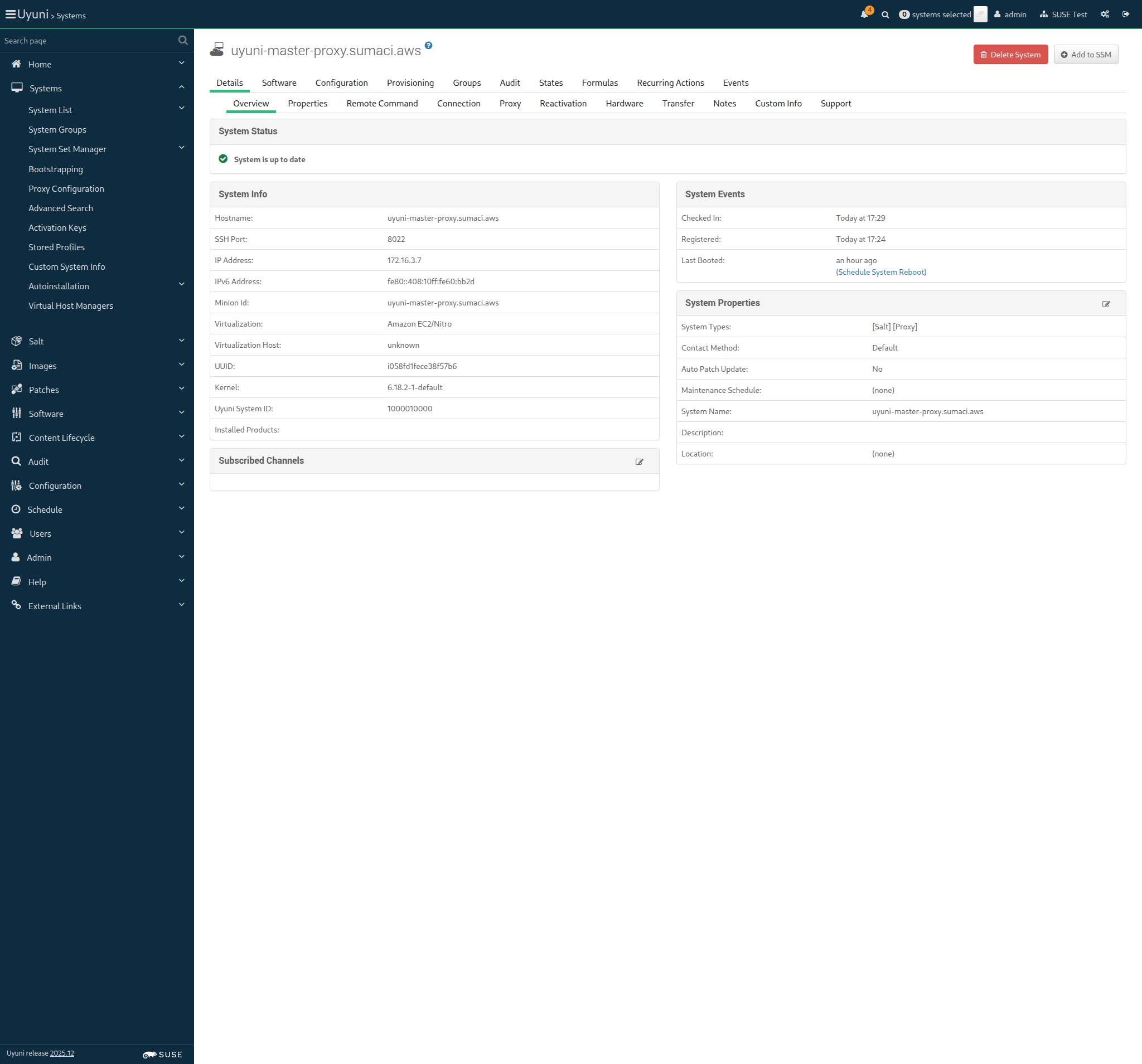
Screenshot +


* Mon Nov 24 2025 Alexander Graul
- Add minimum_auth_version to enforce security (CVE-2025-62349)
- Backport security fixes for vendored tornado
* BDSA-2024-3438
* BDSA-2024-3439
* BDSA-2024-9026
- Junos module yaml loader fix (CVE-2025-62348)
- Added:
* backport-3006.17-security-fixes-739.patch

* Tue Nov 11 2025 Marek Czernek
- Fix TLS and x509 modules for OSes with older cryptography module
- Added:
* fix-tls-and-x509-modules-for-older-cryptography-modu.patch

When I query latest Salt changes on "rhlike_minion" 314ms

Given I am on the Systems overview page of this "rhlike_minion" 302ms Show Error +
                                            
No system found for hostname: uyuni-master-rhlike-minion.sumaci.aws (RuntimeError) ./features/support/commonlib.rb:421:in `get_system_id' ./features/step_definitions/navigation_steps.rb:472:in `/^I am on the Systems overview page of this "([^"]*)"$/' features/init_clients/min_rhlike_salt.feature:59:in `I am on the Systems overview page of this "rhlike_minion"'

Then I check for failed events on history event page 0s

14s 176ms Show Info +
17:30:45:000 - 17:30:45:000 | Current URL: https://uyuni-master-server.sumaci.aws/rhn/systems/details/Overview.do?sid=1000010000
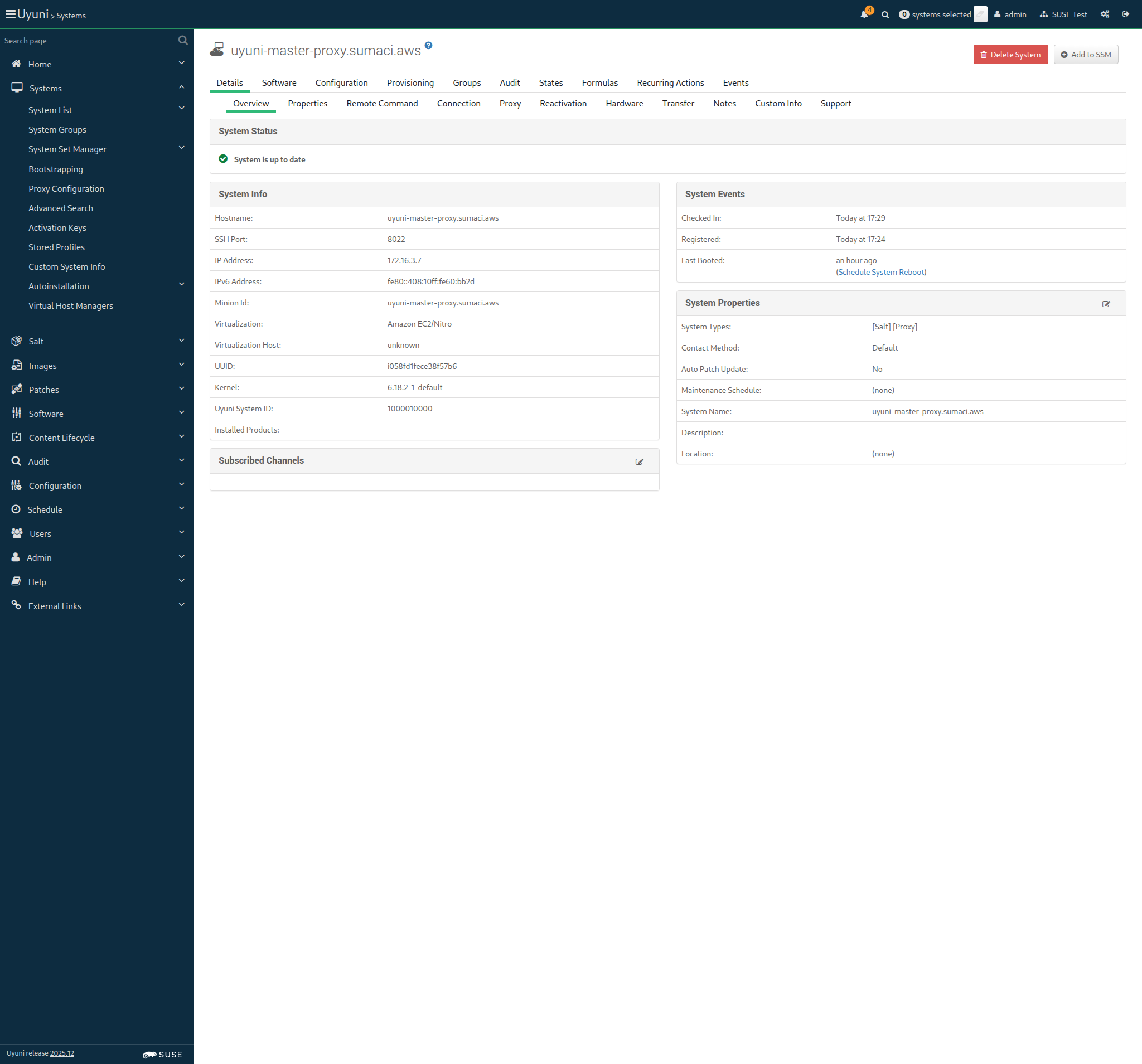
Screenshot +


When I perform a full salt minion cleanup on "build_host" 8s 36ms

Given I am authorized for the "Admin" section 37s 564ms

The hostname of build_host is uyuni-master-build-host.sumaci.aws

When I follow the left menu "Systems > Bootstrapping" 181ms

Then I should see a "Bootstrap Minions" text 93ms

When I enter the hostname of "build_host" as "hostname" 152ms

And I enter "22" as "port" 67ms

And I enter "root" as "user" 71ms

And I enter "linux" as "password" 73ms

And I select "1-BUILD-HOST-KEY-x86_64" from "activationKeys" 94ms

And I select the hostname of "proxy" from "proxies" if present 3s 65ms

And I click on "Bootstrap" 97ms

And I wait until I see "Bootstrap process initiated." text 4m 10s 49ms Show Error +
                                            
Text 'Bootstrap process initiated.' not found (ScriptError) ./features/step_definitions/navigation_steps.rb:40:in `/^I wait until I see "([^"]*)" text$/' features/init_clients/buildhost_bootstrap.feature:23:in `I wait until I see "Bootstrap process initiated." text'

13s 886ms Show Info +
17:27:58:000 - 17:32:13:000 | Current URL: https://uyuni-master-server.sumaci.aws/rhn/manager/systems/bootstrap
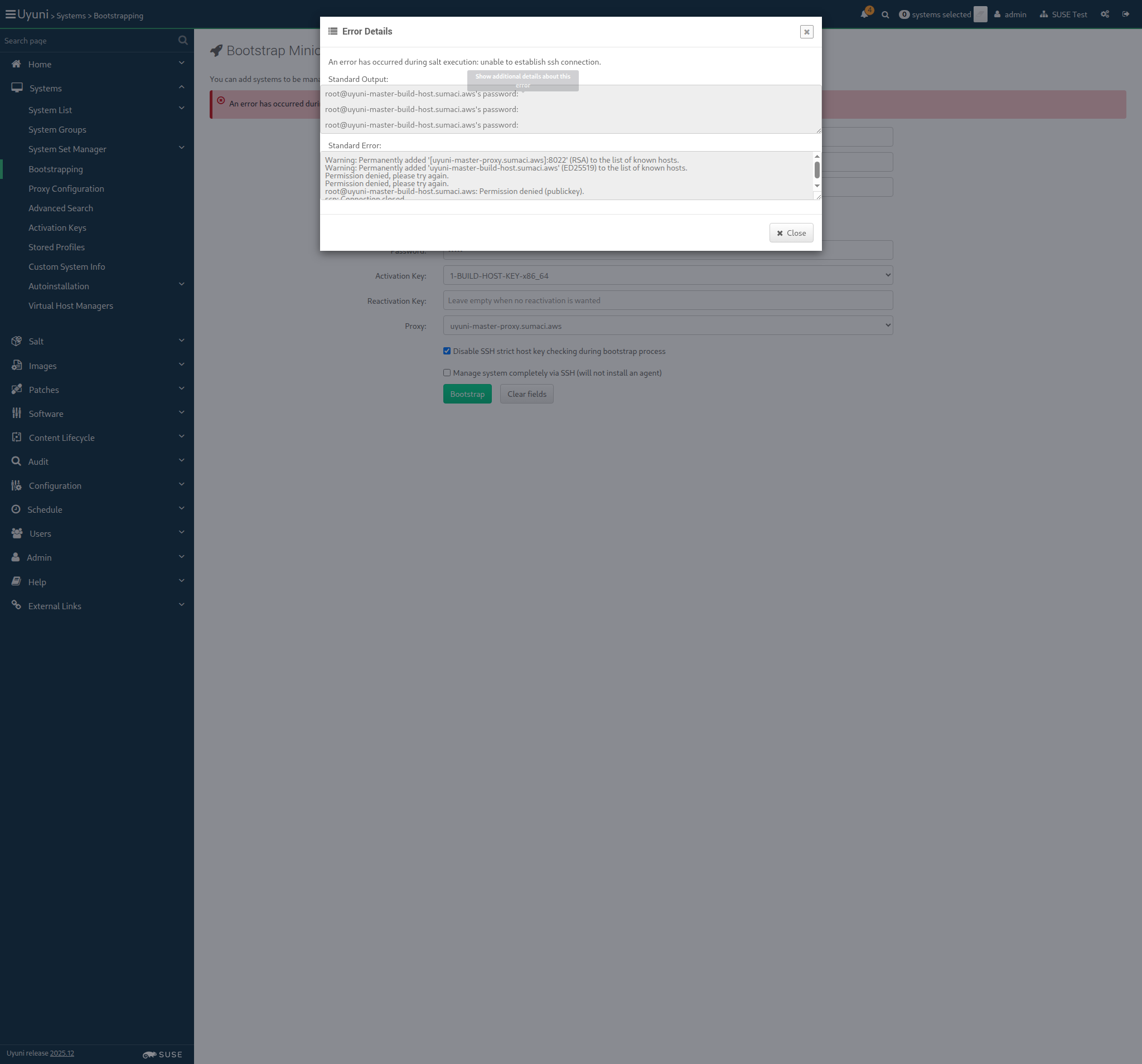
Screenshot +


When I follow the left menu "Salt > Keys" 147ms

Then I should see a "accepted" text 332ms

When I follow the left menu "Systems > System List > All" 202ms

And I wait at most 500 seconds until I see the name of "build_host", refreshing the page 8m 20s Show Error +
                                            
execution expired (Timeout::Error) ./features/support/commonlib.rb:95:in `repeat_until_timeout' ./features/step_definitions/setup_steps.rb:209:in `/^I wait at most (\d+) seconds until I see the name of "([^"]*)", refreshing the page$/' features/init_clients/buildhost_bootstrap.feature:30:in `I wait at most 500 seconds until I see the name of "build_host", refreshing the page'

And I wait at most 500 seconds until onboarding is completed for "build_host" 0s

Then the Salt master can reach "build_host" 0s

14s 160ms Show Info +
17:32:27:000 - 17:40:48:000 | Current URL: https://uyuni-master-server.sumaci.aws/rhn/manager/systems/list/all
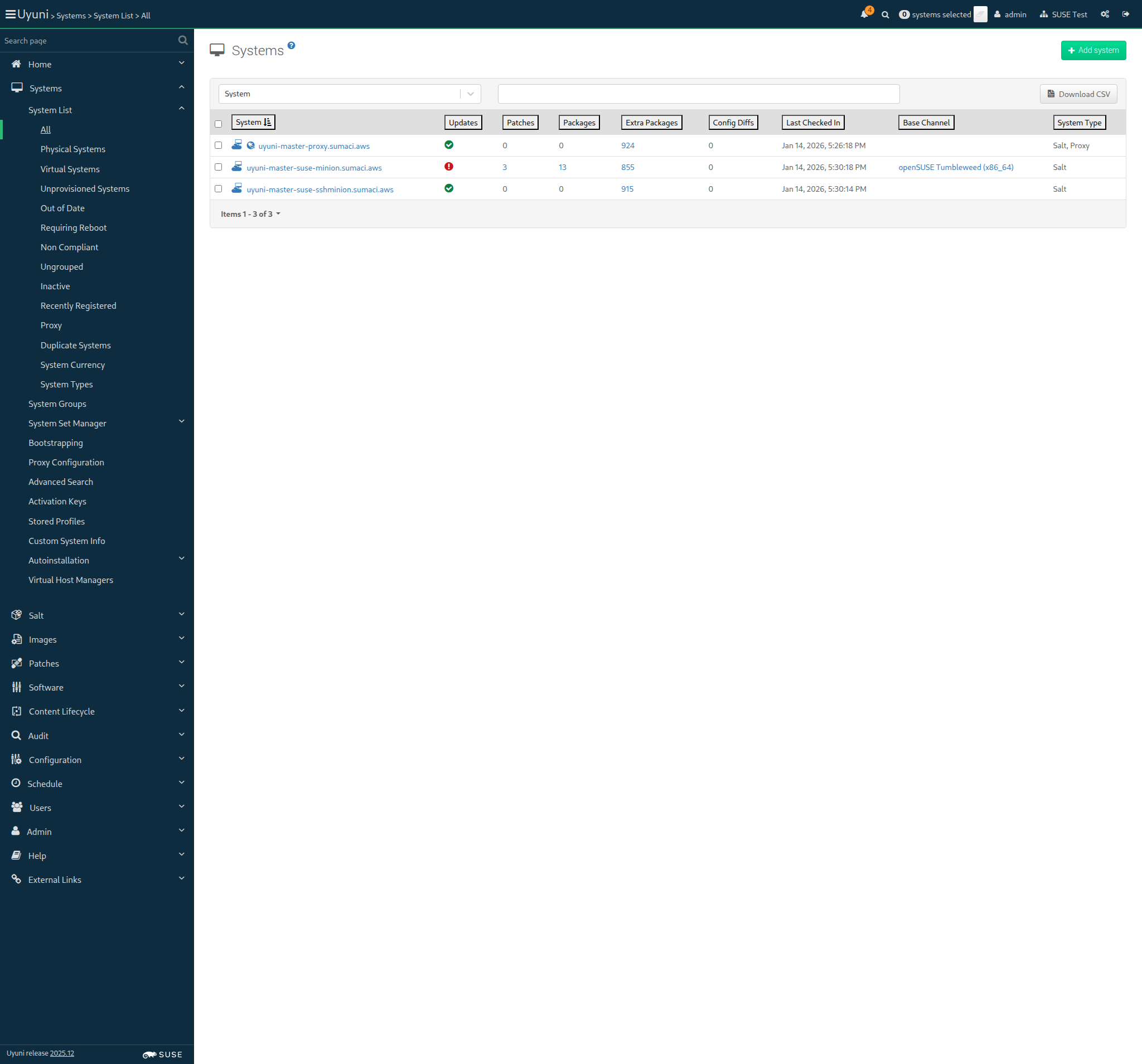
Screenshot +


Given I am on the Systems overview page of this "build_host" 326ms Show Error +
                                            
No system found for hostname: uyuni-master-build-host.sumaci.aws (RuntimeError) ./features/support/commonlib.rb:421:in `get_system_id' ./features/step_definitions/navigation_steps.rb:472:in `/^I am on the Systems overview page of this "([^"]*)"$/' features/init_clients/buildhost_bootstrap.feature:36:in `I am on the Systems overview page of this "build_host"'

When I follow "Details" in the content area 0s

And I follow "Connection" in the content area 0s

Then I should see "proxy" short hostname 0s

13s 771ms Show Info +
17:41:02:000 - 17:41:03:000 | Current URL: https://uyuni-master-server.sumaci.aws/rhn/manager/systems/list/all
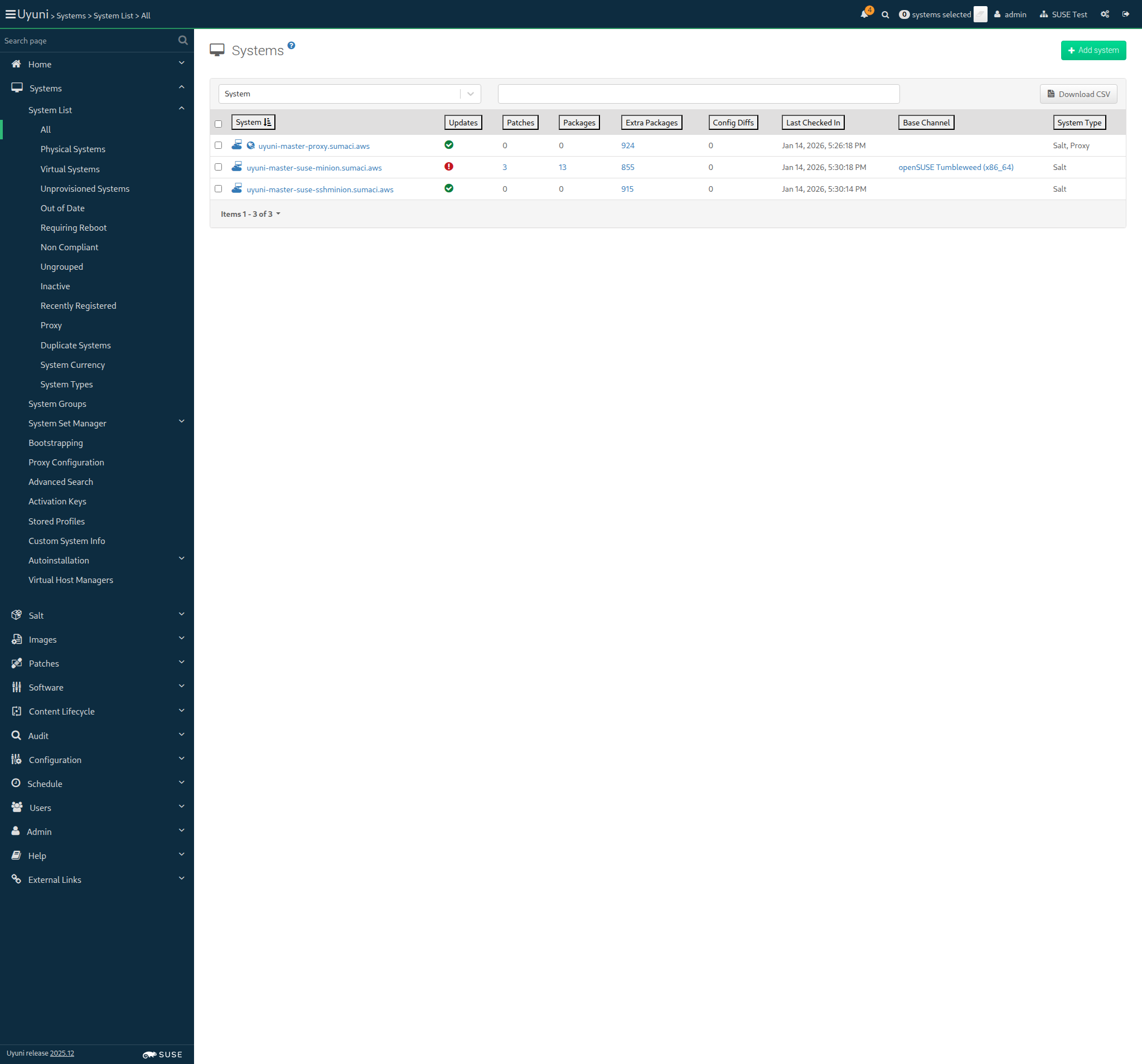
Screenshot +


Given I am on the Systems overview page of this "proxy" 922ms

When I follow "Details" in the content area 83ms

And I follow "Proxy" in the content area 72ms

Then I should see "build_host" hostname 10s 47ms Show Error +
                                            
Hostname uyuni-master-build-host.sumaci.aws is not present (ScriptError) ./features/step_definitions/navigation_steps.rb:675:in `/^I should see "([^"]*)" hostname$/' features/init_clients/buildhost_bootstrap.feature:46:in `I should see "build_host" hostname'

13s 858ms Show Info +
17:41:16:000 - 17:41:29:000 | Current URL: https://uyuni-master-server.sumaci.aws/rhn/systems/details/ProxyClients.do?sid=1000010000&
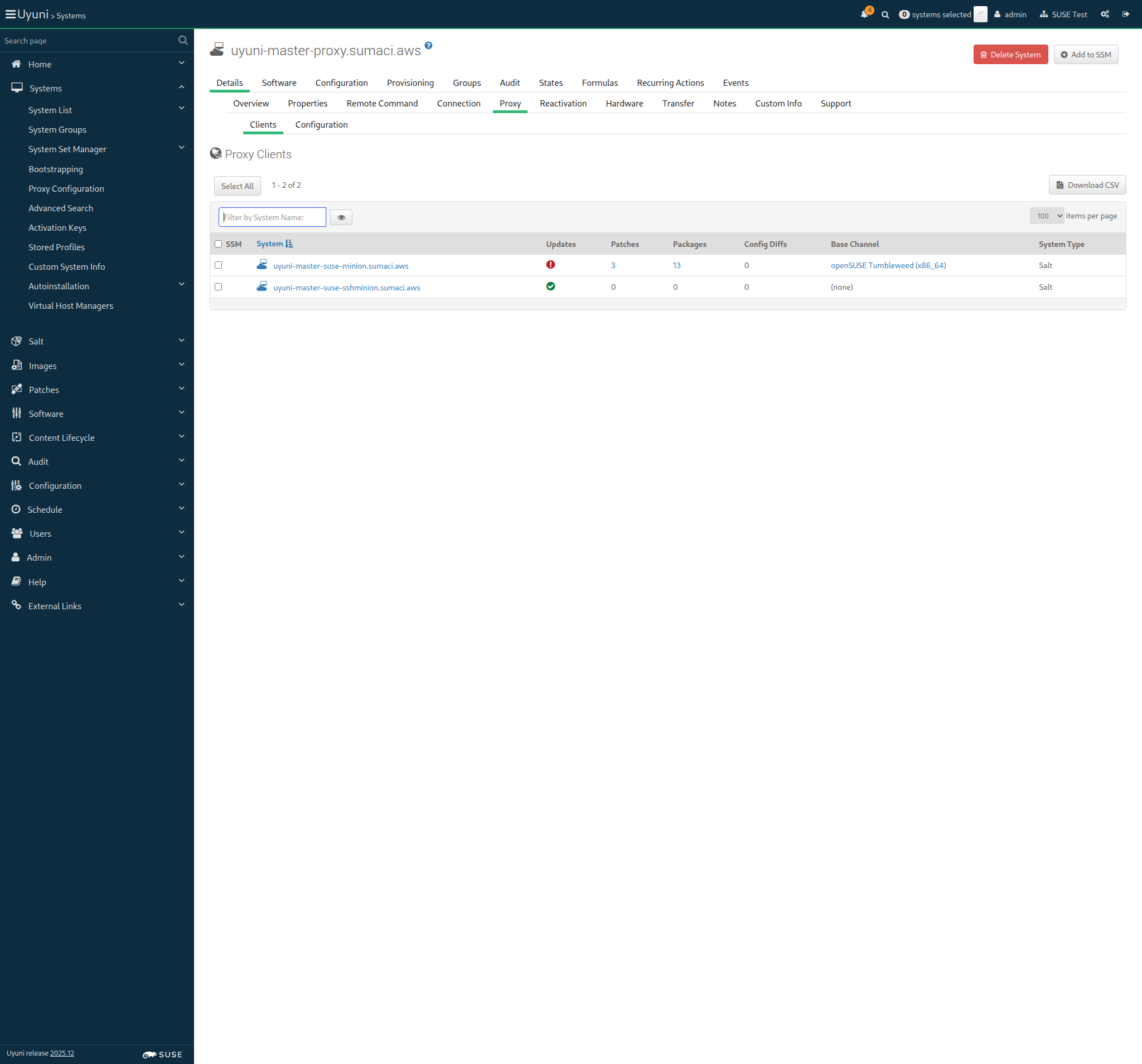
Screenshot +


When I query latest Salt changes on "build_host" 501ms Show Error +
                                            
FAIL: LANG=en_US.UTF-8 rpm -q --changelog venv-salt-minion returned status code = 1. Output: package venv-salt-minion is not installed (ScriptError) ./features/support/remote_node.rb:169:in `run_local' ./features/support/remote_node.rb:117:in `run' ./features/step_definitions/command_steps.rb:246:in `/^I query latest Salt changes on "(.*?)"$/' features/init_clients/buildhost_bootstrap.feature:49:in `I query latest Salt changes on "build_host"'

13s 937ms Show Info +
17:41:42:000 - 17:41:43:000 | Current URL: https://uyuni-master-server.sumaci.aws/rhn/systems/details/ProxyClients.do?sid=1000010000&
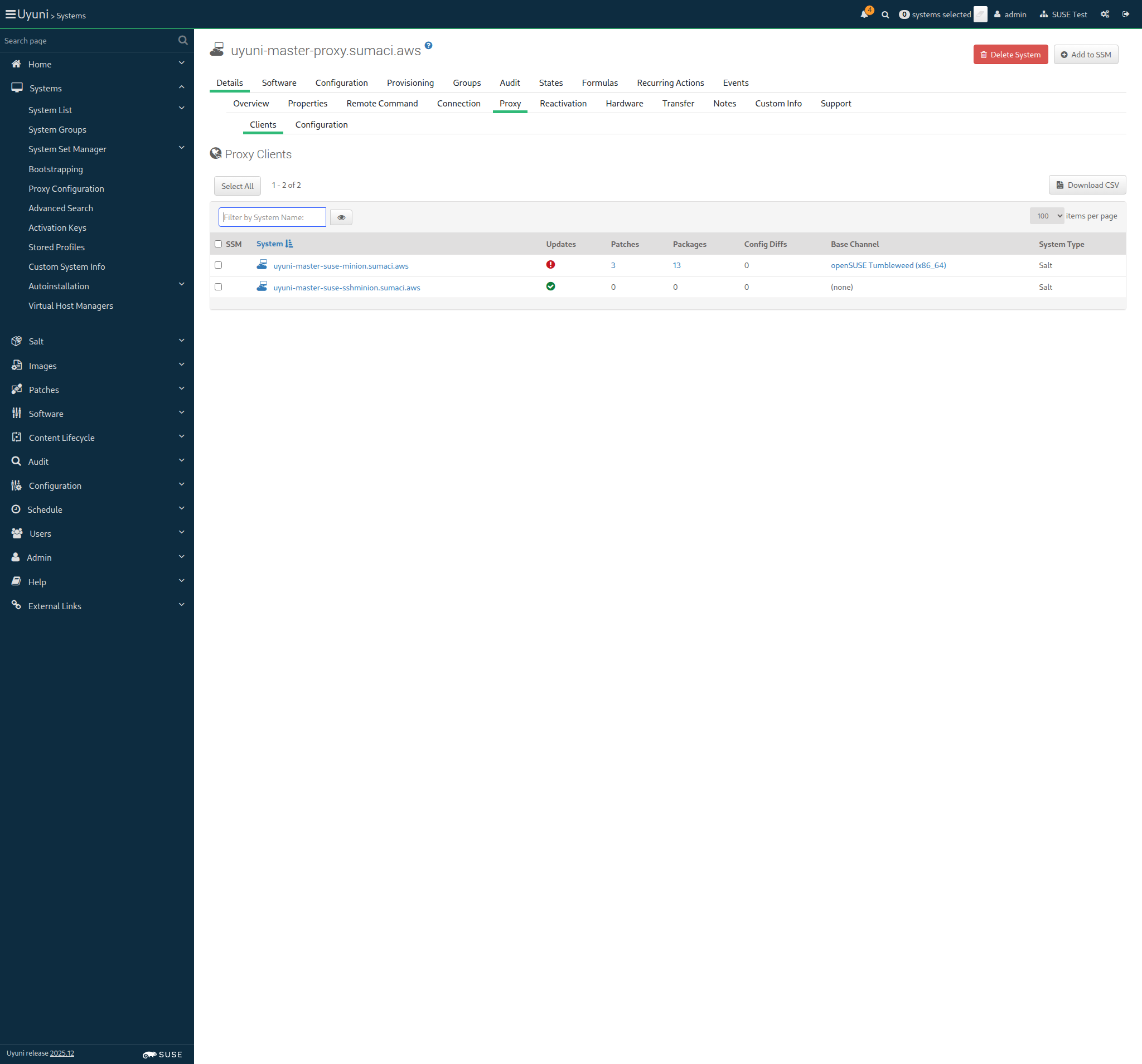
Screenshot +


Given I am on the Systems overview page of this "build_host" 340ms Show Error +
                                            
No system found for hostname: uyuni-master-build-host.sumaci.aws (RuntimeError) ./features/support/commonlib.rb:421:in `get_system_id' ./features/step_definitions/navigation_steps.rb:472:in `/^I am on the Systems overview page of this "([^"]*)"$/' features/init_clients/buildhost_bootstrap.feature:52:in `I am on the Systems overview page of this "build_host"'

Then I should see a "[Container Build Host]" text 0s

Then I should see a "[OS Image Build Host]" text 0s

13s 853ms Show Info +
17:41:57:000 - 17:41:57:000 | Current URL: https://uyuni-master-server.sumaci.aws/rhn/systems/details/ProxyClients.do?sid=1000010000&
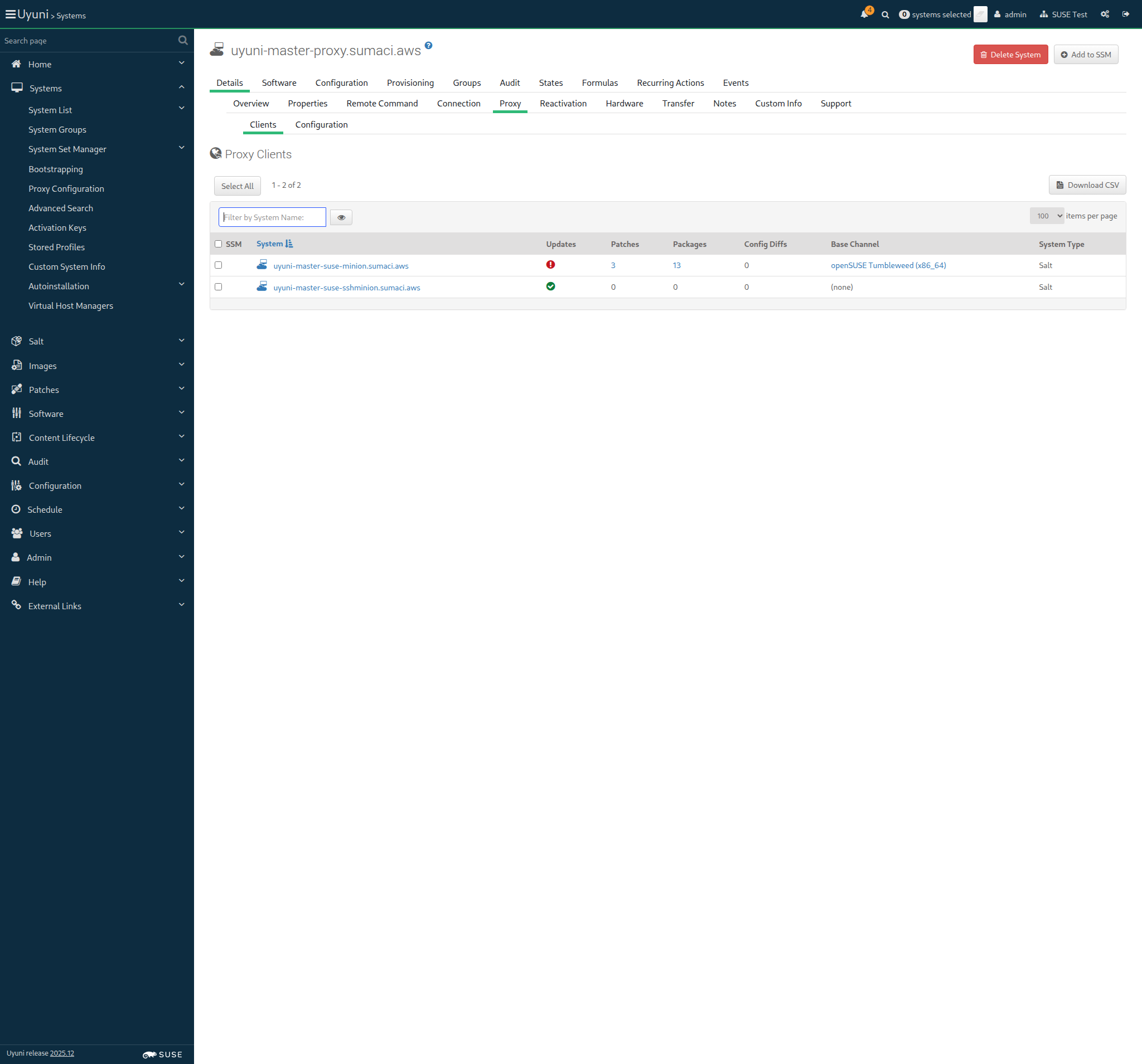
Screenshot +


Given I am on the Systems overview page of this "build_host" 314ms Show Error +
                                            
No system found for hostname: uyuni-master-build-host.sumaci.aws (RuntimeError) ./features/support/commonlib.rb:421:in `get_system_id' ./features/step_definitions/navigation_steps.rb:472:in `/^I am on the Systems overview page of this "([^"]*)"$/' features/init_clients/buildhost_bootstrap.feature:57:in `I am on the Systems overview page of this "build_host"'

Then I check for failed events on history event page 0s

13s 732ms Show Info +
17:42:11:000 - 17:42:11:000 | Current URL: https://uyuni-master-server.sumaci.aws/rhn/systems/details/ProxyClients.do?sid=1000010000&
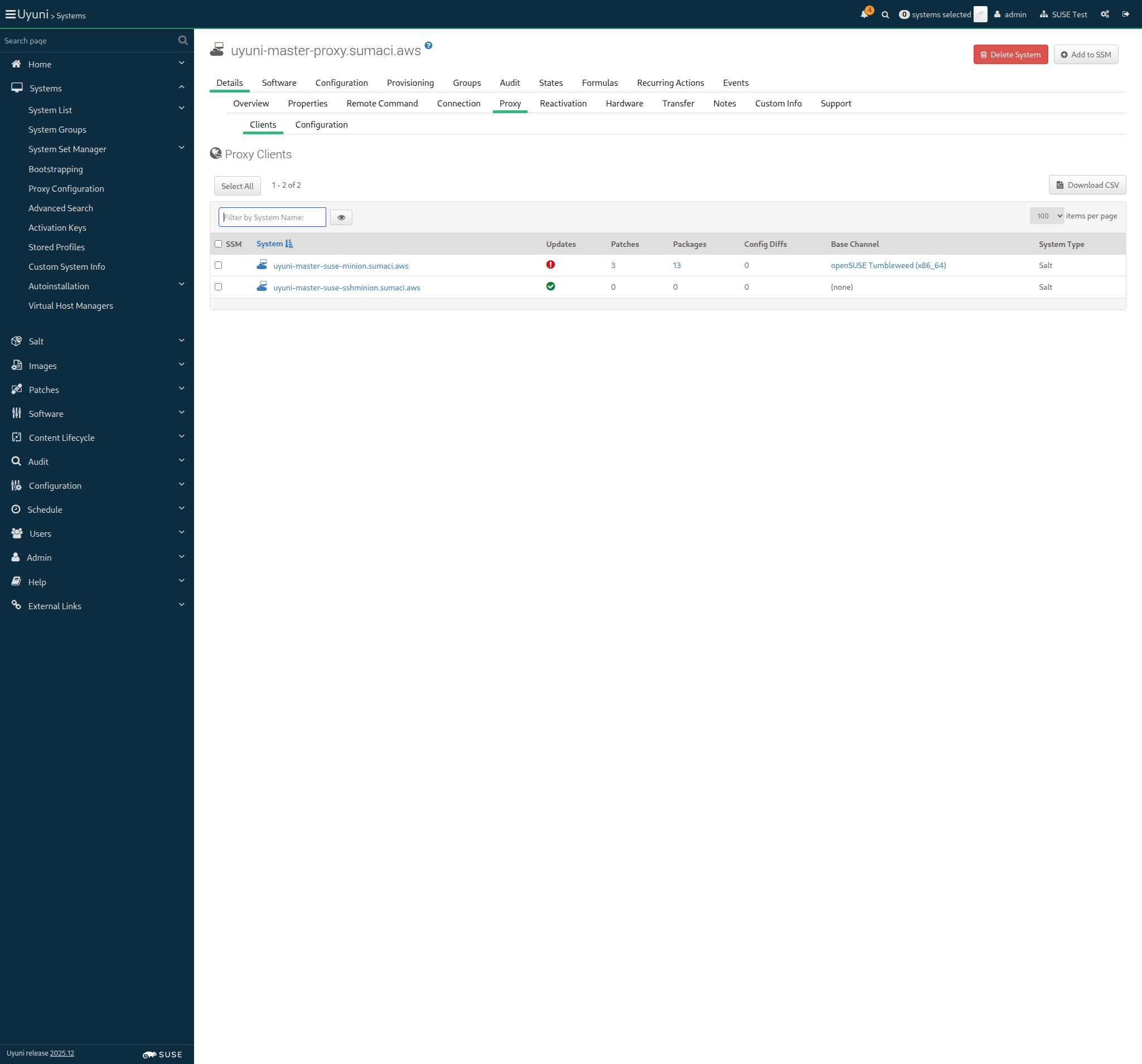
Screenshot +


When I perform a full salt minion cleanup on "sle_minion" 10s 387ms

Given I am authorized for the "Admin" section 37s 877ms

The hostname of sle_minion is uyuni-master-suse-minion.sumaci.aws

When I follow the left menu "Systems > Bootstrapping" 186ms

Then I should see a "Bootstrap Minions" text 98ms

When I enter the hostname of "sle_minion" as "hostname" 184ms

And I enter "22" as "port" 74ms

And I enter "root" as "user" 83ms

And I enter "linux" as "password" 74ms

And I select "1-SUSE-KEY-x86_64" from "activationKeys" 109ms

And I select the hostname of "proxy" from "proxies" if present 3s 77ms

And I click on "Bootstrap" 116ms

And I wait until I see "Bootstrap process initiated." text 42s 451ms

And I report the bootstrap duration for "sle_minion" < 1ms

It took 2 seconds to contact the minion

When I follow the left menu "Salt > Keys" 211ms

And I wait until I do not see "Loading..." text 314ms

Then I should see a "accepted" text 100ms

When I follow the left menu "Systems > System List > All" 280ms

And I wait until I see the name of "sle_minion", refreshing the page 31s 244ms

And I wait until onboarding is completed for "sle_minion" 54s 763ms

Then the Salt master can reach "sle_minion" 1s 984ms

And I report the onboarding duration for "sle_minion" < 1ms

When I remove package "kernel-default-base" from this "sle_minion" 0s

And I install package "kernel-default" on this "sle_minion" 0s

When I reboot the "sle_minion" host through SSH, waiting until it comes back 0s

Given I am on the Systems overview page of this "sle_minion" 1s 150ms

When I follow "Details" in the content area 139ms

And I follow "Connection" in the content area 117ms

Then I should see "proxy" short hostname 99ms

Given I am on the Systems overview page of this "proxy" 1s 233ms

When I follow "Details" in the content area 115ms

And I follow "Proxy" in the content area 93ms

Then I should see "sle_minion" hostname 127ms

When I perform a full salt minion cleanup on "ssh_minion" 9s 71ms

Given I am authorized for the "Admin" section 37s 686ms

The hostname of ssh_minion is uyuni-master-suse-sshminion.sumaci.aws

When I follow the left menu "Systems > Bootstrapping" 192ms

Then I should see a "Bootstrap Minions" text 72ms

When I check "manageWithSSH" 114ms

And I enter the hostname of "ssh_minion" as "hostname" 195ms

And I enter "linux" as "password" 62ms

And I select the hostname of "proxy" from "proxies" if present 3s 271ms

And I click on "Bootstrap" 91ms

And I wait until I see "Bootstrap process initiated." text 51s 980ms

And I follow the left menu "Systems > System List > All" 247ms

And I wait until I see the name of "ssh_minion", refreshing the page 17s 439ms

And I wait until onboarding is completed for "ssh_minion" 1m 8s 13ms

When I remove package "kernel-default-base" from this "ssh_minion" 0s

And I install package "kernel-default" on this "ssh_minion" 0s

When I reboot the "ssh_minion" host through SSH, waiting until it comes back 0s

Given I am on the Systems overview page of this "ssh_minion" 1s 293ms

When I follow "Details" in the content area 135ms

And I follow "Connection" in the content area 91ms

Then I should see "proxy" short hostname 123ms

Given I am on the Systems overview page of this "proxy" 2s 320ms

When I follow "Details" in the content area 96ms

And I follow "Proxy" in the content area 99ms

Then I should see "ssh_minion" hostname 100ms

In order for the server to behave correctly after a reboot
I want to be sure that there is no wrong SELinux label

Then files on container volumes should all have the proper SELinux label 0s

When I execute spacewalk-debug on the server 14s 918ms

Then the tomcat logs should not contain errors 658ms

Then the salt event log on server should contain no failures 1s 899ms

Then the taskomatic logs should not contain errors 690ms

Then the log messages should not contain out of memory errors 661ms

Then the word "scc.suse.com" does not occur more than 100 times in "/var/log/rhn/rhn_web_ui.log" on "server" 0s

Then the word "scc.suse.com" does not occur more than 50 times in "/var/log/rhn/rhn_taskomatic_daemon.log" on "server" 0s