All Scenarios
148
Passed Scenarios
116
Failed Scenarios
3
Skipped Scenarios
29
Execution Time: 62m 59s 181ms
I want to be sure to use a sane environment
As the admin user
I want to create the organisation, the first users and set the HTTP proxy
- Make syntax in httputil_test compatible with Python 3.6
- Fix KeyError in postgres module with PostgreSQL 17 (bsc#1254325)
- Added:
* fix-tornado-s-httputil_test-syntax-for-python-3.6.patch
* backport-add-maintain-m-privilege-to-postgres-module.patch
* Wed Jan 14 2026 Marek Czernek
- Use internal deb classes instead of external aptsource lib
- Speed up wheel key.finger call (bsc#1240532)
- Backport security patches for Salt vendored tornado:
* CVE-2025-67724: missing validation of supplied reason phrase (bsc#1254903)
* CVE-2025-67725: fix DoS via malicious HTTP request (bsc#1254905)
* CVE-2025-67726: fix HTTP header parameter parsing algorithm (bsc#1254904)
- Simplify and speed up utils.find_json function (bsc#1246130)
As root user
I want to add pillar data to disable that feature
As admin
I want to navigate through "Home" submenus changing some settings
As root user
I want to list available channels and enable them
Channel opensuse_tumbleweed-uyuni-client-x86_64 added
Channel opensuse_tumbleweed-uyuni-client-devel-x86_64 added
DEBUG: Found channel 'opensuse_tumbleweed-x86_64' at line 9. Checking for completion...
DEBUG: Found 'Sync of channel completed.' for opensuse_tumbleweed-x86_64 at line 13.
SUCCESS: opensuse_tumbleweed-x86_64 is fully synchronized.
DEBUG: Found channel 'opensuse_tumbleweed-uyuni-client-x86_64' at line 17. Checking for completion...
DEBUG: Sync for opensuse_tumbleweed-uyuni-client-x86_64 still in progress (no completion message found).
DEBUG: Channel 'opensuse_tumbleweed-uyuni-client-devel-x86_64' not found in reposync.log
DEBUG: Found channel 'opensuse_tumbleweed-uyuni-client-x86_64' at line 17. Checking for completion...
DEBUG: Found 'Sync of channel completed.' for opensuse_tumbleweed-uyuni-client-x86_64 at line 21.
SUCCESS: opensuse_tumbleweed-uyuni-client-x86_64 is fully synchronized.
DEBUG: Channel 'opensuse_tumbleweed-uyuni-client-devel-x86_64' not found in reposync.log
DEBUG: Channel 'opensuse_tumbleweed-uyuni-client-devel-x86_64' not found in reposync.log
DEBUG: Found channel 'opensuse_tumbleweed-uyuni-client-devel-x86_64' at line 25. Checking for completion...
DEBUG: Sync for opensuse_tumbleweed-uyuni-client-devel-x86_64 still in progress (no completion message found).
DEBUG: Found channel 'opensuse_tumbleweed-uyuni-client-devel-x86_64' at line 25. Checking for completion...
DEBUG: Found 'Sync of channel completed.' for opensuse_tumbleweed-uyuni-client-devel-x86_64 at line 29.
SUCCESS: opensuse_tumbleweed-uyuni-client-devel-x86_64 is fully synchronized.
Channel opensuse_tumbleweed-uyuni-client-devel-x86_64 added
Channel uyuni-proxy-devel-tumbleweed-x86_64 added
DEBUG: Found channel 'opensuse_tumbleweed-x86_64' at line 9. Checking for completion...
DEBUG: Found 'Sync of channel completed.' for opensuse_tumbleweed-x86_64 at line 13.
SUCCESS: opensuse_tumbleweed-x86_64 is fully synchronized.
DEBUG: Found channel 'opensuse_tumbleweed-uyuni-client-devel-x86_64' at line 25. Checking for completion...
DEBUG: Found 'Sync of channel completed.' for opensuse_tumbleweed-uyuni-client-devel-x86_64 at line 29.
SUCCESS: opensuse_tumbleweed-uyuni-client-devel-x86_64 is fully synchronized.
DEBUG: Found channel 'uyuni-proxy-devel-tumbleweed-x86_64' at line 33. Checking for completion...
DEBUG: Sync for uyuni-proxy-devel-tumbleweed-x86_64 still in progress (no completion message found).
DEBUG: Found channel 'uyuni-proxy-devel-tumbleweed-x86_64' at line 33. Checking for completion...
DEBUG: Found 'Sync of channel completed.' for uyuni-proxy-devel-tumbleweed-x86_64 at line 37.
SUCCESS: uyuni-proxy-devel-tumbleweed-x86_64 is fully synchronized.
DEBUG: Found channel 'sle-product-sles15-sp7-pool-x86_64' at line 41. Checking for completion...
DEBUG: Found 'Sync of channel completed.' for sle-product-sles15-sp7-pool-x86_64 at line 45.
SUCCESS: sle-product-sles15-sp7-pool-x86_64 is fully synchronized.
DEBUG: Found channel 'sle-product-sles15-sp7-updates-x86_64' at line 49. Checking for completion...
DEBUG: Sync for sle-product-sles15-sp7-updates-x86_64 still in progress (no completion message found).
DEBUG: Channel 'sle15-sp7-installer-updates-x86_64' not found in reposync.log
DEBUG: Channel 'sle-module-basesystem15-sp7-pool-x86_64' not found in reposync.log
DEBUG: Channel 'sle-module-basesystem15-sp7-updates-x86_64' not found in reposync.log
DEBUG: Channel 'sle-module-python3-15-sp7-pool-x86_64' not found in reposync.log
DEBUG: Channel 'sle-module-python3-15-sp7-updates-x86_64' not found in reposync.log
DEBUG: Channel 'sle-module-server-applications15-sp7-pool-x86_64' not found in reposync.log
DEBUG: Channel 'sle-module-server-applications15-sp7-updates-x86_64' not found in reposync.log
DEBUG: Channel 'sle-module-desktop-applications15-sp7-pool-x86_64' not found in reposync.log
DEBUG: Channel 'sle-module-desktop-applications15-sp7-updates-x86_64' not found in reposync.log
DEBUG: Channel 'sle-module-devtools15-sp7-updates-x86_64' not found in reposync.log
DEBUG: Channel 'sle-module-devtools15-sp7-pool-x86_64' not found in reposync.log
DEBUG: Channel 'sle-module-systems-management-15-sp7-pool-x86_64' not found in reposync.log
DEBUG: Channel 'sle-module-systems-management-15-sp7-updates-x86_64' not found in reposync.log
DEBUG: Channel 'sles15-sp7-devel-uyuni-client-x86_64' not found in reposync.log
DEBUG: Found channel 'sle-product-sles15-sp7-updates-x86_64' at line 49. Checking for completion...
DEBUG: Found 'Sync of channel completed.' for sle-product-sles15-sp7-updates-x86_64 at line 53.
SUCCESS: sle-product-sles15-sp7-updates-x86_64 is fully synchronized.
DEBUG: Found channel 'sle15-sp7-installer-updates-x86_64' at line 57. Checking for completion...
DEBUG: Found 'Sync of channel completed.' for sle15-sp7-installer-updates-x86_64 at line 61.
SUCCESS: sle15-sp7-installer-updates-x86_64 is fully synchronized.
DEBUG: Channel 'sle-module-basesystem15-sp7-pool-x86_64' not found in reposync.log
DEBUG: Found channel 'sle-module-basesystem15-sp7-updates-x86_64' at line 65. Checking for completion...
DEBUG: Sync for sle-module-basesystem15-sp7-updates-x86_64 still in progress (no completion message found).
DEBUG: Channel 'sle-module-python3-15-sp7-pool-x86_64' not found in reposync.log
DEBUG: Channel 'sle-module-python3-15-sp7-updates-x86_64' not found in reposync.log
DEBUG: Channel 'sle-module-server-applications15-sp7-pool-x86_64' not found in reposync.log
DEBUG: Channel 'sle-module-server-applications15-sp7-updates-x86_64' not found in reposync.log
DEBUG: Channel 'sle-module-desktop-applications15-sp7-pool-x86_64' not found in reposync.log
DEBUG: Channel 'sle-module-desktop-applications15-sp7-updates-x86_64' not found in reposync.log
DEBUG: Channel 'sle-module-devtools15-sp7-updates-x86_64' not found in reposync.log
DEBUG: Channel 'sle-module-devtools15-sp7-pool-x86_64' not found in reposync.log
DEBUG: Channel 'sle-module-systems-management-15-sp7-pool-x86_64' not found in reposync.log
DEBUG: Channel 'sle-module-systems-management-15-sp7-updates-x86_64' not found in reposync.log
DEBUG: Channel 'sles15-sp7-devel-uyuni-client-x86_64' not found in reposync.log
DEBUG: Channel 'sle-module-basesystem15-sp7-pool-x86_64' not found in reposync.log
DEBUG: Found channel 'sle-module-basesystem15-sp7-updates-x86_64' at line 65. Checking for completion...
DEBUG: Sync for sle-module-basesystem15-sp7-updates-x86_64 still in progress (no completion message found).
DEBUG: Channel 'sle-module-python3-15-sp7-pool-x86_64' not found in reposync.log
DEBUG: Channel 'sle-module-python3-15-sp7-updates-x86_64' not found in reposync.log
DEBUG: Channel 'sle-module-server-applications15-sp7-pool-x86_64' not found in reposync.log
DEBUG: Channel 'sle-module-server-applications15-sp7-updates-x86_64' not found in reposync.log
DEBUG: Channel 'sle-module-desktop-applications15-sp7-pool-x86_64' not found in reposync.log
DEBUG: Channel 'sle-module-desktop-applications15-sp7-updates-x86_64' not found in reposync.log
DEBUG: Channel 'sle-module-devtools15-sp7-updates-x86_64' not found in reposync.log
DEBUG: Channel 'sle-module-devtools15-sp7-pool-x86_64' not found in reposync.log
DEBUG: Channel 'sle-module-systems-management-15-sp7-pool-x86_64' not found in reposync.log
DEBUG: Channel 'sle-module-systems-management-15-sp7-updates-x86_64' not found in reposync.log
DEBUG: Channel 'sles15-sp7-devel-uyuni-client-x86_64' not found in reposync.log
DEBUG: Channel 'sle-module-basesystem15-sp7-pool-x86_64' not found in reposync.log
DEBUG: Found channel 'sle-module-basesystem15-sp7-updates-x86_64' at line 65. Checking for completion...
DEBUG: Sync for sle-module-basesystem15-sp7-updates-x86_64 still in progress (no completion message found).
DEBUG: Channel 'sle-module-python3-15-sp7-pool-x86_64' not found in reposync.log
DEBUG: Channel 'sle-module-python3-15-sp7-updates-x86_64' not found in reposync.log
DEBUG: Channel 'sle-module-server-applications15-sp7-pool-x86_64' not found in reposync.log
DEBUG: Channel 'sle-module-server-applications15-sp7-updates-x86_64' not found in reposync.log
DEBUG: Channel 'sle-module-desktop-applications15-sp7-pool-x86_64' not found in reposync.log
DEBUG: Channel 'sle-module-desktop-applications15-sp7-updates-x86_64' not found in reposync.log
DEBUG: Channel 'sle-module-devtools15-sp7-updates-x86_64' not found in reposync.log
DEBUG: Channel 'sle-module-devtools15-sp7-pool-x86_64' not found in reposync.log
DEBUG: Channel 'sle-module-systems-management-15-sp7-pool-x86_64' not found in reposync.log
DEBUG: Channel 'sle-module-systems-management-15-sp7-updates-x86_64' not found in reposync.log
DEBUG: Channel 'sles15-sp7-devel-uyuni-client-x86_64' not found in reposync.log
DEBUG: Channel 'sle-module-basesystem15-sp7-pool-x86_64' not found in reposync.log
DEBUG: Found channel 'sle-module-basesystem15-sp7-updates-x86_64' at line 65. Checking for completion...
DEBUG: Sync for sle-module-basesystem15-sp7-updates-x86_64 still in progress (no completion message found).
DEBUG: Channel 'sle-module-python3-15-sp7-pool-x86_64' not found in reposync.log
DEBUG: Channel 'sle-module-python3-15-sp7-updates-x86_64' not found in reposync.log
DEBUG: Channel 'sle-module-server-applications15-sp7-pool-x86_64' not found in reposync.log
DEBUG: Channel 'sle-module-server-applications15-sp7-updates-x86_64' not found in reposync.log
DEBUG: Channel 'sle-module-desktop-applications15-sp7-pool-x86_64' not found in reposync.log
DEBUG: Channel 'sle-module-desktop-applications15-sp7-updates-x86_64' not found in reposync.log
DEBUG: Channel 'sle-module-devtools15-sp7-updates-x86_64' not found in reposync.log
DEBUG: Channel 'sle-module-devtools15-sp7-pool-x86_64' not found in reposync.log
DEBUG: Channel 'sle-module-systems-management-15-sp7-pool-x86_64' not found in reposync.log
DEBUG: Channel 'sle-module-systems-management-15-sp7-updates-x86_64' not found in reposync.log
DEBUG: Channel 'sles15-sp7-devel-uyuni-client-x86_64' not found in reposync.log
DEBUG: Channel 'sle-module-basesystem15-sp7-pool-x86_64' not found in reposync.log
DEBUG: Found channel 'sle-module-basesystem15-sp7-updates-x86_64' at line 65. Checking for completion...
DEBUG: Sync for sle-module-basesystem15-sp7-updates-x86_64 still in progress (no completion message found).
DEBUG: Channel 'sle-module-python3-15-sp7-pool-x86_64' not found in reposync.log
DEBUG: Channel 'sle-module-python3-15-sp7-updates-x86_64' not found in reposync.log
DEBUG: Channel 'sle-module-server-applications15-sp7-pool-x86_64' not found in reposync.log
DEBUG: Channel 'sle-module-server-applications15-sp7-updates-x86_64' not found in reposync.log
DEBUG: Channel 'sle-module-desktop-applications15-sp7-pool-x86_64' not found in reposync.log
DEBUG: Channel 'sle-module-desktop-applications15-sp7-updates-x86_64' not found in reposync.log
DEBUG: Channel 'sle-module-devtools15-sp7-updates-x86_64' not found in reposync.log
DEBUG: Channel 'sle-module-devtools15-sp7-pool-x86_64' not found in reposync.log
DEBUG: Channel 'sle-module-systems-management-15-sp7-pool-x86_64' not found in reposync.log
DEBUG: Channel 'sle-module-systems-management-15-sp7-updates-x86_64' not found in reposync.log
DEBUG: Channel 'sles15-sp7-devel-uyuni-client-x86_64' not found in reposync.log
1m / 43m waiting for product 'sles15-sp7' synchronization
DEBUG: Channel 'sle-module-basesystem15-sp7-pool-x86_64' not found in reposync.log
DEBUG: Found channel 'sle-module-basesystem15-sp7-updates-x86_64' at line 65. Checking for completion...
DEBUG: Sync for sle-module-basesystem15-sp7-updates-x86_64 still in progress (no completion message found).
DEBUG: Channel 'sle-module-python3-15-sp7-pool-x86_64' not found in reposync.log
DEBUG: Channel 'sle-module-python3-15-sp7-updates-x86_64' not found in reposync.log
DEBUG: Channel 'sle-module-server-applications15-sp7-pool-x86_64' not found in reposync.log
DEBUG: Channel 'sle-module-server-applications15-sp7-updates-x86_64' not found in reposync.log
DEBUG: Channel 'sle-module-desktop-applications15-sp7-pool-x86_64' not found in reposync.log
DEBUG: Channel 'sle-module-desktop-applications15-sp7-updates-x86_64' not found in reposync.log
DEBUG: Channel 'sle-module-devtools15-sp7-updates-x86_64' not found in reposync.log
DEBUG: Channel 'sle-module-devtools15-sp7-pool-x86_64' not found in reposync.log
DEBUG: Channel 'sle-module-systems-management-15-sp7-pool-x86_64' not found in reposync.log
DEBUG: Channel 'sle-module-systems-management-15-sp7-updates-x86_64' not found in reposync.log
DEBUG: Channel 'sles15-sp7-devel-uyuni-client-x86_64' not found in reposync.log
DEBUG: Channel 'sle-module-basesystem15-sp7-pool-x86_64' not found in reposync.log
DEBUG: Found channel 'sle-module-basesystem15-sp7-updates-x86_64' at line 65. Checking for completion...
DEBUG: Sync for sle-module-basesystem15-sp7-updates-x86_64 still in progress (no completion message found).
DEBUG: Channel 'sle-module-python3-15-sp7-pool-x86_64' not found in reposync.log
DEBUG: Channel 'sle-module-python3-15-sp7-updates-x86_64' not found in reposync.log
DEBUG: Channel 'sle-module-server-applications15-sp7-pool-x86_64' not found in reposync.log
DEBUG: Channel 'sle-module-server-applications15-sp7-updates-x86_64' not found in reposync.log
DEBUG: Channel 'sle-module-desktop-applications15-sp7-pool-x86_64' not found in reposync.log
DEBUG: Channel 'sle-module-desktop-applications15-sp7-updates-x86_64' not found in reposync.log
DEBUG: Channel 'sle-module-devtools15-sp7-updates-x86_64' not found in reposync.log
DEBUG: Channel 'sle-module-devtools15-sp7-pool-x86_64' not found in reposync.log
DEBUG: Channel 'sle-module-systems-management-15-sp7-pool-x86_64' not found in reposync.log
DEBUG: Channel 'sle-module-systems-management-15-sp7-updates-x86_64' not found in reposync.log
DEBUG: Channel 'sles15-sp7-devel-uyuni-client-x86_64' not found in reposync.log
DEBUG: Channel 'sle-module-basesystem15-sp7-pool-x86_64' not found in reposync.log
DEBUG: Found channel 'sle-module-basesystem15-sp7-updates-x86_64' at line 65. Checking for completion...
DEBUG: Sync for sle-module-basesystem15-sp7-updates-x86_64 still in progress (no completion message found).
DEBUG: Channel 'sle-module-python3-15-sp7-pool-x86_64' not found in reposync.log
DEBUG: Channel 'sle-module-python3-15-sp7-updates-x86_64' not found in reposync.log
DEBUG: Channel 'sle-module-server-applications15-sp7-pool-x86_64' not found in reposync.log
DEBUG: Channel 'sle-module-server-applications15-sp7-updates-x86_64' not found in reposync.log
DEBUG: Channel 'sle-module-desktop-applications15-sp7-pool-x86_64' not found in reposync.log
DEBUG: Channel 'sle-module-desktop-applications15-sp7-updates-x86_64' not found in reposync.log
DEBUG: Channel 'sle-module-devtools15-sp7-updates-x86_64' not found in reposync.log
DEBUG: Channel 'sle-module-devtools15-sp7-pool-x86_64' not found in reposync.log
DEBUG: Channel 'sle-module-systems-management-15-sp7-pool-x86_64' not found in reposync.log
DEBUG: Channel 'sle-module-systems-management-15-sp7-updates-x86_64' not found in reposync.log
DEBUG: Channel 'sles15-sp7-devel-uyuni-client-x86_64' not found in reposync.log
DEBUG: Channel 'sle-module-basesystem15-sp7-pool-x86_64' not found in reposync.log
DEBUG: Found channel 'sle-module-basesystem15-sp7-updates-x86_64' at line 65. Checking for completion...
DEBUG: Sync for sle-module-basesystem15-sp7-updates-x86_64 still in progress (no completion message found).
DEBUG: Channel 'sle-module-python3-15-sp7-pool-x86_64' not found in reposync.log
DEBUG: Channel 'sle-module-python3-15-sp7-updates-x86_64' not found in reposync.log
DEBUG: Channel 'sle-module-server-applications15-sp7-pool-x86_64' not found in reposync.log
DEBUG: Channel 'sle-module-server-applications15-sp7-updates-x86_64' not found in reposync.log
DEBUG: Channel 'sle-module-desktop-applications15-sp7-pool-x86_64' not found in reposync.log
DEBUG: Channel 'sle-module-desktop-applications15-sp7-updates-x86_64' not found in reposync.log
DEBUG: Channel 'sle-module-devtools15-sp7-updates-x86_64' not found in reposync.log
DEBUG: Channel 'sle-module-devtools15-sp7-pool-x86_64' not found in reposync.log
DEBUG: Channel 'sle-module-systems-management-15-sp7-pool-x86_64' not found in reposync.log
DEBUG: Channel 'sle-module-systems-management-15-sp7-updates-x86_64' not found in reposync.log
DEBUG: Channel 'sles15-sp7-devel-uyuni-client-x86_64' not found in reposync.log
DEBUG: Channel 'sle-module-basesystem15-sp7-pool-x86_64' not found in reposync.log
DEBUG: Found channel 'sle-module-basesystem15-sp7-updates-x86_64' at line 65. Checking for completion...
DEBUG: Sync for sle-module-basesystem15-sp7-updates-x86_64 still in progress (no completion message found).
DEBUG: Channel 'sle-module-python3-15-sp7-pool-x86_64' not found in reposync.log
DEBUG: Channel 'sle-module-python3-15-sp7-updates-x86_64' not found in reposync.log
DEBUG: Channel 'sle-module-server-applications15-sp7-pool-x86_64' not found in reposync.log
DEBUG: Channel 'sle-module-server-applications15-sp7-updates-x86_64' not found in reposync.log
DEBUG: Channel 'sle-module-desktop-applications15-sp7-pool-x86_64' not found in reposync.log
DEBUG: Channel 'sle-module-desktop-applications15-sp7-updates-x86_64' not found in reposync.log
DEBUG: Channel 'sle-module-devtools15-sp7-updates-x86_64' not found in reposync.log
DEBUG: Channel 'sle-module-devtools15-sp7-pool-x86_64' not found in reposync.log
DEBUG: Channel 'sle-module-systems-management-15-sp7-pool-x86_64' not found in reposync.log
DEBUG: Channel 'sle-module-systems-management-15-sp7-updates-x86_64' not found in reposync.log
DEBUG: Channel 'sles15-sp7-devel-uyuni-client-x86_64' not found in reposync.log
DEBUG: Channel 'sle-module-basesystem15-sp7-pool-x86_64' not found in reposync.log
DEBUG: Found channel 'sle-module-basesystem15-sp7-updates-x86_64' at line 65. Checking for completion...
DEBUG: Sync for sle-module-basesystem15-sp7-updates-x86_64 still in progress (no completion message found).
DEBUG: Channel 'sle-module-python3-15-sp7-pool-x86_64' not found in reposync.log
DEBUG: Channel 'sle-module-python3-15-sp7-updates-x86_64' not found in reposync.log
DEBUG: Channel 'sle-module-server-applications15-sp7-pool-x86_64' not found in reposync.log
DEBUG: Channel 'sle-module-server-applications15-sp7-updates-x86_64' not found in reposync.log
DEBUG: Channel 'sle-module-desktop-applications15-sp7-pool-x86_64' not found in reposync.log
DEBUG: Channel 'sle-module-desktop-applications15-sp7-updates-x86_64' not found in reposync.log
DEBUG: Channel 'sle-module-devtools15-sp7-updates-x86_64' not found in reposync.log
DEBUG: Channel 'sle-module-devtools15-sp7-pool-x86_64' not found in reposync.log
DEBUG: Channel 'sle-module-systems-management-15-sp7-pool-x86_64' not found in reposync.log
DEBUG: Channel 'sle-module-systems-management-15-sp7-updates-x86_64' not found in reposync.log
DEBUG: Channel 'sles15-sp7-devel-uyuni-client-x86_64' not found in reposync.log
2m / 43m waiting for product 'sles15-sp7' synchronization
DEBUG: Channel 'sle-module-basesystem15-sp7-pool-x86_64' not found in reposync.log
DEBUG: Found channel 'sle-module-basesystem15-sp7-updates-x86_64' at line 65. Checking for completion...
DEBUG: Sync for sle-module-basesystem15-sp7-updates-x86_64 still in progress (no completion message found).
DEBUG: Channel 'sle-module-python3-15-sp7-pool-x86_64' not found in reposync.log
DEBUG: Channel 'sle-module-python3-15-sp7-updates-x86_64' not found in reposync.log
DEBUG: Channel 'sle-module-server-applications15-sp7-pool-x86_64' not found in reposync.log
DEBUG: Channel 'sle-module-server-applications15-sp7-updates-x86_64' not found in reposync.log
DEBUG: Channel 'sle-module-desktop-applications15-sp7-pool-x86_64' not found in reposync.log
DEBUG: Channel 'sle-module-desktop-applications15-sp7-updates-x86_64' not found in reposync.log
DEBUG: Channel 'sle-module-devtools15-sp7-updates-x86_64' not found in reposync.log
DEBUG: Channel 'sle-module-devtools15-sp7-pool-x86_64' not found in reposync.log
DEBUG: Channel 'sle-module-systems-management-15-sp7-pool-x86_64' not found in reposync.log
DEBUG: Channel 'sle-module-systems-management-15-sp7-updates-x86_64' not found in reposync.log
DEBUG: Channel 'sles15-sp7-devel-uyuni-client-x86_64' not found in reposync.log
DEBUG: Channel 'sle-module-basesystem15-sp7-pool-x86_64' not found in reposync.log
DEBUG: Found channel 'sle-module-basesystem15-sp7-updates-x86_64' at line 65. Checking for completion...
DEBUG: Sync for sle-module-basesystem15-sp7-updates-x86_64 still in progress (no completion message found).
DEBUG: Channel 'sle-module-python3-15-sp7-pool-x86_64' not found in reposync.log
DEBUG: Channel 'sle-module-python3-15-sp7-updates-x86_64' not found in reposync.log
DEBUG: Channel 'sle-module-server-applications15-sp7-pool-x86_64' not found in reposync.log
DEBUG: Channel 'sle-module-server-applications15-sp7-updates-x86_64' not found in reposync.log
DEBUG: Channel 'sle-module-desktop-applications15-sp7-pool-x86_64' not found in reposync.log
DEBUG: Channel 'sle-module-desktop-applications15-sp7-updates-x86_64' not found in reposync.log
DEBUG: Channel 'sle-module-devtools15-sp7-updates-x86_64' not found in reposync.log
DEBUG: Channel 'sle-module-devtools15-sp7-pool-x86_64' not found in reposync.log
DEBUG: Channel 'sle-module-systems-management-15-sp7-pool-x86_64' not found in reposync.log
DEBUG: Channel 'sle-module-systems-management-15-sp7-updates-x86_64' not found in reposync.log
DEBUG: Channel 'sles15-sp7-devel-uyuni-client-x86_64' not found in reposync.log
DEBUG: Channel 'sle-module-basesystem15-sp7-pool-x86_64' not found in reposync.log
DEBUG: Found channel 'sle-module-basesystem15-sp7-updates-x86_64' at line 65. Checking for completion...
DEBUG: Sync for sle-module-basesystem15-sp7-updates-x86_64 still in progress (no completion message found).
DEBUG: Channel 'sle-module-python3-15-sp7-pool-x86_64' not found in reposync.log
DEBUG: Channel 'sle-module-python3-15-sp7-updates-x86_64' not found in reposync.log
DEBUG: Channel 'sle-module-server-applications15-sp7-pool-x86_64' not found in reposync.log
DEBUG: Channel 'sle-module-server-applications15-sp7-updates-x86_64' not found in reposync.log
DEBUG: Channel 'sle-module-desktop-applications15-sp7-pool-x86_64' not found in reposync.log
DEBUG: Channel 'sle-module-desktop-applications15-sp7-updates-x86_64' not found in reposync.log
DEBUG: Channel 'sle-module-devtools15-sp7-updates-x86_64' not found in reposync.log
DEBUG: Channel 'sle-module-devtools15-sp7-pool-x86_64' not found in reposync.log
DEBUG: Channel 'sle-module-systems-management-15-sp7-pool-x86_64' not found in reposync.log
DEBUG: Channel 'sle-module-systems-management-15-sp7-updates-x86_64' not found in reposync.log
DEBUG: Channel 'sles15-sp7-devel-uyuni-client-x86_64' not found in reposync.log
DEBUG: Channel 'sle-module-basesystem15-sp7-pool-x86_64' not found in reposync.log
DEBUG: Found channel 'sle-module-basesystem15-sp7-updates-x86_64' at line 65. Checking for completion...
DEBUG: Sync for sle-module-basesystem15-sp7-updates-x86_64 still in progress (no completion message found).
DEBUG: Channel 'sle-module-python3-15-sp7-pool-x86_64' not found in reposync.log
DEBUG: Channel 'sle-module-python3-15-sp7-updates-x86_64' not found in reposync.log
DEBUG: Channel 'sle-module-server-applications15-sp7-pool-x86_64' not found in reposync.log
DEBUG: Channel 'sle-module-server-applications15-sp7-updates-x86_64' not found in reposync.log
DEBUG: Channel 'sle-module-desktop-applications15-sp7-pool-x86_64' not found in reposync.log
DEBUG: Channel 'sle-module-desktop-applications15-sp7-updates-x86_64' not found in reposync.log
DEBUG: Channel 'sle-module-devtools15-sp7-updates-x86_64' not found in reposync.log
DEBUG: Channel 'sle-module-devtools15-sp7-pool-x86_64' not found in reposync.log
DEBUG: Channel 'sle-module-systems-management-15-sp7-pool-x86_64' not found in reposync.log
DEBUG: Channel 'sle-module-systems-management-15-sp7-updates-x86_64' not found in reposync.log
DEBUG: Channel 'sles15-sp7-devel-uyuni-client-x86_64' not found in reposync.log
DEBUG: Channel 'sle-module-basesystem15-sp7-pool-x86_64' not found in reposync.log
DEBUG: Found channel 'sle-module-basesystem15-sp7-updates-x86_64' at line 65. Checking for completion...
DEBUG: Sync for sle-module-basesystem15-sp7-updates-x86_64 still in progress (no completion message found).
DEBUG: Channel 'sle-module-python3-15-sp7-pool-x86_64' not found in reposync.log
DEBUG: Channel 'sle-module-python3-15-sp7-updates-x86_64' not found in reposync.log
DEBUG: Channel 'sle-module-server-applications15-sp7-pool-x86_64' not found in reposync.log
DEBUG: Channel 'sle-module-server-applications15-sp7-updates-x86_64' not found in reposync.log
DEBUG: Channel 'sle-module-desktop-applications15-sp7-pool-x86_64' not found in reposync.log
DEBUG: Channel 'sle-module-desktop-applications15-sp7-updates-x86_64' not found in reposync.log
DEBUG: Channel 'sle-module-devtools15-sp7-updates-x86_64' not found in reposync.log
DEBUG: Channel 'sle-module-devtools15-sp7-pool-x86_64' not found in reposync.log
DEBUG: Channel 'sle-module-systems-management-15-sp7-pool-x86_64' not found in reposync.log
DEBUG: Channel 'sle-module-systems-management-15-sp7-updates-x86_64' not found in reposync.log
DEBUG: Channel 'sles15-sp7-devel-uyuni-client-x86_64' not found in reposync.log
DEBUG: Channel 'sle-module-basesystem15-sp7-pool-x86_64' not found in reposync.log
DEBUG: Found channel 'sle-module-basesystem15-sp7-updates-x86_64' at line 65. Checking for completion...
DEBUG: Sync for sle-module-basesystem15-sp7-updates-x86_64 still in progress (no completion message found).
DEBUG: Channel 'sle-module-python3-15-sp7-pool-x86_64' not found in reposync.log
DEBUG: Channel 'sle-module-python3-15-sp7-updates-x86_64' not found in reposync.log
DEBUG: Channel 'sle-module-server-applications15-sp7-pool-x86_64' not found in reposync.log
DEBUG: Channel 'sle-module-server-applications15-sp7-updates-x86_64' not found in reposync.log
DEBUG: Channel 'sle-module-desktop-applications15-sp7-pool-x86_64' not found in reposync.log
DEBUG: Channel 'sle-module-desktop-applications15-sp7-updates-x86_64' not found in reposync.log
DEBUG: Channel 'sle-module-devtools15-sp7-updates-x86_64' not found in reposync.log
DEBUG: Channel 'sle-module-devtools15-sp7-pool-x86_64' not found in reposync.log
DEBUG: Channel 'sle-module-systems-management-15-sp7-pool-x86_64' not found in reposync.log
DEBUG: Channel 'sle-module-systems-management-15-sp7-updates-x86_64' not found in reposync.log
DEBUG: Channel 'sles15-sp7-devel-uyuni-client-x86_64' not found in reposync.log
3m / 43m waiting for product 'sles15-sp7' synchronization
DEBUG: Channel 'sle-module-basesystem15-sp7-pool-x86_64' not found in reposync.log
DEBUG: Found channel 'sle-module-basesystem15-sp7-updates-x86_64' at line 65. Checking for completion...
DEBUG: Sync for sle-module-basesystem15-sp7-updates-x86_64 still in progress (no completion message found).
DEBUG: Channel 'sle-module-python3-15-sp7-pool-x86_64' not found in reposync.log
DEBUG: Channel 'sle-module-python3-15-sp7-updates-x86_64' not found in reposync.log
DEBUG: Channel 'sle-module-server-applications15-sp7-pool-x86_64' not found in reposync.log
DEBUG: Channel 'sle-module-server-applications15-sp7-updates-x86_64' not found in reposync.log
DEBUG: Channel 'sle-module-desktop-applications15-sp7-pool-x86_64' not found in reposync.log
DEBUG: Channel 'sle-module-desktop-applications15-sp7-updates-x86_64' not found in reposync.log
DEBUG: Channel 'sle-module-devtools15-sp7-updates-x86_64' not found in reposync.log
DEBUG: Channel 'sle-module-devtools15-sp7-pool-x86_64' not found in reposync.log
DEBUG: Channel 'sle-module-systems-management-15-sp7-pool-x86_64' not found in reposync.log
DEBUG: Channel 'sle-module-systems-management-15-sp7-updates-x86_64' not found in reposync.log
DEBUG: Channel 'sles15-sp7-devel-uyuni-client-x86_64' not found in reposync.log
DEBUG: Channel 'sle-module-basesystem15-sp7-pool-x86_64' not found in reposync.log
DEBUG: Found channel 'sle-module-basesystem15-sp7-updates-x86_64' at line 65. Checking for completion...
DEBUG: Sync for sle-module-basesystem15-sp7-updates-x86_64 still in progress (no completion message found).
DEBUG: Channel 'sle-module-python3-15-sp7-pool-x86_64' not found in reposync.log
DEBUG: Channel 'sle-module-python3-15-sp7-updates-x86_64' not found in reposync.log
DEBUG: Channel 'sle-module-server-applications15-sp7-pool-x86_64' not found in reposync.log
DEBUG: Channel 'sle-module-server-applications15-sp7-updates-x86_64' not found in reposync.log
DEBUG: Channel 'sle-module-desktop-applications15-sp7-pool-x86_64' not found in reposync.log
DEBUG: Channel 'sle-module-desktop-applications15-sp7-updates-x86_64' not found in reposync.log
DEBUG: Channel 'sle-module-devtools15-sp7-updates-x86_64' not found in reposync.log
DEBUG: Channel 'sle-module-devtools15-sp7-pool-x86_64' not found in reposync.log
DEBUG: Channel 'sle-module-systems-management-15-sp7-pool-x86_64' not found in reposync.log
DEBUG: Channel 'sle-module-systems-management-15-sp7-updates-x86_64' not found in reposync.log
DEBUG: Channel 'sles15-sp7-devel-uyuni-client-x86_64' not found in reposync.log
DEBUG: Channel 'sle-module-basesystem15-sp7-pool-x86_64' not found in reposync.log
DEBUG: Found channel 'sle-module-basesystem15-sp7-updates-x86_64' at line 65. Checking for completion...
DEBUG: Sync for sle-module-basesystem15-sp7-updates-x86_64 still in progress (no completion message found).
DEBUG: Channel 'sle-module-python3-15-sp7-pool-x86_64' not found in reposync.log
DEBUG: Channel 'sle-module-python3-15-sp7-updates-x86_64' not found in reposync.log
DEBUG: Channel 'sle-module-server-applications15-sp7-pool-x86_64' not found in reposync.log
DEBUG: Channel 'sle-module-server-applications15-sp7-updates-x86_64' not found in reposync.log
DEBUG: Channel 'sle-module-desktop-applications15-sp7-pool-x86_64' not found in reposync.log
DEBUG: Channel 'sle-module-desktop-applications15-sp7-updates-x86_64' not found in reposync.log
DEBUG: Channel 'sle-module-devtools15-sp7-updates-x86_64' not found in reposync.log
DEBUG: Channel 'sle-module-devtools15-sp7-pool-x86_64' not found in reposync.log
DEBUG: Channel 'sle-module-systems-management-15-sp7-pool-x86_64' not found in reposync.log
DEBUG: Channel 'sle-module-systems-management-15-sp7-updates-x86_64' not found in reposync.log
DEBUG: Channel 'sles15-sp7-devel-uyuni-client-x86_64' not found in reposync.log
DEBUG: Channel 'sle-module-basesystem15-sp7-pool-x86_64' not found in reposync.log
DEBUG: Found channel 'sle-module-basesystem15-sp7-updates-x86_64' at line 65. Checking for completion...
DEBUG: Sync for sle-module-basesystem15-sp7-updates-x86_64 still in progress (no completion message found).
DEBUG: Channel 'sle-module-python3-15-sp7-pool-x86_64' not found in reposync.log
DEBUG: Channel 'sle-module-python3-15-sp7-updates-x86_64' not found in reposync.log
DEBUG: Channel 'sle-module-server-applications15-sp7-pool-x86_64' not found in reposync.log
DEBUG: Channel 'sle-module-server-applications15-sp7-updates-x86_64' not found in reposync.log
DEBUG: Channel 'sle-module-desktop-applications15-sp7-pool-x86_64' not found in reposync.log
DEBUG: Channel 'sle-module-desktop-applications15-sp7-updates-x86_64' not found in reposync.log
DEBUG: Channel 'sle-module-devtools15-sp7-updates-x86_64' not found in reposync.log
DEBUG: Channel 'sle-module-devtools15-sp7-pool-x86_64' not found in reposync.log
DEBUG: Channel 'sle-module-systems-management-15-sp7-pool-x86_64' not found in reposync.log
DEBUG: Channel 'sle-module-systems-management-15-sp7-updates-x86_64' not found in reposync.log
DEBUG: Channel 'sles15-sp7-devel-uyuni-client-x86_64' not found in reposync.log
DEBUG: Channel 'sle-module-basesystem15-sp7-pool-x86_64' not found in reposync.log
DEBUG: Found channel 'sle-module-basesystem15-sp7-updates-x86_64' at line 65. Checking for completion...
DEBUG: Sync for sle-module-basesystem15-sp7-updates-x86_64 still in progress (no completion message found).
DEBUG: Channel 'sle-module-python3-15-sp7-pool-x86_64' not found in reposync.log
DEBUG: Channel 'sle-module-python3-15-sp7-updates-x86_64' not found in reposync.log
DEBUG: Channel 'sle-module-server-applications15-sp7-pool-x86_64' not found in reposync.log
DEBUG: Channel 'sle-module-server-applications15-sp7-updates-x86_64' not found in reposync.log
DEBUG: Channel 'sle-module-desktop-applications15-sp7-pool-x86_64' not found in reposync.log
DEBUG: Channel 'sle-module-desktop-applications15-sp7-updates-x86_64' not found in reposync.log
DEBUG: Channel 'sle-module-devtools15-sp7-updates-x86_64' not found in reposync.log
DEBUG: Channel 'sle-module-devtools15-sp7-pool-x86_64' not found in reposync.log
DEBUG: Channel 'sle-module-systems-management-15-sp7-pool-x86_64' not found in reposync.log
DEBUG: Channel 'sle-module-systems-management-15-sp7-updates-x86_64' not found in reposync.log
DEBUG: Channel 'sles15-sp7-devel-uyuni-client-x86_64' not found in reposync.log
DEBUG: Channel 'sle-module-basesystem15-sp7-pool-x86_64' not found in reposync.log
DEBUG: Found channel 'sle-module-basesystem15-sp7-updates-x86_64' at line 65. Checking for completion...
DEBUG: Sync for sle-module-basesystem15-sp7-updates-x86_64 still in progress (no completion message found).
DEBUG: Channel 'sle-module-python3-15-sp7-pool-x86_64' not found in reposync.log
DEBUG: Channel 'sle-module-python3-15-sp7-updates-x86_64' not found in reposync.log
DEBUG: Channel 'sle-module-server-applications15-sp7-pool-x86_64' not found in reposync.log
DEBUG: Channel 'sle-module-server-applications15-sp7-updates-x86_64' not found in reposync.log
DEBUG: Channel 'sle-module-desktop-applications15-sp7-pool-x86_64' not found in reposync.log
DEBUG: Channel 'sle-module-desktop-applications15-sp7-updates-x86_64' not found in reposync.log
DEBUG: Channel 'sle-module-devtools15-sp7-updates-x86_64' not found in reposync.log
DEBUG: Channel 'sle-module-devtools15-sp7-pool-x86_64' not found in reposync.log
DEBUG: Channel 'sle-module-systems-management-15-sp7-pool-x86_64' not found in reposync.log
DEBUG: Channel 'sle-module-systems-management-15-sp7-updates-x86_64' not found in reposync.log
DEBUG: Channel 'sles15-sp7-devel-uyuni-client-x86_64' not found in reposync.log
4m / 43m waiting for product 'sles15-sp7' synchronization
DEBUG: Channel 'sle-module-basesystem15-sp7-pool-x86_64' not found in reposync.log
DEBUG: Found channel 'sle-module-basesystem15-sp7-updates-x86_64' at line 65. Checking for completion...
DEBUG: Sync for sle-module-basesystem15-sp7-updates-x86_64 still in progress (no completion message found).
DEBUG: Channel 'sle-module-python3-15-sp7-pool-x86_64' not found in reposync.log
DEBUG: Channel 'sle-module-python3-15-sp7-updates-x86_64' not found in reposync.log
DEBUG: Channel 'sle-module-server-applications15-sp7-pool-x86_64' not found in reposync.log
DEBUG: Channel 'sle-module-server-applications15-sp7-updates-x86_64' not found in reposync.log
DEBUG: Channel 'sle-module-desktop-applications15-sp7-pool-x86_64' not found in reposync.log
DEBUG: Channel 'sle-module-desktop-applications15-sp7-updates-x86_64' not found in reposync.log
DEBUG: Channel 'sle-module-devtools15-sp7-updates-x86_64' not found in reposync.log
DEBUG: Channel 'sle-module-devtools15-sp7-pool-x86_64' not found in reposync.log
DEBUG: Channel 'sle-module-systems-management-15-sp7-pool-x86_64' not found in reposync.log
DEBUG: Channel 'sle-module-systems-management-15-sp7-updates-x86_64' not found in reposync.log
DEBUG: Channel 'sles15-sp7-devel-uyuni-client-x86_64' not found in reposync.log
DEBUG: Channel 'sle-module-basesystem15-sp7-pool-x86_64' not found in reposync.log
DEBUG: Found channel 'sle-module-basesystem15-sp7-updates-x86_64' at line 65. Checking for completion...
DEBUG: Sync for sle-module-basesystem15-sp7-updates-x86_64 still in progress (no completion message found).
DEBUG: Channel 'sle-module-python3-15-sp7-pool-x86_64' not found in reposync.log
DEBUG: Channel 'sle-module-python3-15-sp7-updates-x86_64' not found in reposync.log
DEBUG: Channel 'sle-module-server-applications15-sp7-pool-x86_64' not found in reposync.log
DEBUG: Channel 'sle-module-server-applications15-sp7-updates-x86_64' not found in reposync.log
DEBUG: Channel 'sle-module-desktop-applications15-sp7-pool-x86_64' not found in reposync.log
DEBUG: Channel 'sle-module-desktop-applications15-sp7-updates-x86_64' not found in reposync.log
DEBUG: Channel 'sle-module-devtools15-sp7-updates-x86_64' not found in reposync.log
DEBUG: Channel 'sle-module-devtools15-sp7-pool-x86_64' not found in reposync.log
DEBUG: Channel 'sle-module-systems-management-15-sp7-pool-x86_64' not found in reposync.log
DEBUG: Channel 'sle-module-systems-management-15-sp7-updates-x86_64' not found in reposync.log
DEBUG: Channel 'sles15-sp7-devel-uyuni-client-x86_64' not found in reposync.log
DEBUG: Channel 'sle-module-basesystem15-sp7-pool-x86_64' not found in reposync.log
DEBUG: Found channel 'sle-module-basesystem15-sp7-updates-x86_64' at line 65. Checking for completion...
DEBUG: Sync for sle-module-basesystem15-sp7-updates-x86_64 still in progress (no completion message found).
DEBUG: Channel 'sle-module-python3-15-sp7-pool-x86_64' not found in reposync.log
DEBUG: Channel 'sle-module-python3-15-sp7-updates-x86_64' not found in reposync.log
DEBUG: Channel 'sle-module-server-applications15-sp7-pool-x86_64' not found in reposync.log
DEBUG: Channel 'sle-module-server-applications15-sp7-updates-x86_64' not found in reposync.log
DEBUG: Channel 'sle-module-desktop-applications15-sp7-pool-x86_64' not found in reposync.log
DEBUG: Channel 'sle-module-desktop-applications15-sp7-updates-x86_64' not found in reposync.log
DEBUG: Channel 'sle-module-devtools15-sp7-updates-x86_64' not found in reposync.log
DEBUG: Channel 'sle-module-devtools15-sp7-pool-x86_64' not found in reposync.log
DEBUG: Channel 'sle-module-systems-management-15-sp7-pool-x86_64' not found in reposync.log
DEBUG: Channel 'sle-module-systems-management-15-sp7-updates-x86_64' not found in reposync.log
DEBUG: Channel 'sles15-sp7-devel-uyuni-client-x86_64' not found in reposync.log
DEBUG: Channel 'sle-module-basesystem15-sp7-pool-x86_64' not found in reposync.log
DEBUG: Found channel 'sle-module-basesystem15-sp7-updates-x86_64' at line 65. Checking for completion...
DEBUG: Sync for sle-module-basesystem15-sp7-updates-x86_64 still in progress (no completion message found).
DEBUG: Channel 'sle-module-python3-15-sp7-pool-x86_64' not found in reposync.log
DEBUG: Channel 'sle-module-python3-15-sp7-updates-x86_64' not found in reposync.log
DEBUG: Channel 'sle-module-server-applications15-sp7-pool-x86_64' not found in reposync.log
DEBUG: Channel 'sle-module-server-applications15-sp7-updates-x86_64' not found in reposync.log
DEBUG: Channel 'sle-module-desktop-applications15-sp7-pool-x86_64' not found in reposync.log
DEBUG: Channel 'sle-module-desktop-applications15-sp7-updates-x86_64' not found in reposync.log
DEBUG: Channel 'sle-module-devtools15-sp7-updates-x86_64' not found in reposync.log
DEBUG: Channel 'sle-module-devtools15-sp7-pool-x86_64' not found in reposync.log
DEBUG: Channel 'sle-module-systems-management-15-sp7-pool-x86_64' not found in reposync.log
DEBUG: Channel 'sle-module-systems-management-15-sp7-updates-x86_64' not found in reposync.log
DEBUG: Channel 'sles15-sp7-devel-uyuni-client-x86_64' not found in reposync.log
DEBUG: Found channel 'sle-module-basesystem15-sp7-pool-x86_64' at line 73. Checking for completion...
DEBUG: Sync for sle-module-basesystem15-sp7-pool-x86_64 still in progress (no completion message found).
DEBUG: Found channel 'sle-module-basesystem15-sp7-updates-x86_64' at line 65. Checking for completion...
DEBUG: Found 'Sync of channel completed.' for sle-module-basesystem15-sp7-updates-x86_64 at line 69.
SUCCESS: sle-module-basesystem15-sp7-updates-x86_64 is fully synchronized.
DEBUG: Channel 'sle-module-python3-15-sp7-pool-x86_64' not found in reposync.log
DEBUG: Channel 'sle-module-python3-15-sp7-updates-x86_64' not found in reposync.log
DEBUG: Channel 'sle-module-server-applications15-sp7-pool-x86_64' not found in reposync.log
DEBUG: Channel 'sle-module-server-applications15-sp7-updates-x86_64' not found in reposync.log
DEBUG: Channel 'sle-module-desktop-applications15-sp7-pool-x86_64' not found in reposync.log
DEBUG: Channel 'sle-module-desktop-applications15-sp7-updates-x86_64' not found in reposync.log
DEBUG: Channel 'sle-module-devtools15-sp7-updates-x86_64' not found in reposync.log
DEBUG: Channel 'sle-module-devtools15-sp7-pool-x86_64' not found in reposync.log
DEBUG: Channel 'sle-module-systems-management-15-sp7-pool-x86_64' not found in reposync.log
DEBUG: Channel 'sle-module-systems-management-15-sp7-updates-x86_64' not found in reposync.log
DEBUG: Channel 'sles15-sp7-devel-uyuni-client-x86_64' not found in reposync.log
DEBUG: Found channel 'sle-module-basesystem15-sp7-pool-x86_64' at line 73. Checking for completion...
DEBUG: Sync for sle-module-basesystem15-sp7-pool-x86_64 still in progress (no completion message found).
DEBUG: Channel 'sle-module-python3-15-sp7-pool-x86_64' not found in reposync.log
DEBUG: Channel 'sle-module-python3-15-sp7-updates-x86_64' not found in reposync.log
DEBUG: Channel 'sle-module-server-applications15-sp7-pool-x86_64' not found in reposync.log
DEBUG: Channel 'sle-module-server-applications15-sp7-updates-x86_64' not found in reposync.log
DEBUG: Channel 'sle-module-desktop-applications15-sp7-pool-x86_64' not found in reposync.log
DEBUG: Channel 'sle-module-desktop-applications15-sp7-updates-x86_64' not found in reposync.log
DEBUG: Channel 'sle-module-devtools15-sp7-updates-x86_64' not found in reposync.log
DEBUG: Channel 'sle-module-devtools15-sp7-pool-x86_64' not found in reposync.log
DEBUG: Channel 'sle-module-systems-management-15-sp7-pool-x86_64' not found in reposync.log
DEBUG: Channel 'sle-module-systems-management-15-sp7-updates-x86_64' not found in reposync.log
DEBUG: Channel 'sles15-sp7-devel-uyuni-client-x86_64' not found in reposync.log
5m / 43m waiting for product 'sles15-sp7' synchronization
DEBUG: Found channel 'sle-module-basesystem15-sp7-pool-x86_64' at line 73. Checking for completion...
DEBUG: Sync for sle-module-basesystem15-sp7-pool-x86_64 still in progress (no completion message found).
DEBUG: Channel 'sle-module-python3-15-sp7-pool-x86_64' not found in reposync.log
DEBUG: Channel 'sle-module-python3-15-sp7-updates-x86_64' not found in reposync.log
DEBUG: Channel 'sle-module-server-applications15-sp7-pool-x86_64' not found in reposync.log
DEBUG: Channel 'sle-module-server-applications15-sp7-updates-x86_64' not found in reposync.log
DEBUG: Channel 'sle-module-desktop-applications15-sp7-pool-x86_64' not found in reposync.log
DEBUG: Channel 'sle-module-desktop-applications15-sp7-updates-x86_64' not found in reposync.log
DEBUG: Channel 'sle-module-devtools15-sp7-updates-x86_64' not found in reposync.log
DEBUG: Channel 'sle-module-devtools15-sp7-pool-x86_64' not found in reposync.log
DEBUG: Channel 'sle-module-systems-management-15-sp7-pool-x86_64' not found in reposync.log
DEBUG: Channel 'sle-module-systems-management-15-sp7-updates-x86_64' not found in reposync.log
DEBUG: Channel 'sles15-sp7-devel-uyuni-client-x86_64' not found in reposync.log
DEBUG: Found channel 'sle-module-basesystem15-sp7-pool-x86_64' at line 73. Checking for completion...
DEBUG: Sync for sle-module-basesystem15-sp7-pool-x86_64 still in progress (no completion message found).
DEBUG: Channel 'sle-module-python3-15-sp7-pool-x86_64' not found in reposync.log
DEBUG: Channel 'sle-module-python3-15-sp7-updates-x86_64' not found in reposync.log
DEBUG: Channel 'sle-module-server-applications15-sp7-pool-x86_64' not found in reposync.log
DEBUG: Channel 'sle-module-server-applications15-sp7-updates-x86_64' not found in reposync.log
DEBUG: Channel 'sle-module-desktop-applications15-sp7-pool-x86_64' not found in reposync.log
DEBUG: Channel 'sle-module-desktop-applications15-sp7-updates-x86_64' not found in reposync.log
DEBUG: Channel 'sle-module-devtools15-sp7-updates-x86_64' not found in reposync.log
DEBUG: Channel 'sle-module-devtools15-sp7-pool-x86_64' not found in reposync.log
DEBUG: Channel 'sle-module-systems-management-15-sp7-pool-x86_64' not found in reposync.log
DEBUG: Channel 'sle-module-systems-management-15-sp7-updates-x86_64' not found in reposync.log
DEBUG: Channel 'sles15-sp7-devel-uyuni-client-x86_64' not found in reposync.log
DEBUG: Found channel 'sle-module-basesystem15-sp7-pool-x86_64' at line 73. Checking for completion...
DEBUG: Sync for sle-module-basesystem15-sp7-pool-x86_64 still in progress (no completion message found).
DEBUG: Channel 'sle-module-python3-15-sp7-pool-x86_64' not found in reposync.log
DEBUG: Channel 'sle-module-python3-15-sp7-updates-x86_64' not found in reposync.log
DEBUG: Channel 'sle-module-server-applications15-sp7-pool-x86_64' not found in reposync.log
DEBUG: Channel 'sle-module-server-applications15-sp7-updates-x86_64' not found in reposync.log
DEBUG: Channel 'sle-module-desktop-applications15-sp7-pool-x86_64' not found in reposync.log
DEBUG: Channel 'sle-module-desktop-applications15-sp7-updates-x86_64' not found in reposync.log
DEBUG: Channel 'sle-module-devtools15-sp7-updates-x86_64' not found in reposync.log
DEBUG: Channel 'sle-module-devtools15-sp7-pool-x86_64' not found in reposync.log
DEBUG: Channel 'sle-module-systems-management-15-sp7-pool-x86_64' not found in reposync.log
DEBUG: Channel 'sle-module-systems-management-15-sp7-updates-x86_64' not found in reposync.log
DEBUG: Channel 'sles15-sp7-devel-uyuni-client-x86_64' not found in reposync.log
DEBUG: Found channel 'sle-module-basesystem15-sp7-pool-x86_64' at line 73. Checking for completion...
DEBUG: Sync for sle-module-basesystem15-sp7-pool-x86_64 still in progress (no completion message found).
DEBUG: Channel 'sle-module-python3-15-sp7-pool-x86_64' not found in reposync.log
DEBUG: Channel 'sle-module-python3-15-sp7-updates-x86_64' not found in reposync.log
DEBUG: Channel 'sle-module-server-applications15-sp7-pool-x86_64' not found in reposync.log
DEBUG: Channel 'sle-module-server-applications15-sp7-updates-x86_64' not found in reposync.log
DEBUG: Channel 'sle-module-desktop-applications15-sp7-pool-x86_64' not found in reposync.log
DEBUG: Channel 'sle-module-desktop-applications15-sp7-updates-x86_64' not found in reposync.log
DEBUG: Channel 'sle-module-devtools15-sp7-updates-x86_64' not found in reposync.log
DEBUG: Channel 'sle-module-devtools15-sp7-pool-x86_64' not found in reposync.log
DEBUG: Channel 'sle-module-systems-management-15-sp7-pool-x86_64' not found in reposync.log
DEBUG: Channel 'sle-module-systems-management-15-sp7-updates-x86_64' not found in reposync.log
DEBUG: Channel 'sles15-sp7-devel-uyuni-client-x86_64' not found in reposync.log
DEBUG: Found channel 'sle-module-basesystem15-sp7-pool-x86_64' at line 73. Checking for completion...
DEBUG: Sync for sle-module-basesystem15-sp7-pool-x86_64 still in progress (no completion message found).
DEBUG: Channel 'sle-module-python3-15-sp7-pool-x86_64' not found in reposync.log
DEBUG: Channel 'sle-module-python3-15-sp7-updates-x86_64' not found in reposync.log
DEBUG: Channel 'sle-module-server-applications15-sp7-pool-x86_64' not found in reposync.log
DEBUG: Channel 'sle-module-server-applications15-sp7-updates-x86_64' not found in reposync.log
DEBUG: Channel 'sle-module-desktop-applications15-sp7-pool-x86_64' not found in reposync.log
DEBUG: Channel 'sle-module-desktop-applications15-sp7-updates-x86_64' not found in reposync.log
DEBUG: Channel 'sle-module-devtools15-sp7-updates-x86_64' not found in reposync.log
DEBUG: Channel 'sle-module-devtools15-sp7-pool-x86_64' not found in reposync.log
DEBUG: Channel 'sle-module-systems-management-15-sp7-pool-x86_64' not found in reposync.log
DEBUG: Channel 'sle-module-systems-management-15-sp7-updates-x86_64' not found in reposync.log
DEBUG: Channel 'sles15-sp7-devel-uyuni-client-x86_64' not found in reposync.log
DEBUG: Found channel 'sle-module-basesystem15-sp7-pool-x86_64' at line 73. Checking for completion...
DEBUG: Sync for sle-module-basesystem15-sp7-pool-x86_64 still in progress (no completion message found).
DEBUG: Channel 'sle-module-python3-15-sp7-pool-x86_64' not found in reposync.log
DEBUG: Channel 'sle-module-python3-15-sp7-updates-x86_64' not found in reposync.log
DEBUG: Channel 'sle-module-server-applications15-sp7-pool-x86_64' not found in reposync.log
DEBUG: Channel 'sle-module-server-applications15-sp7-updates-x86_64' not found in reposync.log
DEBUG: Channel 'sle-module-desktop-applications15-sp7-pool-x86_64' not found in reposync.log
DEBUG: Channel 'sle-module-desktop-applications15-sp7-updates-x86_64' not found in reposync.log
DEBUG: Channel 'sle-module-devtools15-sp7-updates-x86_64' not found in reposync.log
DEBUG: Channel 'sle-module-devtools15-sp7-pool-x86_64' not found in reposync.log
DEBUG: Channel 'sle-module-systems-management-15-sp7-pool-x86_64' not found in reposync.log
DEBUG: Channel 'sle-module-systems-management-15-sp7-updates-x86_64' not found in reposync.log
DEBUG: Channel 'sles15-sp7-devel-uyuni-client-x86_64' not found in reposync.log
6m / 43m waiting for product 'sles15-sp7' synchronization
DEBUG: Found channel 'sle-module-basesystem15-sp7-pool-x86_64' at line 73. Checking for completion...
DEBUG: Sync for sle-module-basesystem15-sp7-pool-x86_64 still in progress (no completion message found).
DEBUG: Channel 'sle-module-python3-15-sp7-pool-x86_64' not found in reposync.log
DEBUG: Channel 'sle-module-python3-15-sp7-updates-x86_64' not found in reposync.log
DEBUG: Channel 'sle-module-server-applications15-sp7-pool-x86_64' not found in reposync.log
DEBUG: Channel 'sle-module-server-applications15-sp7-updates-x86_64' not found in reposync.log
DEBUG: Channel 'sle-module-desktop-applications15-sp7-pool-x86_64' not found in reposync.log
DEBUG: Channel 'sle-module-desktop-applications15-sp7-updates-x86_64' not found in reposync.log
DEBUG: Channel 'sle-module-devtools15-sp7-updates-x86_64' not found in reposync.log
DEBUG: Channel 'sle-module-devtools15-sp7-pool-x86_64' not found in reposync.log
DEBUG: Channel 'sle-module-systems-management-15-sp7-pool-x86_64' not found in reposync.log
DEBUG: Channel 'sle-module-systems-management-15-sp7-updates-x86_64' not found in reposync.log
DEBUG: Channel 'sles15-sp7-devel-uyuni-client-x86_64' not found in reposync.log
DEBUG: Found channel 'sle-module-basesystem15-sp7-pool-x86_64' at line 73. Checking for completion...
DEBUG: Sync for sle-module-basesystem15-sp7-pool-x86_64 still in progress (no completion message found).
DEBUG: Channel 'sle-module-python3-15-sp7-pool-x86_64' not found in reposync.log
DEBUG: Channel 'sle-module-python3-15-sp7-updates-x86_64' not found in reposync.log
DEBUG: Channel 'sle-module-server-applications15-sp7-pool-x86_64' not found in reposync.log
DEBUG: Channel 'sle-module-server-applications15-sp7-updates-x86_64' not found in reposync.log
DEBUG: Channel 'sle-module-desktop-applications15-sp7-pool-x86_64' not found in reposync.log
DEBUG: Channel 'sle-module-desktop-applications15-sp7-updates-x86_64' not found in reposync.log
DEBUG: Channel 'sle-module-devtools15-sp7-updates-x86_64' not found in reposync.log
DEBUG: Channel 'sle-module-devtools15-sp7-pool-x86_64' not found in reposync.log
DEBUG: Channel 'sle-module-systems-management-15-sp7-pool-x86_64' not found in reposync.log
DEBUG: Channel 'sle-module-systems-management-15-sp7-updates-x86_64' not found in reposync.log
DEBUG: Channel 'sles15-sp7-devel-uyuni-client-x86_64' not found in reposync.log
DEBUG: Found channel 'sle-module-basesystem15-sp7-pool-x86_64' at line 73. Checking for completion...
DEBUG: Sync for sle-module-basesystem15-sp7-pool-x86_64 still in progress (no completion message found).
DEBUG: Channel 'sle-module-python3-15-sp7-pool-x86_64' not found in reposync.log
DEBUG: Channel 'sle-module-python3-15-sp7-updates-x86_64' not found in reposync.log
DEBUG: Channel 'sle-module-server-applications15-sp7-pool-x86_64' not found in reposync.log
DEBUG: Channel 'sle-module-server-applications15-sp7-updates-x86_64' not found in reposync.log
DEBUG: Channel 'sle-module-desktop-applications15-sp7-pool-x86_64' not found in reposync.log
DEBUG: Channel 'sle-module-desktop-applications15-sp7-updates-x86_64' not found in reposync.log
DEBUG: Channel 'sle-module-devtools15-sp7-updates-x86_64' not found in reposync.log
DEBUG: Channel 'sle-module-devtools15-sp7-pool-x86_64' not found in reposync.log
DEBUG: Channel 'sle-module-systems-management-15-sp7-pool-x86_64' not found in reposync.log
DEBUG: Channel 'sle-module-systems-management-15-sp7-updates-x86_64' not found in reposync.log
DEBUG: Channel 'sles15-sp7-devel-uyuni-client-x86_64' not found in reposync.log
DEBUG: Found channel 'sle-module-basesystem15-sp7-pool-x86_64' at line 73. Checking for completion...
DEBUG: Sync for sle-module-basesystem15-sp7-pool-x86_64 still in progress (no completion message found).
DEBUG: Channel 'sle-module-python3-15-sp7-pool-x86_64' not found in reposync.log
DEBUG: Channel 'sle-module-python3-15-sp7-updates-x86_64' not found in reposync.log
DEBUG: Channel 'sle-module-server-applications15-sp7-pool-x86_64' not found in reposync.log
DEBUG: Channel 'sle-module-server-applications15-sp7-updates-x86_64' not found in reposync.log
DEBUG: Channel 'sle-module-desktop-applications15-sp7-pool-x86_64' not found in reposync.log
DEBUG: Channel 'sle-module-desktop-applications15-sp7-updates-x86_64' not found in reposync.log
DEBUG: Channel 'sle-module-devtools15-sp7-updates-x86_64' not found in reposync.log
DEBUG: Channel 'sle-module-devtools15-sp7-pool-x86_64' not found in reposync.log
DEBUG: Channel 'sle-module-systems-management-15-sp7-pool-x86_64' not found in reposync.log
DEBUG: Channel 'sle-module-systems-management-15-sp7-updates-x86_64' not found in reposync.log
DEBUG: Channel 'sles15-sp7-devel-uyuni-client-x86_64' not found in reposync.log
DEBUG: Found channel 'sle-module-basesystem15-sp7-pool-x86_64' at line 73. Checking for completion...
DEBUG: Sync for sle-module-basesystem15-sp7-pool-x86_64 still in progress (no completion message found).
DEBUG: Channel 'sle-module-python3-15-sp7-pool-x86_64' not found in reposync.log
DEBUG: Channel 'sle-module-python3-15-sp7-updates-x86_64' not found in reposync.log
DEBUG: Channel 'sle-module-server-applications15-sp7-pool-x86_64' not found in reposync.log
DEBUG: Channel 'sle-module-server-applications15-sp7-updates-x86_64' not found in reposync.log
DEBUG: Channel 'sle-module-desktop-applications15-sp7-pool-x86_64' not found in reposync.log
DEBUG: Channel 'sle-module-desktop-applications15-sp7-updates-x86_64' not found in reposync.log
DEBUG: Channel 'sle-module-devtools15-sp7-updates-x86_64' not found in reposync.log
DEBUG: Channel 'sle-module-devtools15-sp7-pool-x86_64' not found in reposync.log
DEBUG: Channel 'sle-module-systems-management-15-sp7-pool-x86_64' not found in reposync.log
DEBUG: Channel 'sle-module-systems-management-15-sp7-updates-x86_64' not found in reposync.log
DEBUG: Found channel 'sles15-sp7-devel-uyuni-client-x86_64' at line 81. Checking for completion...
DEBUG: Sync for sles15-sp7-devel-uyuni-client-x86_64 still in progress (no completion message found).
DEBUG: Found channel 'sle-module-basesystem15-sp7-pool-x86_64' at line 73. Checking for completion...
DEBUG: Found 'Sync of channel completed.' for sle-module-basesystem15-sp7-pool-x86_64 at line 77.
SUCCESS: sle-module-basesystem15-sp7-pool-x86_64 is fully synchronized.
DEBUG: Channel 'sle-module-python3-15-sp7-pool-x86_64' not found in reposync.log
DEBUG: Channel 'sle-module-python3-15-sp7-updates-x86_64' not found in reposync.log
DEBUG: Channel 'sle-module-server-applications15-sp7-pool-x86_64' not found in reposync.log
DEBUG: Channel 'sle-module-server-applications15-sp7-updates-x86_64' not found in reposync.log
DEBUG: Channel 'sle-module-desktop-applications15-sp7-pool-x86_64' not found in reposync.log
DEBUG: Channel 'sle-module-desktop-applications15-sp7-updates-x86_64' not found in reposync.log
DEBUG: Channel 'sle-module-devtools15-sp7-updates-x86_64' not found in reposync.log
DEBUG: Channel 'sle-module-devtools15-sp7-pool-x86_64' not found in reposync.log
DEBUG: Channel 'sle-module-systems-management-15-sp7-pool-x86_64' not found in reposync.log
DEBUG: Channel 'sle-module-systems-management-15-sp7-updates-x86_64' not found in reposync.log
DEBUG: Found channel 'sles15-sp7-devel-uyuni-client-x86_64' at line 81. Checking for completion...
DEBUG: Found 'Sync of channel completed.' for sles15-sp7-devel-uyuni-client-x86_64 at line 85.
SUCCESS: sles15-sp7-devel-uyuni-client-x86_64 is fully synchronized.
7m / 43m waiting for product 'sles15-sp7' synchronization
DEBUG: Channel 'sle-module-python3-15-sp7-pool-x86_64' not found in reposync.log
DEBUG: Channel 'sle-module-python3-15-sp7-updates-x86_64' not found in reposync.log
DEBUG: Channel 'sle-module-server-applications15-sp7-pool-x86_64' not found in reposync.log
DEBUG: Channel 'sle-module-server-applications15-sp7-updates-x86_64' not found in reposync.log
DEBUG: Channel 'sle-module-desktop-applications15-sp7-pool-x86_64' not found in reposync.log
DEBUG: Channel 'sle-module-desktop-applications15-sp7-updates-x86_64' not found in reposync.log
DEBUG: Channel 'sle-module-devtools15-sp7-updates-x86_64' not found in reposync.log
DEBUG: Channel 'sle-module-devtools15-sp7-pool-x86_64' not found in reposync.log
DEBUG: Channel 'sle-module-systems-management-15-sp7-pool-x86_64' not found in reposync.log
DEBUG: Channel 'sle-module-systems-management-15-sp7-updates-x86_64' not found in reposync.log
DEBUG: Channel 'sle-module-python3-15-sp7-pool-x86_64' not found in reposync.log
DEBUG: Channel 'sle-module-python3-15-sp7-updates-x86_64' not found in reposync.log
DEBUG: Channel 'sle-module-server-applications15-sp7-pool-x86_64' not found in reposync.log
DEBUG: Found channel 'sle-module-server-applications15-sp7-updates-x86_64' at line 89. Checking for completion...
DEBUG: Sync for sle-module-server-applications15-sp7-updates-x86_64 still in progress (no completion message found).
DEBUG: Channel 'sle-module-desktop-applications15-sp7-pool-x86_64' not found in reposync.log
DEBUG: Channel 'sle-module-desktop-applications15-sp7-updates-x86_64' not found in reposync.log
DEBUG: Channel 'sle-module-devtools15-sp7-updates-x86_64' not found in reposync.log
DEBUG: Channel 'sle-module-devtools15-sp7-pool-x86_64' not found in reposync.log
DEBUG: Channel 'sle-module-systems-management-15-sp7-pool-x86_64' not found in reposync.log
DEBUG: Channel 'sle-module-systems-management-15-sp7-updates-x86_64' not found in reposync.log
DEBUG: Channel 'sle-module-python3-15-sp7-pool-x86_64' not found in reposync.log
DEBUG: Channel 'sle-module-python3-15-sp7-updates-x86_64' not found in reposync.log
DEBUG: Channel 'sle-module-server-applications15-sp7-pool-x86_64' not found in reposync.log
DEBUG: Found channel 'sle-module-server-applications15-sp7-updates-x86_64' at line 89. Checking for completion...
DEBUG: Sync for sle-module-server-applications15-sp7-updates-x86_64 still in progress (no completion message found).
DEBUG: Channel 'sle-module-desktop-applications15-sp7-pool-x86_64' not found in reposync.log
DEBUG: Channel 'sle-module-desktop-applications15-sp7-updates-x86_64' not found in reposync.log
DEBUG: Channel 'sle-module-devtools15-sp7-updates-x86_64' not found in reposync.log
DEBUG: Channel 'sle-module-devtools15-sp7-pool-x86_64' not found in reposync.log
DEBUG: Channel 'sle-module-systems-management-15-sp7-pool-x86_64' not found in reposync.log
DEBUG: Channel 'sle-module-systems-management-15-sp7-updates-x86_64' not found in reposync.log
DEBUG: Channel 'sle-module-python3-15-sp7-pool-x86_64' not found in reposync.log
DEBUG: Channel 'sle-module-python3-15-sp7-updates-x86_64' not found in reposync.log
DEBUG: Channel 'sle-module-server-applications15-sp7-pool-x86_64' not found in reposync.log
DEBUG: Found channel 'sle-module-server-applications15-sp7-updates-x86_64' at line 89. Checking for completion...
DEBUG: Sync for sle-module-server-applications15-sp7-updates-x86_64 still in progress (no completion message found).
DEBUG: Channel 'sle-module-desktop-applications15-sp7-pool-x86_64' not found in reposync.log
DEBUG: Channel 'sle-module-desktop-applications15-sp7-updates-x86_64' not found in reposync.log
DEBUG: Channel 'sle-module-devtools15-sp7-updates-x86_64' not found in reposync.log
DEBUG: Channel 'sle-module-devtools15-sp7-pool-x86_64' not found in reposync.log
DEBUG: Channel 'sle-module-systems-management-15-sp7-pool-x86_64' not found in reposync.log
DEBUG: Channel 'sle-module-systems-management-15-sp7-updates-x86_64' not found in reposync.log
DEBUG: Channel 'sle-module-python3-15-sp7-pool-x86_64' not found in reposync.log
DEBUG: Channel 'sle-module-python3-15-sp7-updates-x86_64' not found in reposync.log
DEBUG: Found channel 'sle-module-server-applications15-sp7-pool-x86_64' at line 97. Checking for completion...
DEBUG: Sync for sle-module-server-applications15-sp7-pool-x86_64 still in progress (no completion message found).
DEBUG: Found channel 'sle-module-server-applications15-sp7-updates-x86_64' at line 89. Checking for completion...
DEBUG: Found 'Sync of channel completed.' for sle-module-server-applications15-sp7-updates-x86_64 at line 93.
SUCCESS: sle-module-server-applications15-sp7-updates-x86_64 is fully synchronized.
DEBUG: Channel 'sle-module-desktop-applications15-sp7-pool-x86_64' not found in reposync.log
DEBUG: Channel 'sle-module-desktop-applications15-sp7-updates-x86_64' not found in reposync.log
DEBUG: Channel 'sle-module-devtools15-sp7-updates-x86_64' not found in reposync.log
DEBUG: Channel 'sle-module-devtools15-sp7-pool-x86_64' not found in reposync.log
DEBUG: Channel 'sle-module-systems-management-15-sp7-pool-x86_64' not found in reposync.log
DEBUG: Channel 'sle-module-systems-management-15-sp7-updates-x86_64' not found in reposync.log
DEBUG: Channel 'sle-module-python3-15-sp7-pool-x86_64' not found in reposync.log
DEBUG: Channel 'sle-module-python3-15-sp7-updates-x86_64' not found in reposync.log
DEBUG: Found channel 'sle-module-server-applications15-sp7-pool-x86_64' at line 97. Checking for completion...
DEBUG: Sync for sle-module-server-applications15-sp7-pool-x86_64 still in progress (no completion message found).
DEBUG: Channel 'sle-module-desktop-applications15-sp7-pool-x86_64' not found in reposync.log
DEBUG: Channel 'sle-module-desktop-applications15-sp7-updates-x86_64' not found in reposync.log
DEBUG: Channel 'sle-module-devtools15-sp7-updates-x86_64' not found in reposync.log
DEBUG: Channel 'sle-module-devtools15-sp7-pool-x86_64' not found in reposync.log
DEBUG: Channel 'sle-module-systems-management-15-sp7-pool-x86_64' not found in reposync.log
DEBUG: Channel 'sle-module-systems-management-15-sp7-updates-x86_64' not found in reposync.log
8m / 43m waiting for product 'sles15-sp7' synchronization
DEBUG: Channel 'sle-module-python3-15-sp7-pool-x86_64' not found in reposync.log
DEBUG: Channel 'sle-module-python3-15-sp7-updates-x86_64' not found in reposync.log
DEBUG: Found channel 'sle-module-server-applications15-sp7-pool-x86_64' at line 97. Checking for completion...
DEBUG: Sync for sle-module-server-applications15-sp7-pool-x86_64 still in progress (no completion message found).
DEBUG: Channel 'sle-module-desktop-applications15-sp7-pool-x86_64' not found in reposync.log
DEBUG: Channel 'sle-module-desktop-applications15-sp7-updates-x86_64' not found in reposync.log
DEBUG: Channel 'sle-module-devtools15-sp7-updates-x86_64' not found in reposync.log
DEBUG: Channel 'sle-module-devtools15-sp7-pool-x86_64' not found in reposync.log
DEBUG: Channel 'sle-module-systems-management-15-sp7-pool-x86_64' not found in reposync.log
DEBUG: Channel 'sle-module-systems-management-15-sp7-updates-x86_64' not found in reposync.log
DEBUG: Channel 'sle-module-python3-15-sp7-pool-x86_64' not found in reposync.log
DEBUG: Channel 'sle-module-python3-15-sp7-updates-x86_64' not found in reposync.log
DEBUG: Found channel 'sle-module-server-applications15-sp7-pool-x86_64' at line 97. Checking for completion...
DEBUG: Found 'Sync of channel completed.' for sle-module-server-applications15-sp7-pool-x86_64 at line 101.
SUCCESS: sle-module-server-applications15-sp7-pool-x86_64 is fully synchronized.
DEBUG: Channel 'sle-module-desktop-applications15-sp7-pool-x86_64' not found in reposync.log
DEBUG: Channel 'sle-module-desktop-applications15-sp7-updates-x86_64' not found in reposync.log
DEBUG: Channel 'sle-module-devtools15-sp7-updates-x86_64' not found in reposync.log
DEBUG: Channel 'sle-module-devtools15-sp7-pool-x86_64' not found in reposync.log
DEBUG: Channel 'sle-module-systems-management-15-sp7-pool-x86_64' not found in reposync.log
DEBUG: Channel 'sle-module-systems-management-15-sp7-updates-x86_64' not found in reposync.log
DEBUG: Found channel 'sle-module-python3-15-sp7-pool-x86_64' at line 105. Checking for completion...
DEBUG: Sync for sle-module-python3-15-sp7-pool-x86_64 still in progress (no completion message found).
DEBUG: Channel 'sle-module-python3-15-sp7-updates-x86_64' not found in reposync.log
DEBUG: Channel 'sle-module-desktop-applications15-sp7-pool-x86_64' not found in reposync.log
DEBUG: Channel 'sle-module-desktop-applications15-sp7-updates-x86_64' not found in reposync.log
DEBUG: Channel 'sle-module-devtools15-sp7-updates-x86_64' not found in reposync.log
DEBUG: Channel 'sle-module-devtools15-sp7-pool-x86_64' not found in reposync.log
DEBUG: Channel 'sle-module-systems-management-15-sp7-pool-x86_64' not found in reposync.log
DEBUG: Channel 'sle-module-systems-management-15-sp7-updates-x86_64' not found in reposync.log
DEBUG: Found channel 'sle-module-python3-15-sp7-pool-x86_64' at line 105. Checking for completion...
DEBUG: Sync for sle-module-python3-15-sp7-pool-x86_64 still in progress (no completion message found).
DEBUG: Channel 'sle-module-python3-15-sp7-updates-x86_64' not found in reposync.log
DEBUG: Channel 'sle-module-desktop-applications15-sp7-pool-x86_64' not found in reposync.log
DEBUG: Channel 'sle-module-desktop-applications15-sp7-updates-x86_64' not found in reposync.log
DEBUG: Channel 'sle-module-devtools15-sp7-updates-x86_64' not found in reposync.log
DEBUG: Channel 'sle-module-devtools15-sp7-pool-x86_64' not found in reposync.log
DEBUG: Channel 'sle-module-systems-management-15-sp7-pool-x86_64' not found in reposync.log
DEBUG: Channel 'sle-module-systems-management-15-sp7-updates-x86_64' not found in reposync.log
DEBUG: Found channel 'sle-module-python3-15-sp7-pool-x86_64' at line 105. Checking for completion...
DEBUG: Sync for sle-module-python3-15-sp7-pool-x86_64 still in progress (no completion message found).
DEBUG: Channel 'sle-module-python3-15-sp7-updates-x86_64' not found in reposync.log
DEBUG: Channel 'sle-module-desktop-applications15-sp7-pool-x86_64' not found in reposync.log
DEBUG: Channel 'sle-module-desktop-applications15-sp7-updates-x86_64' not found in reposync.log
DEBUG: Channel 'sle-module-devtools15-sp7-updates-x86_64' not found in reposync.log
DEBUG: Channel 'sle-module-devtools15-sp7-pool-x86_64' not found in reposync.log
DEBUG: Channel 'sle-module-systems-management-15-sp7-pool-x86_64' not found in reposync.log
DEBUG: Channel 'sle-module-systems-management-15-sp7-updates-x86_64' not found in reposync.log
DEBUG: Found channel 'sle-module-python3-15-sp7-pool-x86_64' at line 105. Checking for completion...
DEBUG: Found 'Sync of channel completed.' for sle-module-python3-15-sp7-pool-x86_64 at line 109.
SUCCESS: sle-module-python3-15-sp7-pool-x86_64 is fully synchronized.
DEBUG: Found channel 'sle-module-python3-15-sp7-updates-x86_64' at line 113. Checking for completion...
DEBUG: Sync for sle-module-python3-15-sp7-updates-x86_64 still in progress (no completion message found).
DEBUG: Channel 'sle-module-desktop-applications15-sp7-pool-x86_64' not found in reposync.log
DEBUG: Channel 'sle-module-desktop-applications15-sp7-updates-x86_64' not found in reposync.log
DEBUG: Channel 'sle-module-devtools15-sp7-updates-x86_64' not found in reposync.log
DEBUG: Channel 'sle-module-devtools15-sp7-pool-x86_64' not found in reposync.log
DEBUG: Channel 'sle-module-systems-management-15-sp7-pool-x86_64' not found in reposync.log
DEBUG: Channel 'sle-module-systems-management-15-sp7-updates-x86_64' not found in reposync.log
9m / 43m waiting for product 'sles15-sp7' synchronization
DEBUG: Found channel 'sle-module-python3-15-sp7-updates-x86_64' at line 113. Checking for completion...
DEBUG: Sync for sle-module-python3-15-sp7-updates-x86_64 still in progress (no completion message found).
DEBUG: Channel 'sle-module-desktop-applications15-sp7-pool-x86_64' not found in reposync.log
DEBUG: Channel 'sle-module-desktop-applications15-sp7-updates-x86_64' not found in reposync.log
DEBUG: Channel 'sle-module-devtools15-sp7-updates-x86_64' not found in reposync.log
DEBUG: Channel 'sle-module-devtools15-sp7-pool-x86_64' not found in reposync.log
DEBUG: Channel 'sle-module-systems-management-15-sp7-pool-x86_64' not found in reposync.log
DEBUG: Channel 'sle-module-systems-management-15-sp7-updates-x86_64' not found in reposync.log
DEBUG: Found channel 'sle-module-python3-15-sp7-updates-x86_64' at line 113. Checking for completion...
DEBUG: Found 'Sync of channel completed.' for sle-module-python3-15-sp7-updates-x86_64 at line 117.
SUCCESS: sle-module-python3-15-sp7-updates-x86_64 is fully synchronized.
DEBUG: Channel 'sle-module-desktop-applications15-sp7-pool-x86_64' not found in reposync.log
DEBUG: Channel 'sle-module-desktop-applications15-sp7-updates-x86_64' not found in reposync.log
DEBUG: Channel 'sle-module-devtools15-sp7-updates-x86_64' not found in reposync.log
DEBUG: Channel 'sle-module-devtools15-sp7-pool-x86_64' not found in reposync.log
DEBUG: Channel 'sle-module-systems-management-15-sp7-pool-x86_64' not found in reposync.log
DEBUG: Channel 'sle-module-systems-management-15-sp7-updates-x86_64' not found in reposync.log
DEBUG: Channel 'sle-module-desktop-applications15-sp7-pool-x86_64' not found in reposync.log
DEBUG: Channel 'sle-module-desktop-applications15-sp7-updates-x86_64' not found in reposync.log
DEBUG: Channel 'sle-module-devtools15-sp7-updates-x86_64' not found in reposync.log
DEBUG: Channel 'sle-module-devtools15-sp7-pool-x86_64' not found in reposync.log
DEBUG: Found channel 'sle-module-systems-management-15-sp7-pool-x86_64' at line 121. Checking for completion...
DEBUG: Sync for sle-module-systems-management-15-sp7-pool-x86_64 still in progress (no completion message found).
DEBUG: Channel 'sle-module-systems-management-15-sp7-updates-x86_64' not found in reposync.log
DEBUG: Channel 'sle-module-desktop-applications15-sp7-pool-x86_64' not found in reposync.log
DEBUG: Channel 'sle-module-desktop-applications15-sp7-updates-x86_64' not found in reposync.log
DEBUG: Channel 'sle-module-devtools15-sp7-updates-x86_64' not found in reposync.log
DEBUG: Channel 'sle-module-devtools15-sp7-pool-x86_64' not found in reposync.log
DEBUG: Found channel 'sle-module-systems-management-15-sp7-pool-x86_64' at line 121. Checking for completion...
DEBUG: Sync for sle-module-systems-management-15-sp7-pool-x86_64 still in progress (no completion message found).
DEBUG: Channel 'sle-module-systems-management-15-sp7-updates-x86_64' not found in reposync.log
DEBUG: Channel 'sle-module-desktop-applications15-sp7-pool-x86_64' not found in reposync.log
DEBUG: Channel 'sle-module-desktop-applications15-sp7-updates-x86_64' not found in reposync.log
DEBUG: Channel 'sle-module-devtools15-sp7-updates-x86_64' not found in reposync.log
DEBUG: Channel 'sle-module-devtools15-sp7-pool-x86_64' not found in reposync.log
DEBUG: Found channel 'sle-module-systems-management-15-sp7-pool-x86_64' at line 121. Checking for completion...
DEBUG: Found 'Sync of channel completed.' for sle-module-systems-management-15-sp7-pool-x86_64 at line 125.
SUCCESS: sle-module-systems-management-15-sp7-pool-x86_64 is fully synchronized.
DEBUG: Found channel 'sle-module-systems-management-15-sp7-updates-x86_64' at line 129. Checking for completion...
DEBUG: Sync for sle-module-systems-management-15-sp7-updates-x86_64 still in progress (no completion message found).
DEBUG: Channel 'sle-module-desktop-applications15-sp7-pool-x86_64' not found in reposync.log
DEBUG: Channel 'sle-module-desktop-applications15-sp7-updates-x86_64' not found in reposync.log
DEBUG: Channel 'sle-module-devtools15-sp7-updates-x86_64' not found in reposync.log
DEBUG: Channel 'sle-module-devtools15-sp7-pool-x86_64' not found in reposync.log
DEBUG: Found channel 'sle-module-systems-management-15-sp7-updates-x86_64' at line 129. Checking for completion...
DEBUG: Sync for sle-module-systems-management-15-sp7-updates-x86_64 still in progress (no completion message found).
10m / 43m waiting for product 'sles15-sp7' synchronization
DEBUG: Channel 'sle-module-desktop-applications15-sp7-pool-x86_64' not found in reposync.log
DEBUG: Channel 'sle-module-desktop-applications15-sp7-updates-x86_64' not found in reposync.log
DEBUG: Channel 'sle-module-devtools15-sp7-updates-x86_64' not found in reposync.log
DEBUG: Channel 'sle-module-devtools15-sp7-pool-x86_64' not found in reposync.log
DEBUG: Found channel 'sle-module-systems-management-15-sp7-updates-x86_64' at line 129. Checking for completion...
DEBUG: Found 'Sync of channel completed.' for sle-module-systems-management-15-sp7-updates-x86_64 at line 133.
SUCCESS: sle-module-systems-management-15-sp7-updates-x86_64 is fully synchronized.
DEBUG: Found channel 'sle-module-desktop-applications15-sp7-pool-x86_64' at line 137. Checking for completion...
DEBUG: Sync for sle-module-desktop-applications15-sp7-pool-x86_64 still in progress (no completion message found).
DEBUG: Channel 'sle-module-desktop-applications15-sp7-updates-x86_64' not found in reposync.log
DEBUG: Channel 'sle-module-devtools15-sp7-updates-x86_64' not found in reposync.log
DEBUG: Channel 'sle-module-devtools15-sp7-pool-x86_64' not found in reposync.log
DEBUG: Found channel 'sle-module-desktop-applications15-sp7-pool-x86_64' at line 137. Checking for completion...
DEBUG: Sync for sle-module-desktop-applications15-sp7-pool-x86_64 still in progress (no completion message found).
DEBUG: Channel 'sle-module-desktop-applications15-sp7-updates-x86_64' not found in reposync.log
DEBUG: Channel 'sle-module-devtools15-sp7-updates-x86_64' not found in reposync.log
DEBUG: Channel 'sle-module-devtools15-sp7-pool-x86_64' not found in reposync.log
DEBUG: Found channel 'sle-module-desktop-applications15-sp7-pool-x86_64' at line 137. Checking for completion...
DEBUG: Sync for sle-module-desktop-applications15-sp7-pool-x86_64 still in progress (no completion message found).
DEBUG: Channel 'sle-module-desktop-applications15-sp7-updates-x86_64' not found in reposync.log
DEBUG: Channel 'sle-module-devtools15-sp7-updates-x86_64' not found in reposync.log
DEBUG: Channel 'sle-module-devtools15-sp7-pool-x86_64' not found in reposync.log
DEBUG: Found channel 'sle-module-desktop-applications15-sp7-pool-x86_64' at line 137. Checking for completion...
DEBUG: Sync for sle-module-desktop-applications15-sp7-pool-x86_64 still in progress (no completion message found).
DEBUG: Channel 'sle-module-desktop-applications15-sp7-updates-x86_64' not found in reposync.log
DEBUG: Channel 'sle-module-devtools15-sp7-updates-x86_64' not found in reposync.log
DEBUG: Channel 'sle-module-devtools15-sp7-pool-x86_64' not found in reposync.log
DEBUG: Found channel 'sle-module-desktop-applications15-sp7-pool-x86_64' at line 137. Checking for completion...
DEBUG: Sync for sle-module-desktop-applications15-sp7-pool-x86_64 still in progress (no completion message found).
DEBUG: Channel 'sle-module-desktop-applications15-sp7-updates-x86_64' not found in reposync.log
DEBUG: Channel 'sle-module-devtools15-sp7-updates-x86_64' not found in reposync.log
DEBUG: Channel 'sle-module-devtools15-sp7-pool-x86_64' not found in reposync.log
11m / 43m waiting for product 'sles15-sp7' synchronization
DEBUG: Found channel 'sle-module-desktop-applications15-sp7-pool-x86_64' at line 137. Checking for completion...
DEBUG: Sync for sle-module-desktop-applications15-sp7-pool-x86_64 still in progress (no completion message found).
DEBUG: Channel 'sle-module-desktop-applications15-sp7-updates-x86_64' not found in reposync.log
DEBUG: Channel 'sle-module-devtools15-sp7-updates-x86_64' not found in reposync.log
DEBUG: Channel 'sle-module-devtools15-sp7-pool-x86_64' not found in reposync.log
DEBUG: Found channel 'sle-module-desktop-applications15-sp7-pool-x86_64' at line 137. Checking for completion...
DEBUG: Sync for sle-module-desktop-applications15-sp7-pool-x86_64 still in progress (no completion message found).
DEBUG: Channel 'sle-module-desktop-applications15-sp7-updates-x86_64' not found in reposync.log
DEBUG: Channel 'sle-module-devtools15-sp7-updates-x86_64' not found in reposync.log
DEBUG: Channel 'sle-module-devtools15-sp7-pool-x86_64' not found in reposync.log
DEBUG: Found channel 'sle-module-desktop-applications15-sp7-pool-x86_64' at line 137. Checking for completion...
DEBUG: Sync for sle-module-desktop-applications15-sp7-pool-x86_64 still in progress (no completion message found).
DEBUG: Channel 'sle-module-desktop-applications15-sp7-updates-x86_64' not found in reposync.log
DEBUG: Channel 'sle-module-devtools15-sp7-updates-x86_64' not found in reposync.log
DEBUG: Channel 'sle-module-devtools15-sp7-pool-x86_64' not found in reposync.log
DEBUG: Found channel 'sle-module-desktop-applications15-sp7-pool-x86_64' at line 137. Checking for completion...
DEBUG: Sync for sle-module-desktop-applications15-sp7-pool-x86_64 still in progress (no completion message found).
DEBUG: Channel 'sle-module-desktop-applications15-sp7-updates-x86_64' not found in reposync.log
DEBUG: Channel 'sle-module-devtools15-sp7-updates-x86_64' not found in reposync.log
DEBUG: Channel 'sle-module-devtools15-sp7-pool-x86_64' not found in reposync.log
DEBUG: Found channel 'sle-module-desktop-applications15-sp7-pool-x86_64' at line 137. Checking for completion...
DEBUG: Sync for sle-module-desktop-applications15-sp7-pool-x86_64 still in progress (no completion message found).
DEBUG: Channel 'sle-module-desktop-applications15-sp7-updates-x86_64' not found in reposync.log
DEBUG: Channel 'sle-module-devtools15-sp7-updates-x86_64' not found in reposync.log
DEBUG: Channel 'sle-module-devtools15-sp7-pool-x86_64' not found in reposync.log
DEBUG: Found channel 'sle-module-desktop-applications15-sp7-pool-x86_64' at line 137. Checking for completion...
DEBUG: Sync for sle-module-desktop-applications15-sp7-pool-x86_64 still in progress (no completion message found).
DEBUG: Channel 'sle-module-desktop-applications15-sp7-updates-x86_64' not found in reposync.log
DEBUG: Channel 'sle-module-devtools15-sp7-updates-x86_64' not found in reposync.log
DEBUG: Channel 'sle-module-devtools15-sp7-pool-x86_64' not found in reposync.log
12m / 43m waiting for product 'sles15-sp7' synchronization
DEBUG: Found channel 'sle-module-desktop-applications15-sp7-pool-x86_64' at line 137. Checking for completion...
DEBUG: Sync for sle-module-desktop-applications15-sp7-pool-x86_64 still in progress (no completion message found).
DEBUG: Channel 'sle-module-desktop-applications15-sp7-updates-x86_64' not found in reposync.log
DEBUG: Channel 'sle-module-devtools15-sp7-updates-x86_64' not found in reposync.log
DEBUG: Channel 'sle-module-devtools15-sp7-pool-x86_64' not found in reposync.log
DEBUG: Found channel 'sle-module-desktop-applications15-sp7-pool-x86_64' at line 137. Checking for completion...
DEBUG: Sync for sle-module-desktop-applications15-sp7-pool-x86_64 still in progress (no completion message found).
DEBUG: Channel 'sle-module-desktop-applications15-sp7-updates-x86_64' not found in reposync.log
DEBUG: Channel 'sle-module-devtools15-sp7-updates-x86_64' not found in reposync.log
DEBUG: Channel 'sle-module-devtools15-sp7-pool-x86_64' not found in reposync.log
DEBUG: Found channel 'sle-module-desktop-applications15-sp7-pool-x86_64' at line 137. Checking for completion...
DEBUG: Sync for sle-module-desktop-applications15-sp7-pool-x86_64 still in progress (no completion message found).
DEBUG: Channel 'sle-module-desktop-applications15-sp7-updates-x86_64' not found in reposync.log
DEBUG: Channel 'sle-module-devtools15-sp7-updates-x86_64' not found in reposync.log
DEBUG: Channel 'sle-module-devtools15-sp7-pool-x86_64' not found in reposync.log
DEBUG: Found channel 'sle-module-desktop-applications15-sp7-pool-x86_64' at line 137. Checking for completion...
DEBUG: Sync for sle-module-desktop-applications15-sp7-pool-x86_64 still in progress (no completion message found).
DEBUG: Channel 'sle-module-desktop-applications15-sp7-updates-x86_64' not found in reposync.log
DEBUG: Channel 'sle-module-devtools15-sp7-updates-x86_64' not found in reposync.log
DEBUG: Channel 'sle-module-devtools15-sp7-pool-x86_64' not found in reposync.log
DEBUG: Found channel 'sle-module-desktop-applications15-sp7-pool-x86_64' at line 137. Checking for completion...
DEBUG: Sync for sle-module-desktop-applications15-sp7-pool-x86_64 still in progress (no completion message found).
DEBUG: Channel 'sle-module-desktop-applications15-sp7-updates-x86_64' not found in reposync.log
DEBUG: Channel 'sle-module-devtools15-sp7-updates-x86_64' not found in reposync.log
DEBUG: Channel 'sle-module-devtools15-sp7-pool-x86_64' not found in reposync.log
DEBUG: Found channel 'sle-module-desktop-applications15-sp7-pool-x86_64' at line 137. Checking for completion...
DEBUG: Sync for sle-module-desktop-applications15-sp7-pool-x86_64 still in progress (no completion message found).
DEBUG: Channel 'sle-module-desktop-applications15-sp7-updates-x86_64' not found in reposync.log
DEBUG: Channel 'sle-module-devtools15-sp7-updates-x86_64' not found in reposync.log
DEBUG: Channel 'sle-module-devtools15-sp7-pool-x86_64' not found in reposync.log
13m / 43m waiting for product 'sles15-sp7' synchronization
DEBUG: Found channel 'sle-module-desktop-applications15-sp7-pool-x86_64' at line 137. Checking for completion...
DEBUG: Sync for sle-module-desktop-applications15-sp7-pool-x86_64 still in progress (no completion message found).
DEBUG: Channel 'sle-module-desktop-applications15-sp7-updates-x86_64' not found in reposync.log
DEBUG: Channel 'sle-module-devtools15-sp7-updates-x86_64' not found in reposync.log
DEBUG: Channel 'sle-module-devtools15-sp7-pool-x86_64' not found in reposync.log
DEBUG: Found channel 'sle-module-desktop-applications15-sp7-pool-x86_64' at line 137. Checking for completion...
DEBUG: Sync for sle-module-desktop-applications15-sp7-pool-x86_64 still in progress (no completion message found).
DEBUG: Channel 'sle-module-desktop-applications15-sp7-updates-x86_64' not found in reposync.log
DEBUG: Channel 'sle-module-devtools15-sp7-updates-x86_64' not found in reposync.log
DEBUG: Channel 'sle-module-devtools15-sp7-pool-x86_64' not found in reposync.log
DEBUG: Found channel 'sle-module-desktop-applications15-sp7-pool-x86_64' at line 137. Checking for completion...
DEBUG: Sync for sle-module-desktop-applications15-sp7-pool-x86_64 still in progress (no completion message found).
DEBUG: Channel 'sle-module-desktop-applications15-sp7-updates-x86_64' not found in reposync.log
DEBUG: Channel 'sle-module-devtools15-sp7-updates-x86_64' not found in reposync.log
DEBUG: Channel 'sle-module-devtools15-sp7-pool-x86_64' not found in reposync.log
DEBUG: Found channel 'sle-module-desktop-applications15-sp7-pool-x86_64' at line 137. Checking for completion...
DEBUG: Sync for sle-module-desktop-applications15-sp7-pool-x86_64 still in progress (no completion message found).
DEBUG: Channel 'sle-module-desktop-applications15-sp7-updates-x86_64' not found in reposync.log
DEBUG: Channel 'sle-module-devtools15-sp7-updates-x86_64' not found in reposync.log
DEBUG: Channel 'sle-module-devtools15-sp7-pool-x86_64' not found in reposync.log
DEBUG: Found channel 'sle-module-desktop-applications15-sp7-pool-x86_64' at line 137. Checking for completion...
DEBUG: Sync for sle-module-desktop-applications15-sp7-pool-x86_64 still in progress (no completion message found).
DEBUG: Channel 'sle-module-desktop-applications15-sp7-updates-x86_64' not found in reposync.log
DEBUG: Channel 'sle-module-devtools15-sp7-updates-x86_64' not found in reposync.log
DEBUG: Channel 'sle-module-devtools15-sp7-pool-x86_64' not found in reposync.log
DEBUG: Found channel 'sle-module-desktop-applications15-sp7-pool-x86_64' at line 137. Checking for completion...
DEBUG: Sync for sle-module-desktop-applications15-sp7-pool-x86_64 still in progress (no completion message found).
DEBUG: Channel 'sle-module-desktop-applications15-sp7-updates-x86_64' not found in reposync.log
DEBUG: Channel 'sle-module-devtools15-sp7-updates-x86_64' not found in reposync.log
DEBUG: Channel 'sle-module-devtools15-sp7-pool-x86_64' not found in reposync.log
14m / 43m waiting for product 'sles15-sp7' synchronization
DEBUG: Found channel 'sle-module-desktop-applications15-sp7-pool-x86_64' at line 137. Checking for completion...
DEBUG: Sync for sle-module-desktop-applications15-sp7-pool-x86_64 still in progress (no completion message found).
DEBUG: Channel 'sle-module-desktop-applications15-sp7-updates-x86_64' not found in reposync.log
DEBUG: Channel 'sle-module-devtools15-sp7-updates-x86_64' not found in reposync.log
DEBUG: Channel 'sle-module-devtools15-sp7-pool-x86_64' not found in reposync.log
DEBUG: Found channel 'sle-module-desktop-applications15-sp7-pool-x86_64' at line 137. Checking for completion...
DEBUG: Sync for sle-module-desktop-applications15-sp7-pool-x86_64 still in progress (no completion message found).
DEBUG: Channel 'sle-module-desktop-applications15-sp7-updates-x86_64' not found in reposync.log
DEBUG: Channel 'sle-module-devtools15-sp7-updates-x86_64' not found in reposync.log
DEBUG: Channel 'sle-module-devtools15-sp7-pool-x86_64' not found in reposync.log
DEBUG: Found channel 'sle-module-desktop-applications15-sp7-pool-x86_64' at line 137. Checking for completion...
DEBUG: Found 'Sync of channel completed.' for sle-module-desktop-applications15-sp7-pool-x86_64 at line 141.
SUCCESS: sle-module-desktop-applications15-sp7-pool-x86_64 is fully synchronized.
DEBUG: Found channel 'sle-module-desktop-applications15-sp7-updates-x86_64' at line 145. Checking for completion...
DEBUG: Sync for sle-module-desktop-applications15-sp7-updates-x86_64 still in progress (no completion message found).
DEBUG: Channel 'sle-module-devtools15-sp7-updates-x86_64' not found in reposync.log
DEBUG: Channel 'sle-module-devtools15-sp7-pool-x86_64' not found in reposync.log
DEBUG: Found channel 'sle-module-desktop-applications15-sp7-updates-x86_64' at line 145. Checking for completion...
DEBUG: Sync for sle-module-desktop-applications15-sp7-updates-x86_64 still in progress (no completion message found).
DEBUG: Channel 'sle-module-devtools15-sp7-updates-x86_64' not found in reposync.log
DEBUG: Channel 'sle-module-devtools15-sp7-pool-x86_64' not found in reposync.log
DEBUG: Found channel 'sle-module-desktop-applications15-sp7-updates-x86_64' at line 145. Checking for completion...
DEBUG: Sync for sle-module-desktop-applications15-sp7-updates-x86_64 still in progress (no completion message found).
DEBUG: Channel 'sle-module-devtools15-sp7-updates-x86_64' not found in reposync.log
DEBUG: Channel 'sle-module-devtools15-sp7-pool-x86_64' not found in reposync.log
DEBUG: Found channel 'sle-module-desktop-applications15-sp7-updates-x86_64' at line 145. Checking for completion...
DEBUG: Sync for sle-module-desktop-applications15-sp7-updates-x86_64 still in progress (no completion message found).
DEBUG: Channel 'sle-module-devtools15-sp7-updates-x86_64' not found in reposync.log
DEBUG: Channel 'sle-module-devtools15-sp7-pool-x86_64' not found in reposync.log
15m / 43m waiting for product 'sles15-sp7' synchronization
DEBUG: Found channel 'sle-module-desktop-applications15-sp7-updates-x86_64' at line 145. Checking for completion...
DEBUG: Sync for sle-module-desktop-applications15-sp7-updates-x86_64 still in progress (no completion message found).
DEBUG: Channel 'sle-module-devtools15-sp7-updates-x86_64' not found in reposync.log
DEBUG: Channel 'sle-module-devtools15-sp7-pool-x86_64' not found in reposync.log
DEBUG: Found channel 'sle-module-desktop-applications15-sp7-updates-x86_64' at line 145. Checking for completion...
DEBUG: Found 'Sync of channel completed.' for sle-module-desktop-applications15-sp7-updates-x86_64 at line 149.
SUCCESS: sle-module-desktop-applications15-sp7-updates-x86_64 is fully synchronized.
DEBUG: Channel 'sle-module-devtools15-sp7-updates-x86_64' not found in reposync.log
DEBUG: Channel 'sle-module-devtools15-sp7-pool-x86_64' not found in reposync.log
DEBUG: Found channel 'sle-module-devtools15-sp7-updates-x86_64' at line 153. Checking for completion...
DEBUG: Sync for sle-module-devtools15-sp7-updates-x86_64 still in progress (no completion message found).
DEBUG: Channel 'sle-module-devtools15-sp7-pool-x86_64' not found in reposync.log
DEBUG: Found channel 'sle-module-devtools15-sp7-updates-x86_64' at line 153. Checking for completion...
DEBUG: Sync for sle-module-devtools15-sp7-updates-x86_64 still in progress (no completion message found).
DEBUG: Channel 'sle-module-devtools15-sp7-pool-x86_64' not found in reposync.log
DEBUG: Found channel 'sle-module-devtools15-sp7-updates-x86_64' at line 153. Checking for completion...
DEBUG: Sync for sle-module-devtools15-sp7-updates-x86_64 still in progress (no completion message found).
DEBUG: Channel 'sle-module-devtools15-sp7-pool-x86_64' not found in reposync.log
DEBUG: Found channel 'sle-module-devtools15-sp7-updates-x86_64' at line 153. Checking for completion...
DEBUG: Sync for sle-module-devtools15-sp7-updates-x86_64 still in progress (no completion message found).
DEBUG: Channel 'sle-module-devtools15-sp7-pool-x86_64' not found in reposync.log
16m / 43m waiting for product 'sles15-sp7' synchronization
DEBUG: Found channel 'sle-module-devtools15-sp7-updates-x86_64' at line 153. Checking for completion...
DEBUG: Sync for sle-module-devtools15-sp7-updates-x86_64 still in progress (no completion message found).
DEBUG: Channel 'sle-module-devtools15-sp7-pool-x86_64' not found in reposync.log
DEBUG: Found channel 'sle-module-devtools15-sp7-updates-x86_64' at line 153. Checking for completion...
DEBUG: Sync for sle-module-devtools15-sp7-updates-x86_64 still in progress (no completion message found).
DEBUG: Channel 'sle-module-devtools15-sp7-pool-x86_64' not found in reposync.log
DEBUG: Found channel 'sle-module-devtools15-sp7-updates-x86_64' at line 153. Checking for completion...
DEBUG: Sync for sle-module-devtools15-sp7-updates-x86_64 still in progress (no completion message found).
DEBUG: Channel 'sle-module-devtools15-sp7-pool-x86_64' not found in reposync.log
DEBUG: Found channel 'sle-module-devtools15-sp7-updates-x86_64' at line 153. Checking for completion...
DEBUG: Sync for sle-module-devtools15-sp7-updates-x86_64 still in progress (no completion message found).
DEBUG: Channel 'sle-module-devtools15-sp7-pool-x86_64' not found in reposync.log
DEBUG: Found channel 'sle-module-devtools15-sp7-updates-x86_64' at line 153. Checking for completion...
DEBUG: Sync for sle-module-devtools15-sp7-updates-x86_64 still in progress (no completion message found).
DEBUG: Channel 'sle-module-devtools15-sp7-pool-x86_64' not found in reposync.log
DEBUG: Found channel 'sle-module-devtools15-sp7-updates-x86_64' at line 153. Checking for completion...
DEBUG: Sync for sle-module-devtools15-sp7-updates-x86_64 still in progress (no completion message found).
DEBUG: Channel 'sle-module-devtools15-sp7-pool-x86_64' not found in reposync.log
17m / 43m waiting for product 'sles15-sp7' synchronization
DEBUG: Found channel 'sle-module-devtools15-sp7-updates-x86_64' at line 153. Checking for completion...
DEBUG: Sync for sle-module-devtools15-sp7-updates-x86_64 still in progress (no completion message found).
DEBUG: Channel 'sle-module-devtools15-sp7-pool-x86_64' not found in reposync.log
DEBUG: Found channel 'sle-module-devtools15-sp7-updates-x86_64' at line 153. Checking for completion...
DEBUG: Sync for sle-module-devtools15-sp7-updates-x86_64 still in progress (no completion message found).
DEBUG: Channel 'sle-module-devtools15-sp7-pool-x86_64' not found in reposync.log
DEBUG: Found channel 'sle-module-devtools15-sp7-updates-x86_64' at line 153. Checking for completion...
DEBUG: Sync for sle-module-devtools15-sp7-updates-x86_64 still in progress (no completion message found).
DEBUG: Channel 'sle-module-devtools15-sp7-pool-x86_64' not found in reposync.log
DEBUG: Found channel 'sle-module-devtools15-sp7-updates-x86_64' at line 153. Checking for completion...
DEBUG: Sync for sle-module-devtools15-sp7-updates-x86_64 still in progress (no completion message found).
DEBUG: Channel 'sle-module-devtools15-sp7-pool-x86_64' not found in reposync.log
DEBUG: Found channel 'sle-module-devtools15-sp7-updates-x86_64' at line 153. Checking for completion...
DEBUG: Sync for sle-module-devtools15-sp7-updates-x86_64 still in progress (no completion message found).
DEBUG: Channel 'sle-module-devtools15-sp7-pool-x86_64' not found in reposync.log
DEBUG: Found channel 'sle-module-devtools15-sp7-updates-x86_64' at line 153. Checking for completion...
DEBUG: Sync for sle-module-devtools15-sp7-updates-x86_64 still in progress (no completion message found).
DEBUG: Channel 'sle-module-devtools15-sp7-pool-x86_64' not found in reposync.log
18m / 43m waiting for product 'sles15-sp7' synchronization
DEBUG: Found channel 'sle-module-devtools15-sp7-updates-x86_64' at line 153. Checking for completion...
DEBUG: Sync for sle-module-devtools15-sp7-updates-x86_64 still in progress (no completion message found).
DEBUG: Channel 'sle-module-devtools15-sp7-pool-x86_64' not found in reposync.log
DEBUG: Found channel 'sle-module-devtools15-sp7-updates-x86_64' at line 153. Checking for completion...
DEBUG: Sync for sle-module-devtools15-sp7-updates-x86_64 still in progress (no completion message found).
DEBUG: Channel 'sle-module-devtools15-sp7-pool-x86_64' not found in reposync.log
DEBUG: Found channel 'sle-module-devtools15-sp7-updates-x86_64' at line 153. Checking for completion...
DEBUG: Sync for sle-module-devtools15-sp7-updates-x86_64 still in progress (no completion message found).
DEBUG: Channel 'sle-module-devtools15-sp7-pool-x86_64' not found in reposync.log
DEBUG: Found channel 'sle-module-devtools15-sp7-updates-x86_64' at line 153. Checking for completion...
DEBUG: Sync for sle-module-devtools15-sp7-updates-x86_64 still in progress (no completion message found).
DEBUG: Channel 'sle-module-devtools15-sp7-pool-x86_64' not found in reposync.log
DEBUG: Found channel 'sle-module-devtools15-sp7-updates-x86_64' at line 153. Checking for completion...
DEBUG: Sync for sle-module-devtools15-sp7-updates-x86_64 still in progress (no completion message found).
DEBUG: Channel 'sle-module-devtools15-sp7-pool-x86_64' not found in reposync.log
DEBUG: Found channel 'sle-module-devtools15-sp7-updates-x86_64' at line 153. Checking for completion...
DEBUG: Sync for sle-module-devtools15-sp7-updates-x86_64 still in progress (no completion message found).
DEBUG: Channel 'sle-module-devtools15-sp7-pool-x86_64' not found in reposync.log
19m / 43m waiting for product 'sles15-sp7' synchronization
DEBUG: Found channel 'sle-module-devtools15-sp7-updates-x86_64' at line 153. Checking for completion...
DEBUG: Sync for sle-module-devtools15-sp7-updates-x86_64 still in progress (no completion message found).
DEBUG: Channel 'sle-module-devtools15-sp7-pool-x86_64' not found in reposync.log
DEBUG: Found channel 'sle-module-devtools15-sp7-updates-x86_64' at line 153. Checking for completion...
DEBUG: Sync for sle-module-devtools15-sp7-updates-x86_64 still in progress (no completion message found).
DEBUG: Channel 'sle-module-devtools15-sp7-pool-x86_64' not found in reposync.log
DEBUG: Found channel 'sle-module-devtools15-sp7-updates-x86_64' at line 153. Checking for completion...
DEBUG: Sync for sle-module-devtools15-sp7-updates-x86_64 still in progress (no completion message found).
DEBUG: Channel 'sle-module-devtools15-sp7-pool-x86_64' not found in reposync.log
DEBUG: Found channel 'sle-module-devtools15-sp7-updates-x86_64' at line 153. Checking for completion...
DEBUG: Sync for sle-module-devtools15-sp7-updates-x86_64 still in progress (no completion message found).
DEBUG: Channel 'sle-module-devtools15-sp7-pool-x86_64' not found in reposync.log
DEBUG: Found channel 'sle-module-devtools15-sp7-updates-x86_64' at line 153. Checking for completion...
DEBUG: Sync for sle-module-devtools15-sp7-updates-x86_64 still in progress (no completion message found).
DEBUG: Channel 'sle-module-devtools15-sp7-pool-x86_64' not found in reposync.log
DEBUG: Found channel 'sle-module-devtools15-sp7-updates-x86_64' at line 153. Checking for completion...
DEBUG: Sync for sle-module-devtools15-sp7-updates-x86_64 still in progress (no completion message found).
DEBUG: Channel 'sle-module-devtools15-sp7-pool-x86_64' not found in reposync.log
20m / 43m waiting for product 'sles15-sp7' synchronization
DEBUG: Found channel 'sle-module-devtools15-sp7-updates-x86_64' at line 153. Checking for completion...
DEBUG: Sync for sle-module-devtools15-sp7-updates-x86_64 still in progress (no completion message found).
DEBUG: Channel 'sle-module-devtools15-sp7-pool-x86_64' not found in reposync.log
DEBUG: Found channel 'sle-module-devtools15-sp7-updates-x86_64' at line 153. Checking for completion...
DEBUG: Sync for sle-module-devtools15-sp7-updates-x86_64 still in progress (no completion message found).
DEBUG: Channel 'sle-module-devtools15-sp7-pool-x86_64' not found in reposync.log
DEBUG: Found channel 'sle-module-devtools15-sp7-updates-x86_64' at line 153. Checking for completion...
DEBUG: Sync for sle-module-devtools15-sp7-updates-x86_64 still in progress (no completion message found).
DEBUG: Channel 'sle-module-devtools15-sp7-pool-x86_64' not found in reposync.log
DEBUG: Found channel 'sle-module-devtools15-sp7-updates-x86_64' at line 153. Checking for completion...
DEBUG: Sync for sle-module-devtools15-sp7-updates-x86_64 still in progress (no completion message found).
DEBUG: Channel 'sle-module-devtools15-sp7-pool-x86_64' not found in reposync.log
DEBUG: Found channel 'sle-module-devtools15-sp7-updates-x86_64' at line 153. Checking for completion...
DEBUG: Sync for sle-module-devtools15-sp7-updates-x86_64 still in progress (no completion message found).
DEBUG: Channel 'sle-module-devtools15-sp7-pool-x86_64' not found in reposync.log
DEBUG: Found channel 'sle-module-devtools15-sp7-updates-x86_64' at line 153. Checking for completion...
DEBUG: Sync for sle-module-devtools15-sp7-updates-x86_64 still in progress (no completion message found).
DEBUG: Channel 'sle-module-devtools15-sp7-pool-x86_64' not found in reposync.log
21m / 43m waiting for product 'sles15-sp7' synchronization
DEBUG: Found channel 'sle-module-devtools15-sp7-updates-x86_64' at line 153. Checking for completion...
DEBUG: Sync for sle-module-devtools15-sp7-updates-x86_64 still in progress (no completion message found).
DEBUG: Channel 'sle-module-devtools15-sp7-pool-x86_64' not found in reposync.log
DEBUG: Found channel 'sle-module-devtools15-sp7-updates-x86_64' at line 153. Checking for completion...
DEBUG: Sync for sle-module-devtools15-sp7-updates-x86_64 still in progress (no completion message found).
DEBUG: Channel 'sle-module-devtools15-sp7-pool-x86_64' not found in reposync.log
Failed channels for product 'sles15-sp7': ["sle-module-devtools15-sp7-updates-x86_64", "sle-module-devtools15-sp7-pool-x86_64"]. execution expired
 execution expired (Timeout::Error)
./features/support/commonlib.rb:95:in `repeat_until_timeout'
./features/support/commonlib.rb:656:in `wait_for_channels'
./features/step_definitions/command_steps.rb:441:in `/^I wait until all synchronized channels for "([^"]*)" have finished$/'
features/reposync/srv_sync_products.feature:114:in `I wait until all synchronized channels for "sles15-sp7" have finished'
16:39:02:000 - 17:22:26:000 | Current URL: https://uyuni-master-server.sumaci.aws/rhn/manager/admin/setup/products
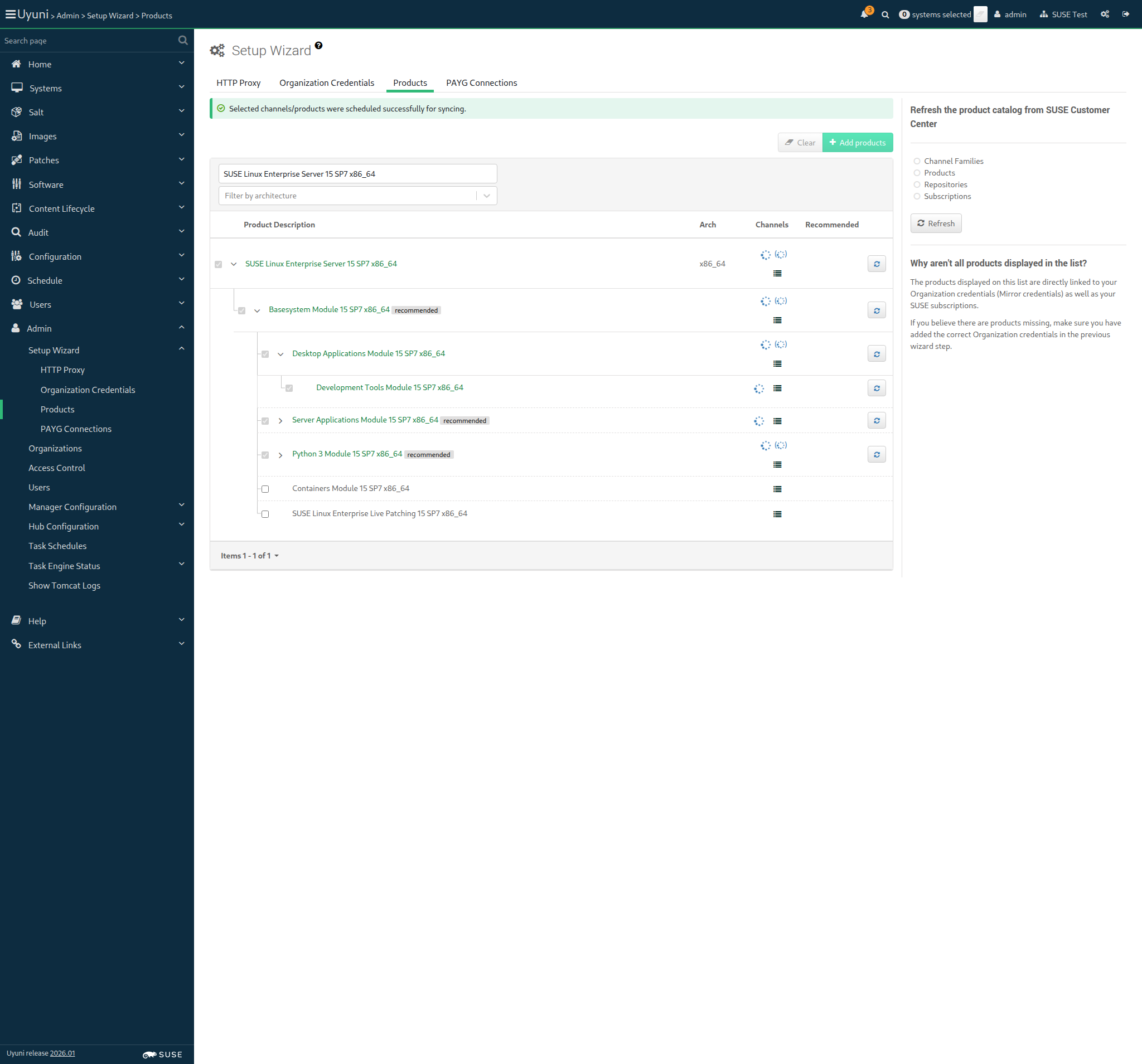
INFO: Channel opensuse_tumbleweed-x86_64 synchronization took 99 seconds.
SUCCESS: Channel opensuse_tumbleweed-uyuni-client-x86_64 initialized. No '.new' files and repo size > 0.
INFO: Channel opensuse_tumbleweed-uyuni-client-x86_64 synchronization took 13 seconds.
SUCCESS: Channel opensuse_tumbleweed-uyuni-client-devel-x86_64 initialized. No '.new' files and repo size > 0.
INFO: Channel opensuse_tumbleweed-uyuni-client-devel-x86_64 synchronization took 11 seconds.
SUCCESS: Channel opensuse_tumbleweed-x86_64 initialized. No '.new' files and repo size > 0.
INFO: Channel opensuse_tumbleweed-x86_64 synchronization took 99 seconds.
SUCCESS: Channel opensuse_tumbleweed-uyuni-client-devel-x86_64 initialized. No '.new' files and repo size > 0.
INFO: Channel opensuse_tumbleweed-uyuni-client-devel-x86_64 synchronization took 11 seconds.
SUCCESS: Channel uyuni-proxy-devel-tumbleweed-x86_64 initialized. No '.new' files and repo size > 0.
INFO: Channel uyuni-proxy-devel-tumbleweed-x86_64 synchronization took 7 seconds.
SUCCESS: Channel sle-product-sles15-sp7-pool-x86_64 initialized. No '.new' files and repo size > 0.
INFO: Channel sle-product-sles15-sp7-pool-x86_64 synchronization took 7 seconds.
SUCCESS: Channel sle-product-sles15-sp7-updates-x86_64 initialized. No '.new' files and repo size > 0.
INFO: Channel sle-product-sles15-sp7-updates-x86_64 synchronization took 3 seconds.
SUCCESS: Channel sle15-sp7-installer-updates-x86_64 initialized. No '.new' files and repo size > 0.
INFO: Channel sle15-sp7-installer-updates-x86_64 synchronization took 5 seconds.
SUCCESS: Channel sle-module-basesystem15-sp7-pool-x86_64 initialized. No '.new' files and repo size > 0.
INFO: Channel sle-module-basesystem15-sp7-pool-x86_64 synchronization took 355 seconds.
SUCCESS: Channel sle-module-basesystem15-sp7-updates-x86_64 initialized. No '.new' files and repo size > 0.
INFO: Channel sle-module-basesystem15-sp7-updates-x86_64 synchronization took 790 seconds.
SUCCESS: Channel sle-module-python3-15-sp7-pool-x86_64 initialized. No '.new' files and repo size > 0.
INFO: Channel sle-module-python3-15-sp7-pool-x86_64 synchronization took 47 seconds.
SUCCESS: Channel sle-module-python3-15-sp7-updates-x86_64 initialized. No '.new' files and repo size > 0.
INFO: Channel sle-module-python3-15-sp7-updates-x86_64 synchronization took 43 seconds.
SUCCESS: Channel sle-module-server-applications15-sp7-pool-x86_64 initialized. No '.new' files and repo size > 0.
INFO: Channel sle-module-server-applications15-sp7-pool-x86_64 synchronization took 63 seconds.
SUCCESS: Channel sle-module-server-applications15-sp7-updates-x86_64 initialized. No '.new' files and repo size > 0.
INFO: Channel sle-module-server-applications15-sp7-updates-x86_64 synchronization took 93 seconds.
SUCCESS: Channel sle-module-desktop-applications15-sp7-pool-x86_64 initialized. No '.new' files and repo size > 0.
INFO: Channel sle-module-desktop-applications15-sp7-pool-x86_64 synchronization took 382 seconds.
SUCCESS: Channel sle-module-desktop-applications15-sp7-updates-x86_64 initialized. No '.new' files and repo size > 0.
INFO: Channel sle-module-desktop-applications15-sp7-updates-x86_64 synchronization took 81 seconds.
SUCCESS: Channel sle-module-systems-management-15-sp7-pool-x86_64 initialized. No '.new' files and repo size > 0.
INFO: Channel sle-module-systems-management-15-sp7-pool-x86_64 synchronization took 33 seconds.
SUCCESS: Channel sle-module-systems-management-15-sp7-updates-x86_64 initialized. No '.new' files and repo size > 0.
INFO: Channel sle-module-systems-management-15-sp7-updates-x86_64 synchronization took 28 seconds.
SUCCESS: Channel sles15-sp7-devel-uyuni-client-x86_64 initialized. No '.new' files and repo size > 0.
INFO: Channel sles15-sp7-devel-uyuni-client-x86_64 synchronization took 25 seconds.
 Synchronization encountered errors:
* Download failed for: sle-module-devtools15-sp7-updates-x86_64, sle-module-devtools15-sp7-pool-x86_64 (ScriptError)
./features/step_definitions/command_steps.rb:475:in `/^all channels have been synced without errors$/'
features/reposync/srv_sync_products.feature:231:in `all channels have been synced without errors'
17:22:44:000 - 17:24:12:000 | Current URL: https://uyuni-master-server.sumaci.aws/rhn/manager/admin/setup/products
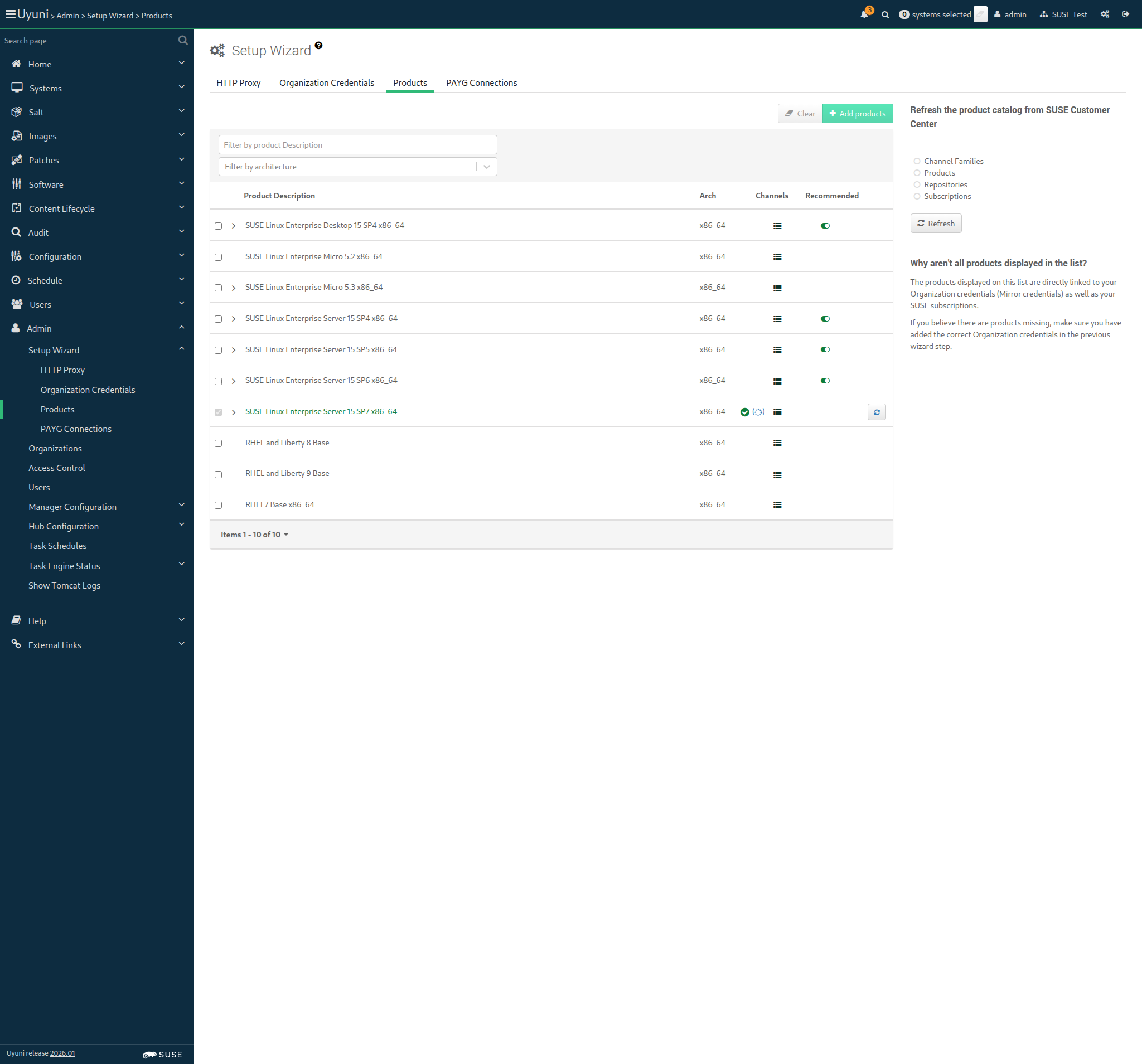
 At least one product is not fully synchronized (ScriptError)
./features/step_definitions/navigation_steps.rb:849:in `/^I should only see success signs in the product list$/'
features/reposync/srv_sync_products.feature:242:in `I should only see success signs in the product list'
17:24:34:000 - 17:24:58:000 | Current URL: https://uyuni-master-server.sumaci.aws/rhn/manager/admin/setup/products
As an authorized user
I want to create fake channels for each distribution
As an authorized user
I want to create a fake repository per fake child channel
As an authorized user
I want to create custom channels for each distribution
As admin
I want to synchronize the fake channels
DEBUG: Sync for fake-rpm-suse-channel still in progress (no completion message found).
DEBUG: Found channel 'fake-rpm-suse-channel' at line 225. Checking for completion...
DEBUG: Found 'Sync of channel completed.' for fake-rpm-suse-channel at line 229.
SUCCESS: fake-rpm-suse-channel is fully synchronized.
DEBUG: Sync for fake-child-channel-i586 still in progress (no completion message found).
DEBUG: Found channel 'fake-child-channel-i586' at line 233. Checking for completion...
DEBUG: Found 'Sync of channel completed.' for fake-child-channel-i586 at line 237.
SUCCESS: fake-child-channel-i586 is fully synchronized.
DEBUG: Sync for test-child-channel-x86_64 still in progress (no completion message found).
DEBUG: Found channel 'test-child-channel-x86_64' at line 241. Checking for completion...
DEBUG: Found 'Sync of channel completed.' for test-child-channel-x86_64 at line 245.
SUCCESS: test-child-channel-x86_64 is fully synchronized.
DEBUG: Sync for fake-child-channel-suse-like still in progress (no completion message found).
DEBUG: Found channel 'fake-child-channel-suse-like' at line 249. Checking for completion...
DEBUG: Found 'Sync of channel completed.' for fake-child-channel-suse-like at line 253.
SUCCESS: fake-child-channel-suse-like is fully synchronized.
DEBUG: Found 'Sync of channel completed.' for fake-base-channel-debian-like at line 261.
SUCCESS: fake-base-channel-debian-like is fully synchronized.
DEBUG: Sync for fake-base-channel-rh-like still in progress (no completion message found).
DEBUG: Found channel 'fake-base-channel-rh-like' at line 265. Checking for completion...
DEBUG: Found 'Sync of channel completed.' for fake-base-channel-rh-like at line 269.
SUCCESS: fake-base-channel-rh-like is fully synchronized.
DEBUG: Sync for fake-base-channel-appstream still in progress (no completion message found).
DEBUG: Found channel 'fake-base-channel-appstream' at line 273. Checking for completion...
DEBUG: Found 'Sync of channel completed.' for fake-base-channel-appstream at line 277.
SUCCESS: fake-base-channel-appstream is fully synchronized.
As admin
I want to synchronize the dev channels
DEBUG: Sync for devel-suse-channel still in progress (no completion message found).
DEBUG: Found channel 'devel-suse-channel' at line 281. Checking for completion...
DEBUG: Found 'Sync of channel completed.' for devel-suse-channel at line 285.
SUCCESS: devel-suse-channel is fully synchronized.
DEBUG: Sync for devel-debian-like-channel still in progress (no completion message found).
DEBUG: Found channel 'devel-debian-like-channel' at line 289. Checking for completion...
DEBUG: Found 'Sync of channel completed.' for devel-debian-like-channel at line 293.
SUCCESS: devel-debian-like-channel is fully synchronized.
DEBUG: Sync for devel-rh-like-channel still in progress (no completion message found).
DEBUG: Found channel 'devel-rh-like-channel' at line 297. Checking for completion...
DEBUG: Sync for devel-rh-like-channel still in progress (no completion message found).
DEBUG: Found channel 'devel-rh-like-channel' at line 297. Checking for completion...
DEBUG: Sync for devel-rh-like-channel still in progress (no completion message found).
DEBUG: Found channel 'devel-rh-like-channel' at line 297. Checking for completion...
DEBUG: Found 'Sync of channel completed.' for devel-rh-like-channel at line 301.
SUCCESS: devel-rh-like-channel is fully synchronized.
DEBUG: Sync for devel-build-host-channel still in progress (no completion message found).
DEBUG: Found channel 'devel-build-host-channel' at line 305. Checking for completion...
DEBUG: Found 'Sync of channel completed.' for devel-build-host-channel at line 309.
SUCCESS: devel-build-host-channel is fully synchronized.
As the testing user
I want to use activation keys
As admin
I want to update activation keys to use synchronized base products
As the system administrator
I create all bootstrap repos with --with-custom-channels option
channel: openSUSE-Tumbleweed-x86_64-uyuni
parent_channel:
Creating the bootstrap repository on the server:
mgr-create-bootstrap-repo --create openSUSE-Tumbleweed-x86_64-uyuni --with-custom-channels
channel: openSUSE-Tumbleweed-x86_64-uyuni
parent_channel:
Creating the bootstrap repository on the server:
mgr-create-bootstrap-repo --create openSUSE-Tumbleweed-x86_64-uyuni --with-custom-channels
channel: SLE-15-SP7-x86_64
parent_channel: sle-product-sles15-sp7-pool-x86_64
Creating the bootstrap repository on the server:
mgr-create-bootstrap-repo --create SLE-15-SP7-x86_64 --with-parent-channel sle-product-sles15-sp7-pool-x86_64 --with-custom-channels
I want to be sure that there is no wrong SELinux label